
ComfyUI workflows with reusable hosted-model assets
Watch the case videoBring a hosted image model into the graph you already use. Connect ComfyUI through a custom bridge, keep approved assets attached to their shots and remake the part you choose without treating every preview as another generation.
For developers and teams connecting their existing tools.
What can ComfyUI add to a hosted-model workflow?
ComfyUI is a graph-based application for building image and media workflows. Its custom-node architecture lets developers connect external services while keeping local processing steps in the graph. SeedRouter supplies the model API; your bridge handles task results and the data representation the next node needs.
Reuse a character or shot asset
Keep an accepted image in ComfyUI as a named asset for the next scene or edit. Link it to the relevant reference and shot brief so revisiting the graph does not mean losing the version that already worked.
Explore this use caseCombine hosted images with local processing
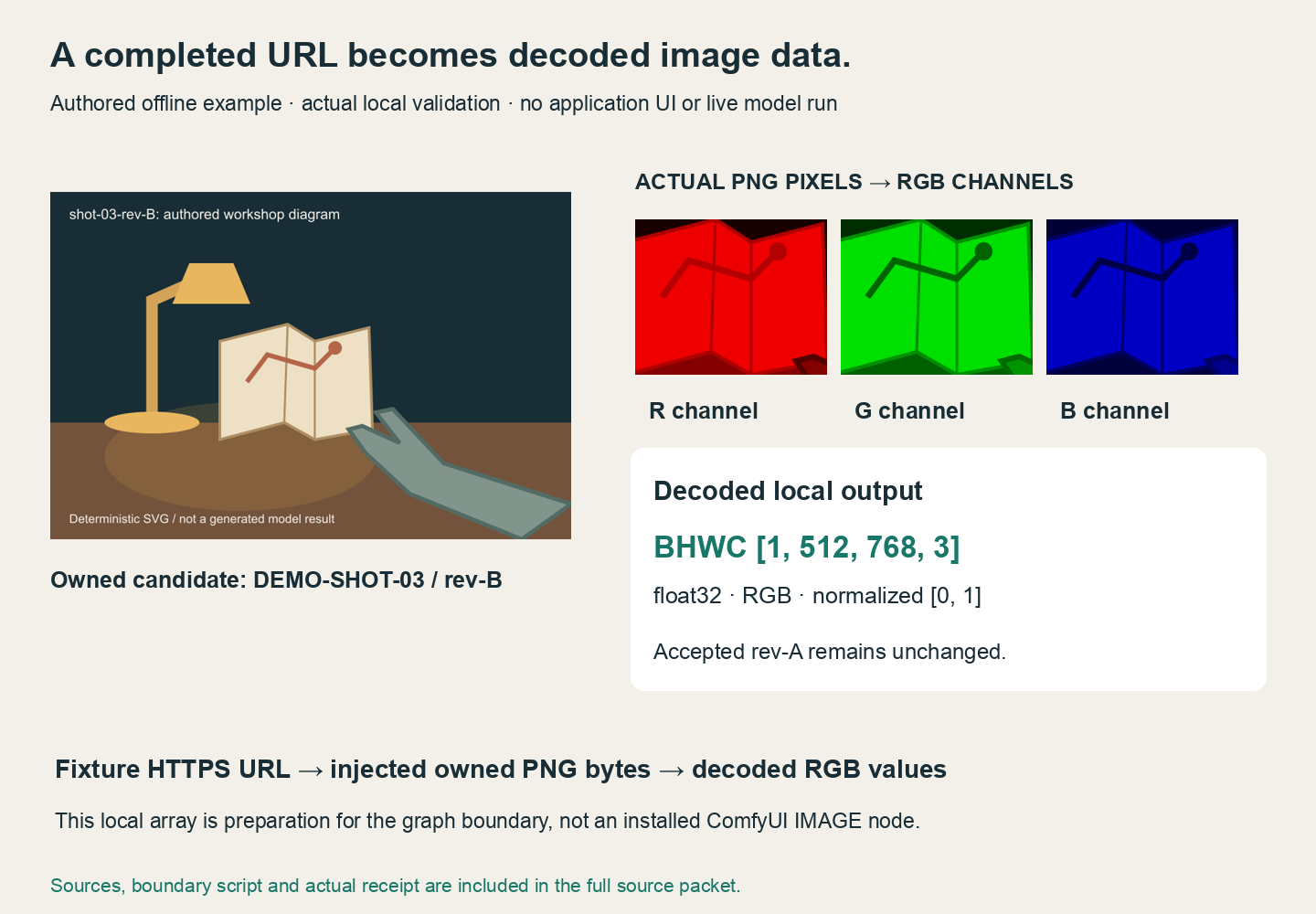
Use a ComfyUI bridge to retrieve a completed asset, then pass it to the local nodes your workflow needs. Explicit conversion makes the handoff inspectable instead of assuming that an API URL already behaves like an image tensor.
Explore this use caseRevise one part of a sequence
Organize ComfyUI work by shot or scene, with accepted and candidate versions kept separately. When a revision is needed, request only the chosen asset and preserve the references used to build the surrounding sequence.
Explore this use case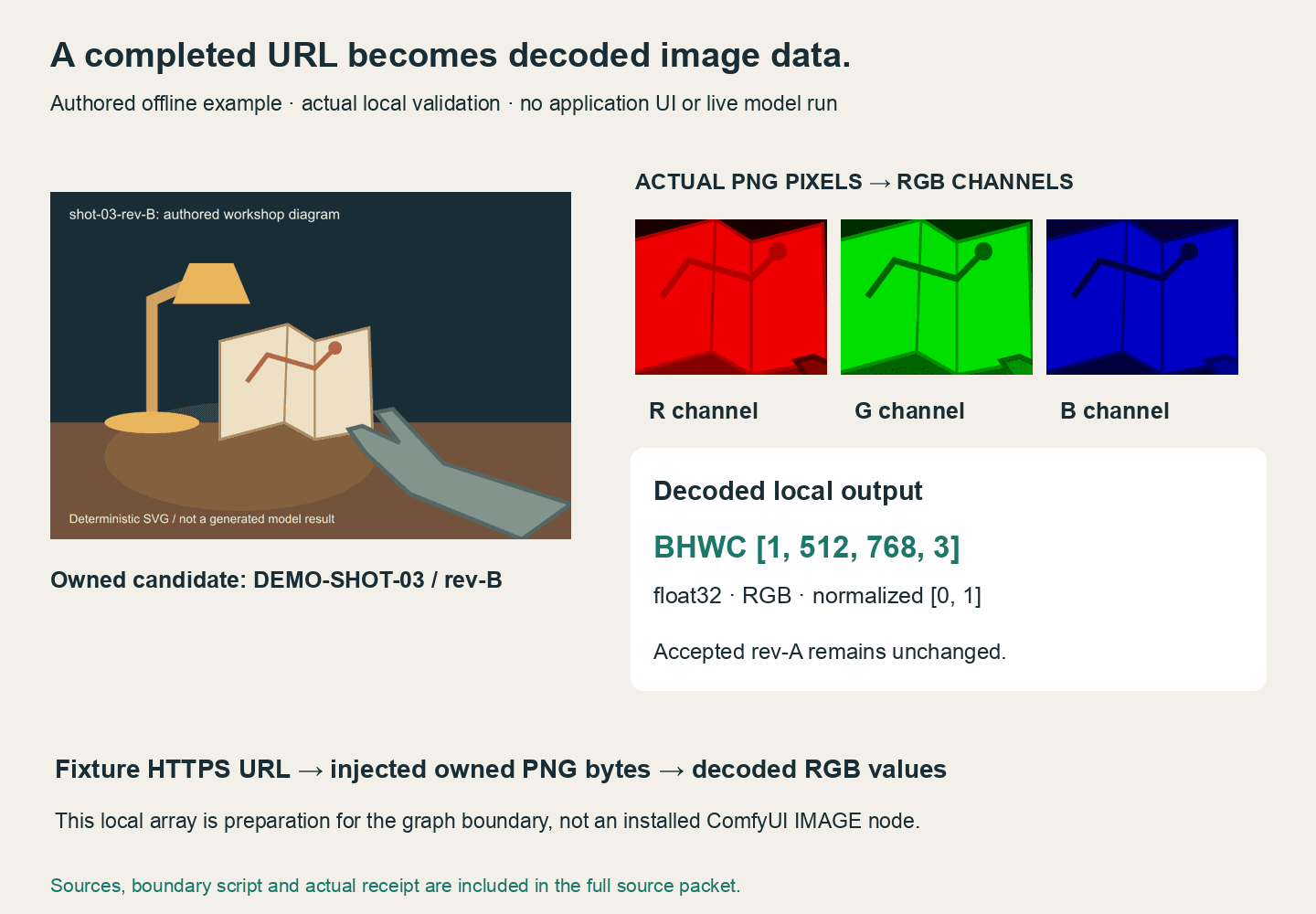
Build a ComfyUI bridge with a clear contract
The official architecture describes Python backend nodes with declared inputs, outputs and processing functions. A ComfyUI hosted-model connection needs an implementation that submits the selected API request and returns data the downstream graph can actually consume.
- Map only parameters supported by the chosen model contract.
- Keep the ComfyUI credential in private server configuration.
- Handle downloaded image data explicitly before returning the expected node type.
ComfyUI node boundary
- Inputs
- Prompt, supported settings and reference URLs
- Remote result
- Task ID followed by completed asset URL
- Local handoff
- Downloaded image in the required representation
- Downstream step
- Preview, processing or approved-asset storage
A local checkpoint loader is not automatically an API client, and a URL is not automatically an IMAGE value.
Separate generation from ComfyUI preview
An accepted asset should remain available when you inspect the graph or continue another step. Design the ComfyUI bridge so loading an existing result reads its saved reference, while a new paid generation requires an explicit new submission path.
- Save the task ID as soon as a submission returns it.
- Use ComfyUI result-loading logic to read the saved task or local file.
- Check how changed inputs and repeated graph execution affect generation.
ComfyUI asset record
- Shot
- DEMO-SHOT-03
- Accepted revision
- rev-A, stored local asset
- Candidate revision
- rev-B, separate pending task
- Preview behavior
- Load rev-A until another asset is accepted
The chosen revision should come from your asset record, not from whichever request happened to finish last.
Give the ComfyUI bridge a testable brief
Download the node planning brief and adapt it to your implementation. It asks you to check pending, completed and failed results, plus a ComfyUI preview operation that must not submit another generation.
- Use saved response fixtures to check branches before a live request.
- Confirm ComfyUI receives the expected output type and dimensions.
- Record the bridge version alongside the graph and selected model.
ComfyUI acceptance cases
- Existing asset
- Preview opens a saved file
- Pending task
- Keep its ID and continue checking
- Completed task
- Download the asset and return the expected type
- Missing file
- Show a recoverable state without creating a new generation
Use a distinct action if the operator decides to replace a missing or rejected asset.
Choose a ComfyUI connection pattern
Choose the ComfyUI handoff that fits your graph and the asset you need. Image and video models have different input contracts and outputs, so validate each bridge rather than exposing the same controls for every model.
| Your need | Connection pattern | What to verify |
|---|---|---|
| ComfyUI image concept | Submit, retrieve and convert the completed image | Downstream image type and reference mapping. |
| ComfyUI accepted-asset reuse | Load a saved file or known task result | Preview does not create another generation. |
| ComfyUI shot revision | Create a new candidate beside the accepted asset | The intended shot and revision receive the result. |
Build the handoff before the full graph
Start ComfyUI integration work with one image task and a simple downstream preview. Once the boundary is clear, add the local processing and asset management your project needs instead of debugging every node at once.
- 1
Define the graph boundary
Write down the input fields and output type for your node. Use the selected model reference to decide which ComfyUI controls are valid, including how reference images become accessible URLs.
- 2
Handle the task and completed asset
Save the returned ID and query its status according to the task contract. When it completes, let the ComfyUI bridge download and convert the image before sending it into the next graph step.
- 3
Check repeat use and selective revision
Open the accepted asset again, then request a separate candidate. Confirm ComfyUI preserves the original and associates the new result with the intended shot, even when completion arrives later.
ComfyUI integration questions
Is there an official SeedRouter node for ComfyUI?
This page describes a custom bridge implementation pattern and does not claim a supplied, tested node package. Use the ComfyUI custom-node documentation and the selected SeedRouter API contract to build or review the implementation you plan to run.
Can a ComfyUI model loader use an API URL?
A model-loading node and an HTTP API bridge have different responsibilities. ComfyUI needs a node or application layer that sends the request, reads the result and converts it to the representation required by the rest of your graph.
How does ComfyUI retrieve a generated image?
The documented image API returns a task ID, then a completed result contains output.data[].url. Your ComfyUI bridge must retrieve that result and load or convert the image; the returned URL does not become local image data on its own.
How do I avoid paying again just to preview in ComfyUI?
Keep generation and result loading as separate graph operations. In ComfyUI, test the behavior of repeated execution, changed inputs and missing local files so inspection uses the saved asset rather than silently issuing a fresh generation request.
Can ComfyUI preserve character consistency across shots?
Your references, accepted assets and review process help maintain a coherent sequence. A ComfyUI connection alone does not guarantee identical characters or details from a model, so compare each candidate with the approved reference before accepting it into the next scene.
Has this ComfyUI bridge been run end to end?
No new installed bridge or live graph execution is claimed on this page. The ComfyUI architecture was reviewed on October 12, 2026; record your version, node implementation and completed artifact when you perform the actual integration check.
Architecture, contracts and production planning
The ComfyUI preparation package includes original test images, saved response examples and a local image-decoding check. It verifies downloaded-file bytes and preserves accepted revisions. The test uses local bytes; it does not establish HTTP delivery, an installed bridge or the final ComfyUI graph connection.
- ComfyUI custom-node architecture
- Download the ComfyUI offline source packet
- Read the setup and test scope
- Inspect the local validation receipt
- GPT Image 2 API reference
- Task status and output fields
- Comic and series production
Related solutions
- Fashion catalog photography
Plan consistent catalog images around garment details, model references and scene requirements.
- Video production
Build a shot-based workflow with clear acceptance criteria, selective revisions and a delivery budget.
- AI comic and series production
Connect scripts, character references and reusable shots for serialized visual storytelling.
- Storyboards and animation keyframes
Translate a shot list and character references into keyframes that can guide animation.
Connect one asset to the graph you trust
Choose a model, define the bridge boundary and preserve the first accepted result. Use ComfyUI to develop the surrounding workflow while keeping generation, preview and revision clear enough to inspect.