
Midjourney V8.2 — shape your next visual idea
Turn a scene into an image set, then refine the direction that works. Midjourney V8.2 pairs text prompts with visual references and optional high definition.
- Text to image
- Style references
- HD output
- Image actions
Try Midjourney V8.2
Set the scene, choose a version and review the exact request. Pricing must be available before you can submit.
midjourney-v8.2$0.08 per operation
Midjourney V8.2 and earlier versions
Subject, setting, light; native flags accepted.
Generation settings
Defaults: Imagine and Fast. V6, V8 Draft, quality 4, Omni Reference and personalization need API or administrator access for compatible requests. The signed-in form retains its additional content check. Leave optional values blank for model defaults.
Fast is the default. Relax and Turbo are available for supported request combinations.
Positive W:H ratio. Available combinations depend on the selected version and output mode.
0.25, 0.5, 1 or 2; quality 4 has narrower availability. Omit for the model default.
A safely representable JSON number. Whole numbers have wider availability; no seed is added when omitted.
0–1000. Fractional values have narrower availability.
0–100. Fractional values have narrower availability.
0–3000. Fractional values have narrower availability.
Direct aesthetic interpretation.
Make a repeatable image.
Objects or qualities to exclude.
V8 can return 24 concepts.
V8 high definition. Earlier supported versions accept this as standard output without an HD charge.
Recognized parameter; this capability is not currently available.
10–100. V7/V8 need API or administrator access; Niji 7 is unavailable.
On in the public Playground.
Greyed-out options relax content filtering. They are available through the API only, not in the playground.
Image and style references
Add public image URLs. Available reference types change with the selected model version.
Public HTTP(S) URLs, one per line.
0–3 across all nine versions.
HTTP(S) character-reference URL. Version combinations are documented; not all are live-verified.
0–100. Fractional values have narrower availability.
One HTTP(S) style-reference URL; codes, weights and multiple URLs are unavailable.
Whole numbers 0–1000 have wider availability. Other finite values require a compatible request.
Recognized parameter; this capability is not currently available.
Recognized parameter; this capability is not currently available.
HTTP(S) depth-reference URL. Documented input; version effects remain to be verified.
Depth weight 0–100. No default is inserted.
Continue an existing task
Choose an operation, then enter your completed task ID. Actions inherit the original image settings; clear the prompt when the operation does not accept replacement text.
Generate or modify images. Describe requires API or administrator access.
Your task, same model.
One-based parent image position.
Variation, selection or upscale mode.
Pan only.
1.1–2, default 2. Values are never rounded; available choices depend on the parent task.
Pan: 1.1–3 where supported.
HTTP(S) editing mask.
Native parameters and metadata
Structured fields override extra parameters, then prompt flags. Unsupported combinations show a reason before submission.
raw alias; legacy codes unavailable.
Explicit profile code. API or administrator access is required; no account profile is filled in.
Recognized parameter; this capability is not currently available.
Recognized parameter; this capability is not currently available.
Must match selected model.
Must match selected family.
Flags only; --ar 16:9 --s 100.
Optional JSON object.
One completed image job; grid selection and the inpaint input step have zero usage.
Try one of these prompts
Midjourney V8.2 image examples
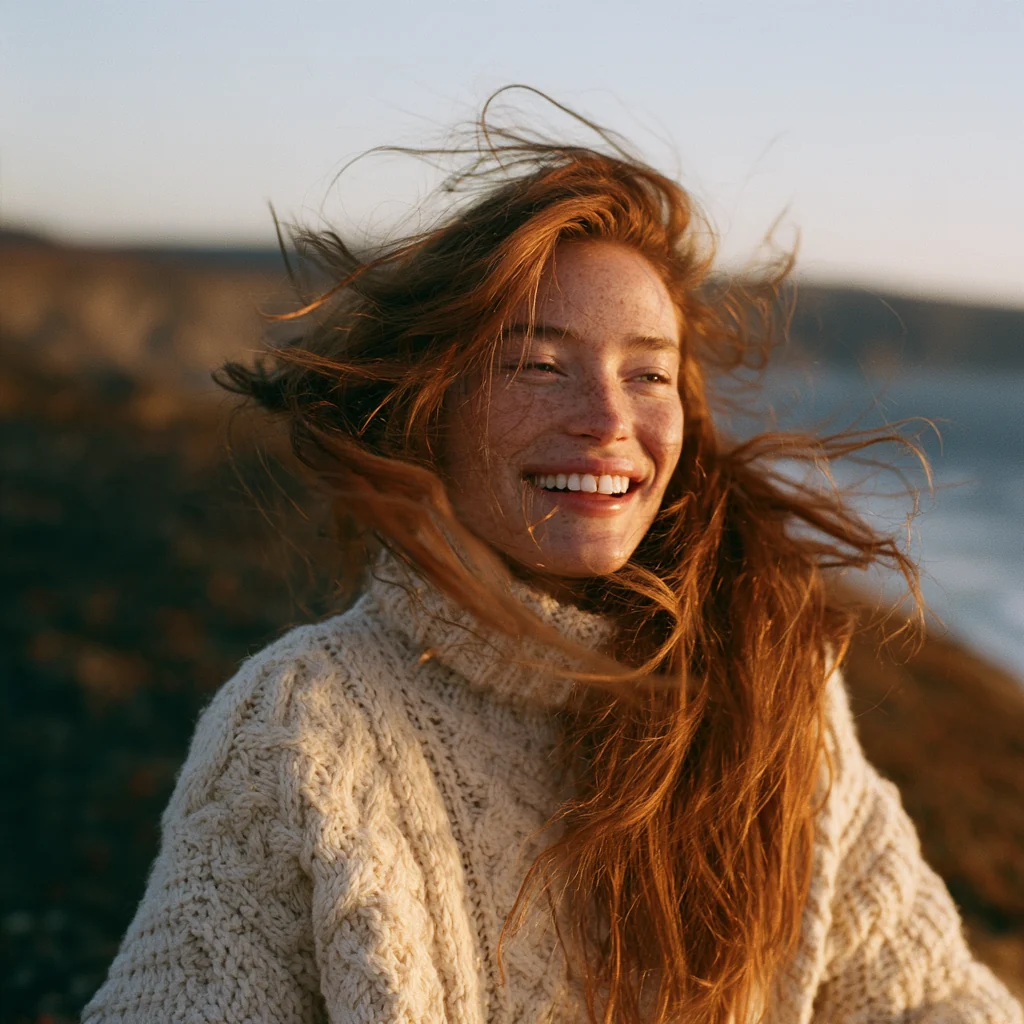
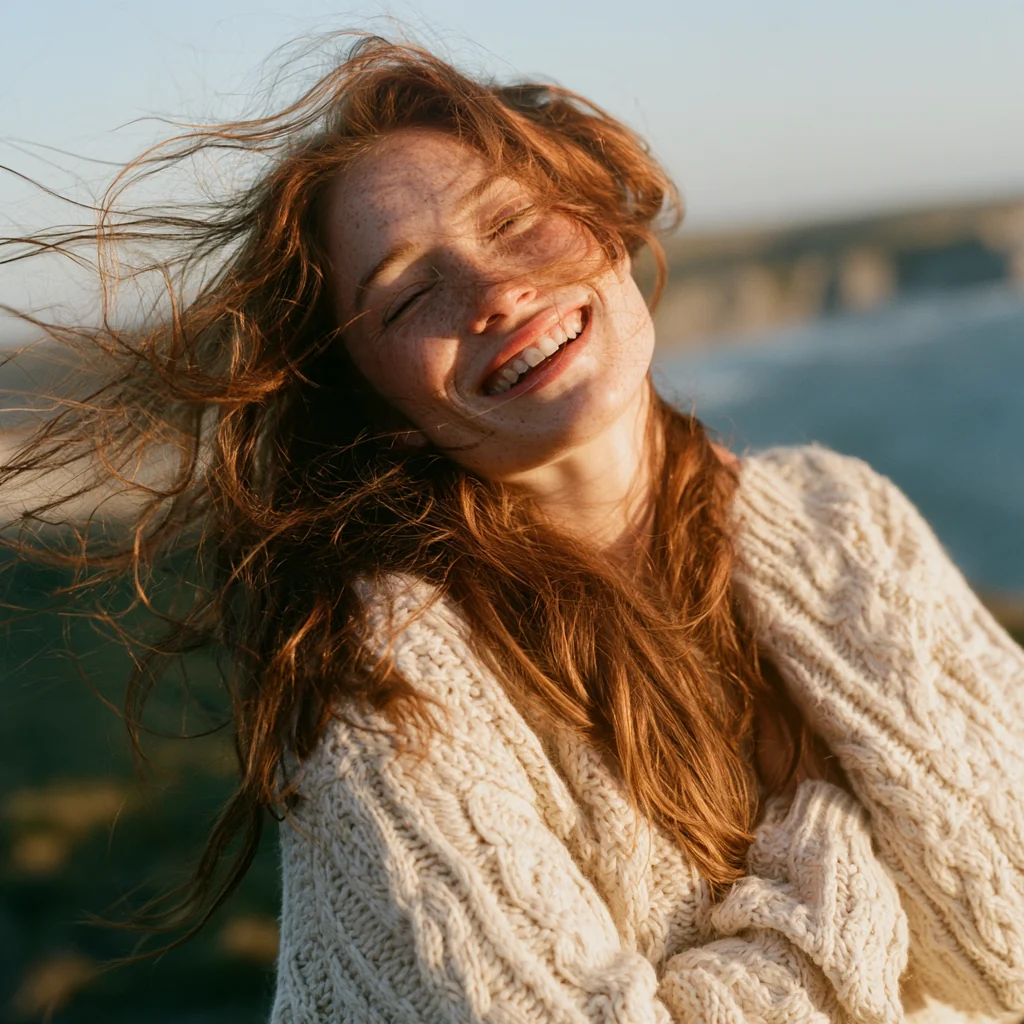
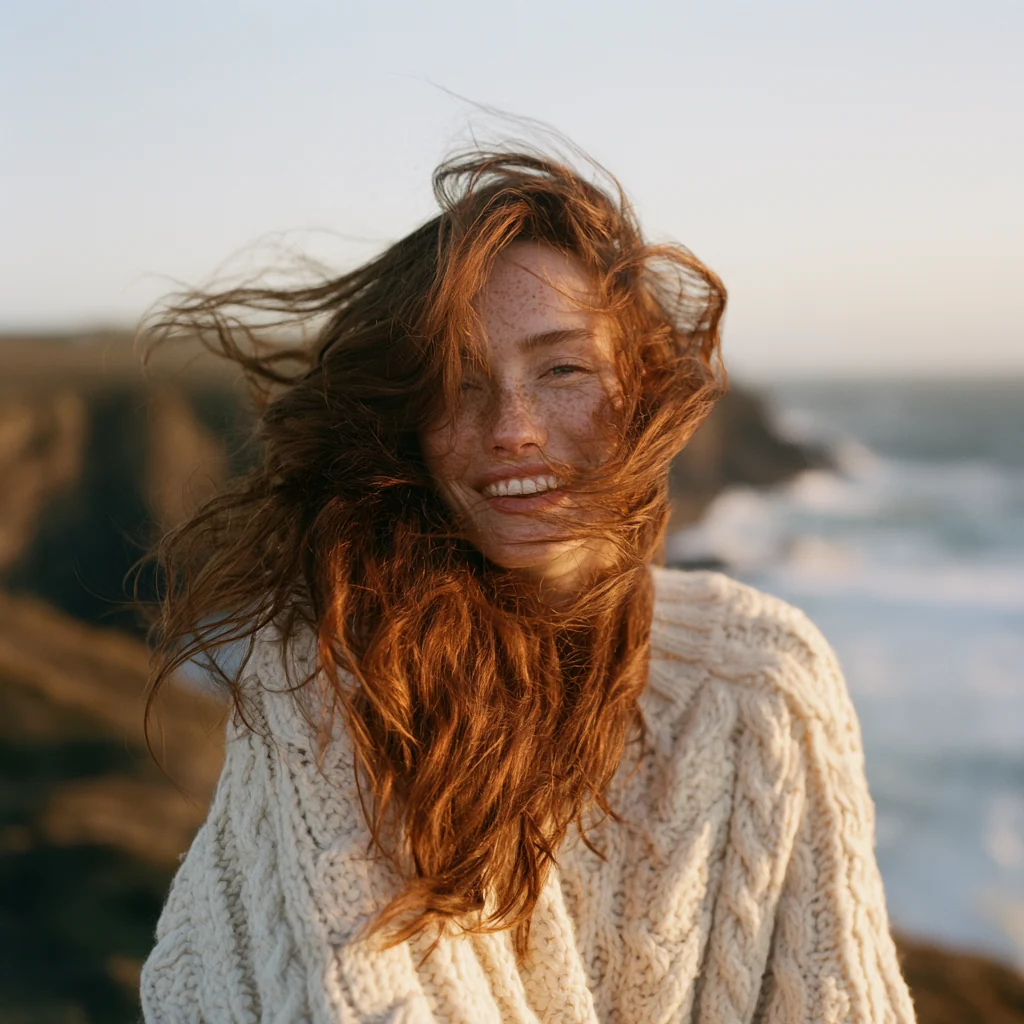
Explore four Midjourney V8.2 portraits of the same coastal scene. Compare each composition’s framing, expressions and evening light.
Shared prompt
Cinematic portrait of a young woman with freckles and wind-swept auburn hair, wearing a cream cable-knit sweater, laughing on a coastal cliff at golden hour, warm rim light, shallow depth of field, 85mm film photograph
Each image is 1024 × 1024 pixels. Compare details in the auburn hair, freckles, knitted fabric and coastal background.
Midjourney V8.2 pricing
Review live Midjourney V8.2 generation rates by speed and mode. Continuing an image receives a task-specific estimate in the Playground.
Current generation rates
| Model | Operation · speed · mode | Price per operation |
|---|---|---|
| Midjourney V8.2 | Imagine · Fast · Standard | $0.08 |
| Midjourney V8.2 | Imagine · Fast · Draft | $0.08 |
| Midjourney V8.2 | Imagine · Fast · HD | $0.12 |
| Midjourney V8.2 | Imagine · Fast · HD draft | $0.12 |
| Midjourney V8.2 | Imagine · Relax · Standard | $0.08 |
| Midjourney V8.2 | Imagine · Relax · HD | $0.12 |
| Midjourney V8.2 | Imagine · Turbo · Standard | $0.16 |
| Midjourney V8.1 | Imagine · Fast · Standard | $0.08 |
| Midjourney V8.1 | Imagine · Fast · Draft | $0.08 |
| Midjourney V8.1 | Imagine · Fast · HD | $0.12 |
| Midjourney V8.1 | Imagine · Fast · HD draft | $0.12 |
| Midjourney V8.1 | Imagine · Relax · Standard | $0.08 |
| Midjourney V8.1 | Imagine · Relax · HD | $0.12 |
| Midjourney V8.1 | Imagine · Turbo · Standard | $0.16 |
| Midjourney V7 | Imagine · Fast · Standard | $0.08 |
| Midjourney V7 | Imagine · Fast · Draft | $0.04 |
| Midjourney V7 | Imagine · Fast · Omni Reference | $0.16 |
| Midjourney V7 | Imagine · Relax · Standard | $0.08 |
| Midjourney V7 | Imagine · Relax · Draft | $0.04 |
| Midjourney V7 | Imagine · Turbo · Standard | $0.16 |
| Midjourney V7 | Imagine · Turbo · Draft | $0.08 |
| Midjourney V7 | Imagine · Turbo · Omni Reference | $0.32 |
| Midjourney V6.1 | Imagine · Fast · Standard | $0.08 |
| Midjourney V6.1 | Imagine · Relax · Standard | $0.08 |
| Midjourney V6.1 | Imagine · Turbo · Standard | $0.16 |
| Midjourney V6 | Imagine · Fast · Standard | $0.08 |
| Midjourney V6 | Imagine · Turbo · Standard | $0.16 |
| Midjourney V5.2 | Imagine · Fast · Standard | $0.08 |
| Midjourney V5.2 | Imagine · Relax · Standard | $0.08 |
| Midjourney V5.2 | Imagine · Turbo · Standard | $0.16 |
| Midjourney V5.1 | Imagine · Fast · Standard | $0.08 |
| Midjourney V5.1 | Imagine · Relax · Standard | $0.08 |
| Midjourney V5.1 | Imagine · Turbo · Standard | $0.16 |
| Niji 7 | Imagine · Fast · Standard | $0.08 |
| Niji 7 | Imagine · Relax · Standard | $0.08 |
| Niji 7 | Imagine · Turbo · Standard | $0.16 |
| Niji 6 | Imagine · Fast · Standard | $0.08 |
| Niji 6 | Imagine · Relax · Standard | $0.08 |
| Niji 6 | Imagine · Turbo · Standard | $0.16 |
Failed requests are not charged.
What is Midjourney V8.2?
Midjourney V8.2 turns written scenes and image references into new compositions. Explore a campaign look, product setting or illustration direction before choosing an image to develop. Begin with a concrete scene: a red paper boat, still water and low morning light. Change one part of the brief at a time so you can tell which instruction influenced the composition.
SeedRouter gives Midjourney V8.2 an explicit version ID and documented task format. Older Midjourney and Niji versions remain separate choices for projects that need their reference controls. The same prompt can look different across versions. Keep the selected model alongside saved prompts, reference URLs and task IDs. This gives collaborators a useful record of the settings they actually reviewed.
Version-specific parameters · URL references · No automatic version changes
Two ways to use Midjourney V8.2
Add images to your application
Send a Midjourney V8.2 request, save its task ID and retrieve the completed image URLs. Keep prompts and settings with your project.
- 1Create a server-side key.
- 2Send a versioned request.
- 3Save the completed images.
Prepare the request with an agent
Ask an assistant to prepare your Midjourney V8.2 prompt and settings. Review the request and approve its price before submission.
- 1Describe the desired image.
- 2Review settings and price.
- 3Approve and save the task ID.
Control the Midjourney V8.2 result
Start with a clear scene
Give Midjourney V8.2 a subject, setting and light direction. A focused brief makes alternatives easier to compare. Describe where the subject sits, what surrounds it and the intended viewpoint. Avoid combining several unrelated scenes when you want a clear comparison.
Bring a visual reference
Guide Midjourney V8.2 with an image prompt or a style reference. These inputs influence different parts of the result. Use an image prompt for visual content and composition, or a style reference for aesthetic direction. Keep reference images accessible at their supplied URLs.
Choose the presentation
Choose a landscape cover or portrait composition. Midjourney V8.2 offers standard and HD output, with different aspect-ratio limits. Decide the final placement before generating: a banner, article cover or vertical social image. Leave room for typography that you plan to add later.
Tune the aesthetic
Try Raw mode or adjust stylization. Midjourney V8.2 also exposes chaos and weirdness for a less conventional direction. Compare a restrained interpretation with a more stylized version using the same subject. Keep other settings steady while deciding which treatment suits the brief.
Continue from a result
Keep the task ID when a direction works. Supported Midjourney V8.2 actions continue from your chosen parent image. A variation explores another interpretation; selecting a grid image retrieves an existing choice. A real upscale is a separate operation with its own availability.
Keep versions explicit
Choose the controls your project needs. Midjourney V8.2 accepts documented character-reference inputs, while Omni Reference remains a V7 option. Moving an existing project to Midjourney V8.2 means reviewing its reference fields and testing their effect. Unsupported combinations produce an explanation instead of silently changing the creative intent.
Where Midjourney V8.2 fits
Campaign concept boards
Explore lighting and composition before committing to a shoot. Midjourney V8.2 turns one brief into alternatives for discussion. Keep the subject constant while comparing a few lighting directions. Share the selected image together with the original prompt, so the conversation stays anchored to a specific visual choice.
Editorial illustrations
Give an article’s central idea a visual treatment. Use Midjourney V8.2 references to guide mood and prompts to specify the scene. Choose a visual metaphor that supports the article. Check small details, unwanted lettering and the space reserved for a headline before handing the image to an editor.
Product scene studies
Test a studio or tabletop setting. Treat Midjourney V8.2 output as a creative study; check product details before publication. For Midjourney V8.2 scene studies, describe the surface, camera angle and light source. Compare the result against the real product, especially labels, proportions and distinctive physical features.
Start a Midjourney V8.2 request
- 01
Write a visual brief
Describe the subject and purpose. Keep your first Midjourney V8.2 scene easy to judge.
- 02
Choose the settings
Choose aspect ratio, speed and references. Check your Midjourney V8.2 request for conflicting parameters.
- 03
Review the price
Check the live estimate. Without a matching price, the Midjourney V8.2 form stays blocked.
- 04
Inspect the result
Review the returned images and save the task ID. Continue with an available Midjourney V8.2 action.
Build with Midjourney V8.2
The Midjourney V8.2 reference covers inputs, version restrictions and image actions. Keep its examples beside your integration.
Midjourney V8.2 and earlier versions
Choose by the controls your project needs; each version has a different reference and quality workflow.
| Capability | Midjourney V8.2 | Midjourney V7 | Midjourney V6.1 |
|---|---|---|---|
| High definition | HD mode | Different upscale workflow | Different upscale workflow |
| Character guidance | Character reference; no Omni Reference | Omni Reference | Character reference |
| Quality flag | 0.25 / 0.5 / 1 / 2 | 0.25 / 0.5 / 1 / 2 / 4 | 0.25 / 0.5 / 1 / 2 / 4 |
| Native multiprompts | Not supported | Not supported | Supported |
Before using Midjourney V8.2
Some capabilities are still unavailable
Midjourney V8.2 generation and selected image actions have passed paid checks. Advanced style-reference forms and Edit Model inputs remain unavailable. Midjourney V8.2 personalization accepts an explicit profile on a compatible request; its visual effect remains unverified.
Inspect details before publishing
Check lettering, geometry and references before publishing. Midjourney V8.2 creates new imagery; reference fidelity needs your review.
Use Midjourney V8.2 through SeedRouter
Visible request and price
Review your Midjourney V8.2 prompt, parameters and live estimate together. Missing prices block submission. The request preview follows the selected version, making it easier to copy a working setup into your application without rebuilding the settings by hand.
A clear completion result
Follow the task and retrieve delivered image URLs. Failed Midjourney V8.2 requests are not charged. Save the public task ID before polling. If your application stops waiting, resume reading that task instead of creating an unintended duplicate.
Explore other image models
Compare examples and controls for your next project.
Create and edit images with Nano Banana Pro (Gemini 3 Pro Image): 1K to 4K output, built-in thinking, up to 14 references. Pay per image or per token.
View modelUse Gemini 3 Pro Image (gemini-3-pro-image) with Google's generateContent body: 1K to 4K, built-in thinking, 14 references. Pay per image or per token.
View modelCreate and edit images with Nano Banana 2 (Gemini 3.1 Flash Image): 512px to 4K, 14 aspect ratios, up to 14 references. Pay per image or per token.
View modelMidjourney V8.2 guides
Practical Midjourney V8.2 reading on versions, settings and references.
Submit a Midjourney V8.2 image task, save its ID, poll results in Python, and understand versioned parameters, image actions and live pricing.
Check Midjourney V8.2 Edit Model availability, choose a supported image workflow, and follow a real V6.1 masked-edit example with its limits explained.
Compare Midjourney V8.2 Raw on and off with real images, one shared prompt and seed zero. Learn which settings to hold fixed and how to read the results.
Midjourney V8.2 questions
What does Midjourney V8.2 support here?+
Midjourney V8.2 supports text and URL image prompts, style references, Raw and HD. Standard generation, Raw and HD passed paid checks; consult the reference for unverified combinations.
Can I use a character reference with Midjourney V8.2?+
The documented API accepts a character-reference URL. Its effect with V8.2 still needs live verification. Omni Reference remains a V7 option; ordinary image prompts are not interchangeable identity controls.
How is Midjourney V8.2 priced?+
Each operation has a live configured price. Returned image count is not a second charge multiplier. Missing rates block submission, and failed requests are not charged.
Does Midjourney V8.2 need a quality setting?+
Quality is optional. This API accepts 0.25, 0.5, 1 or 2 for V8.2 through a compatible request. Omit it to retain the model setting. HD controls output definition separately; individual parameter combinations still need verification.
Can I reuse a Midjourney V8.2 seed?+
Yes, within the documented request bounds. A seed does not guarantee identical pixels across sessions or versions; keep the complete prompt, settings and references.
Is this Midjourney V8.2 integration fully verified?+
Selected workflows have passed paid checks: nine-version generation, V8.2 Raw, HD and Draft, V7 Omni Reference, describe, selection, and V6.1 masked editing. HD with Draft and a remix failed. These results do not verify every parameter combination or visual effect.
Prepare your Midjourney V8.2 brief
Start with the image you want Midjourney V8.2 to make. Review your settings and the current price before submitting.