
Seedream 5.5 — create, edit and split images into layers
Seedream 5.5 is ByteDance's image model for generation and editing. Write a prompt, add up to 10 references, or split a finished poster into transparent layers and read its text back. From $0.017 per image.
- Text to image
- Up to 10 references
- Layer decomposition
- Text recognition
- Transparent background
- Exact pixel sizes
Try Seedream 5.5 before you write any code
Run Seedream 5.5 with the exact request your code will send. Turn on layer decomposition to split one image instead of making a new one.
seedream-5-5Seedream 5.5 prices come from the rates that bill your account. Layer decomposition charges the base image and every layer at the price of its own size, plus the one input image. Failed requests are not charged.
Generate from a prompt or edit reference images. Submit once; results appear when the task completes.
Describe the image. Optional with layer decomposition: list the elements to split out.
Add references for an edit, or one image to split into layers. Files are uploaded and sent as URLs.
Optional. Up to 10 references for an edit; exactly one for layer decomposition.
Splits one image into a base image and transparent layers.
1K and 1.5K cost the same. Custom: WIDTHxHEIGHT, 921,600 to 4,624,220 pixels.
With layers, sets the base image only; layers are always PNG.
Transparent needs PNG output.
On adds an AI generated mark.
Always on in the playground.
Greyed-out options relax content filtering. They are available through the API only, not in the playground.
Layer decomposition shows the most it can cost (max images, 30 when empty); you pay for the images it returns.

Try one of these prompts
Generated with Seedream 5.5 on SeedRouter
Seedream 5.5 pricing
Seedream 5.5 is priced per image. 1K and 1.5K share the lower price; 2K and anything above 2.61 million pixels cost more. Every reference image is billed too, the first one included.
- Seedream 5.5
- $0.017/image
- Seedream 5.5
- $0.1258/split
Seedream 5.5 prices come from the rates that bill your account. Layer decomposition charges the base image and every layer at the price of its own size, plus the one input image. Failed requests are not charged.
| Category | Up to 2.61 MP (1K, 1.5K)Price · 1 image | Above 2.61 MP (2K)Price · 1 image |
|---|---|---|
| Output image, per image | $0.017 | $0.02975 |
What is Seedream 5.5?
Seedream 5.5 is the newest image model in ByteDance's Seedream family, released on November 9, 2026. It makes an image from a prompt, edits a photo, or combines up to 10 references, at 1K, 1.5K or 2K, or at exact pixel sizes. It can also return a transparent PNG.
Seedream 5.5 can take a finished image apart too. Layer decomposition returns a base image plus transparent layers, up to 100 images, each with a name and position. With text recognition on, text layers also carry their words, a similar font and the color. On SeedRouter you send one request with the model ID seedream-5-5, keep the task ID, and read the image URLs when the task completes.
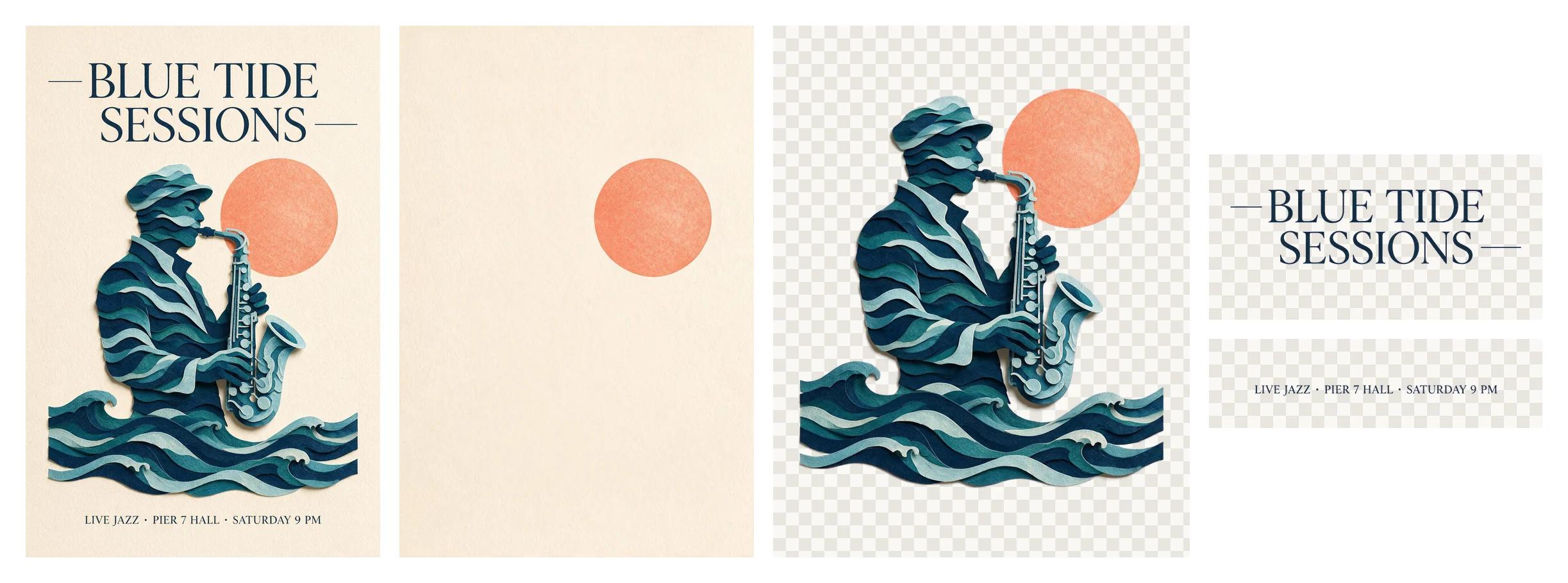
In our tests on November 10 and 11, 2026, a 1K Seedream 5.5 image came back as a 1248×832 PNG in 29 to 47 seconds, a 2K edit with one reference as 2560×1440 in 40 seconds, and a 2K split of a poster as a base image and three layers of about 4.2 million pixels each in 59 seconds.
Two ways to use Seedream 5.5
Call the API from your backend, or hand the job to a coding agent.
Call the API
Send the Seedream 5.5 request from your server, keep the task ID, and read the finished images from the task.
- 1Create an API key
- 2POST the Seedream 5.5 request with your prompt
- 3Poll the task until the images are ready
Let an agent do it
Copy a ready Seedream 5.5 prompt into Claude Code, Codex or Cursor. It asks before spending and downloads the result.
- 1Copy the prompt
- 2Paste it into your agent and describe the image
- 3Approve the cost, then get the image
What Seedream 5.5 is good at
Seedream 5.5 fits work where an image has to be made, changed and then reused in parts.
Images from a prompt
Describe the subject, light and framing. Pick 1K, 1.5K or 2K, or exact pixels such as 2560x1440, and Seedream 5.5 fills that frame.
Edits that keep the scene
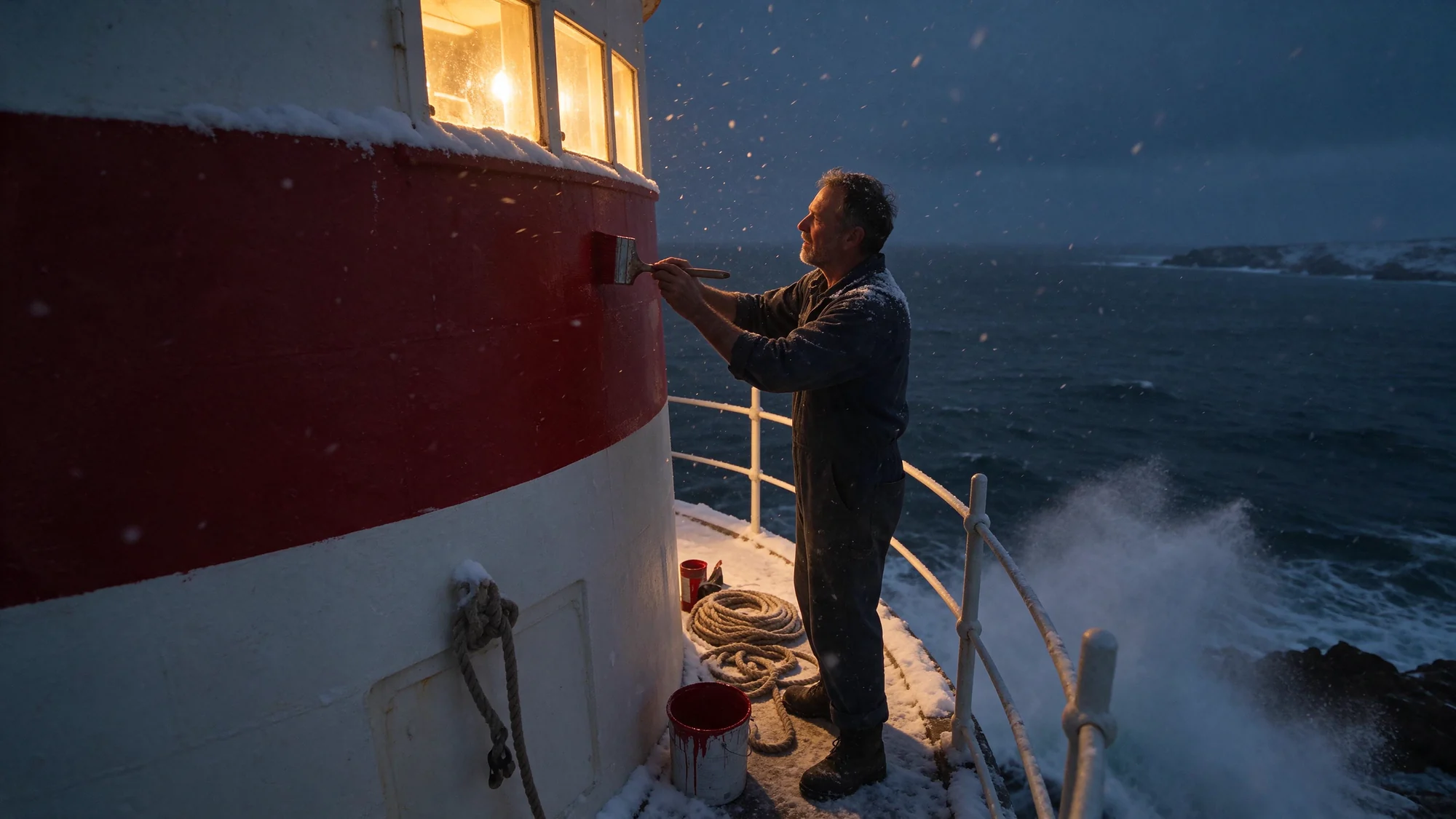
Our winter Seedream 5.5 edit kept the painter, the rope and the railing where they were and changed only the season.
Up to 10 references
Give Seedream 5.5 a product, a person and a place, and say what each one contributes. Refer to them by order.
Layers you can edit
Split a flat poster with Seedream 5.5 into background, subject and text layers, each a transparent PNG with its position.
Text you can reuse
Turn on text recognition and Seedream 5.5 returns the words of each text layer with a similar font and the color.
Transparent cutouts
Ask for a transparent background and get a PNG you can place on any page or banner.
What teams use Seedream 5.5 for
Poster and ad rework
Split last season's poster with Seedream 5.5, read its headline back as text, change the copy and keep the artwork.
Product cutouts
Ask Seedream 5.5 for a transparent background and place the product on any page or banner.
Fixed layouts
Banners and covers need exact sizes. Ask Seedream 5.5 for 2560x1440 instead of cropping afterwards.
Product scenes
Put a real product photo into new settings from up to 10 references before you book a shoot.
Localized creatives
Read the words of each Seedream 5.5 text layer, retype them in another language with a similar font, and keep the rest.
In-app image tools
Give your users create, edit and split buttons backed by the Seedream 5.5 API.
Start with Seedream 5.5 in four steps
- 01
Create a key
Sign in, top up any amount, and create an API key. Credits never expire.
- 02
Send one request
POST your prompt to /v1/images/generations with model seedream-5-5, plus image and size if you need them.
- 03
Poll the task
Keep the Seedream 5.5 task ID and check it every 10–20 seconds until the status is completed.
- 04
Download the images
Save the hosted Seedream 5.5 URLs from the task to your own storage. Hosted links are not permanent.
Seedream 5.5 at a glance
The facts that decide whether Seedream 5.5 fits the job.
- Inputs
- Text, up to 10 reference images
- Output size
- 1K, 1.5K, 2K or exact pixels
- Largest output
- About 4.6 million pixels; no 3K or 4K
- Images per request
- One, or up to 100 with layer decomposition
- Text recognition
- Yes, for text layers
- Transparent background
- Yes, PNG
- Output formats
- PNG or JPEG
- Billing
- Per image by size, plus each reference
Need 4K output or several images per request? Seedream 5.5 stops at 2K and one image; see GPT Image 2.
What to know before you start
One image per request
Seedream 5.5 returns one image per request, except layer decomposition. Send separate requests for variations.
2K at most
Seedream 5.5 has no 3K or 4K tier. The largest output is about 4.6 million pixels.
No seed or streaming
Seedream 5.5 results are not reproducible by seed, and images arrive when the task completes.
Images go in as URLs
Send references as public HTTPS links, not base64. The Playground uploads files for you.
Why run Seedream 5.5 on SeedRouter
See the price first
The Seedream 5.5 estimate uses the current rate for your size, references and mode before you submit.
Pay only for results
Failed Seedream 5.5 requests are not charged, and layer decomposition bills only the images it returns.
Credits never expire
Top up once and use the balance for Seedream 5.5 whenever you need it.
Hosted results
Finished Seedream 5.5 images come back as URLs on our CDN. Keep a copy of anything you need long term.
One balance for every model
The top-up that pays for Seedream 5.5 also pays for the image, video and text models in the catalogue.
Other image models on SeedRouter
Same balance and the same task workflow as Seedream 5.5.
Seedream 5.5 guides
Prompting, pricing and workflow notes for Seedream 5.5.
Seedream 5.5 FAQ
What is Seedream 5.5 used for?+
Seedream 5.5 makes images from text, edits photos with up to 10 references, cuts subjects out onto transparent backgrounds, and splits finished designs into editable layers for ads, product shots and posters.
How much does Seedream 5.5 cost?+
On SeedRouter, Seedream 5.5 costs $0.017 per image at 1K or 1.5K and $0.02975 at 2K or above 2.61 million pixels. Each reference image adds $0.0068, the first one included. Failed requests are not charged.
Who made Seedream 5.5?+
ByteDance made Seedream 5.5, the newest model of its Seedream image family after Seedream 5.0 Pro. On SeedRouter you call Seedream 5.5 with the model ID seedream-5-5.
What does Seedream 5.5 layer decomposition return?+
A base image followed by transparent PNG layers, up to max images in total (2 to 100, 30 by default), each with a stacking order, a name, a description and a bounding box. A 1K split costs $0.017 per image plus $0.0068 for the input image.
Can Seedream 5.5 read the text in an image?+
Yes, during layer decomposition. With text recognition on, Seedream 5.5 adds the words of each regular text layer, the line positions, a similar font and the color. Artistic or handwritten lettering may come back without text.
What sizes does Seedream 5.5 support?+
Choose 1K, 1.5K or 2K and describe the shape in the prompt, or send exact pixels from 921,600 to 4,624,220 in total with an aspect ratio between 1:16 and 16:1. For a 16:9 frame at 2K, send 2560x1440.
How long does Seedream 5.5 take?+
In our tests a 1K Seedream 5.5 image took 47 seconds, a 2K edit with one reference 40 seconds, and a 1K layer split into four images 39 seconds.
Is Seedream 5.5 free?+
No. Seedream 5.5 is paid per image, and new SeedRouter accounts get a small credit to try it. There is no subscription and credits never expire.
Is there a Seedream 5.5 Pro?+
Not yet. ByteDance released Seedream 5.5 on November 9, 2026 and says a Pro version of the series will follow, with no date given. Until then, Seedream 5.0 Pro is the Pro model of the family on SeedRouter.
Make your next image with Seedream 5.5
Start at 1.5K, add references when they help, and split the result into layers when you need to edit it. Seedream 5.5 shows the price first.