
FLUX 3 Image Klein — Create, Edit, Combine
FLUX 3 Image Klein creates images from text or references. Build a scene, change a product backdrop, or combine references, then choose your output size.
- Text to image
- Image editing
- Up to 10 references
- JPEG or PNG
Try FLUX 3 Image Klein
Describe your result and choose a resolution. For an edit, add a reference and name the details to change or preserve.
flux-3-image-kleinFLUX 3 Image Klein pricing depends on output resolution. Reference count, aspect ratio, seed, steps, and file format do not add a separate charge. Failed requests are not charged.
Generate from a prompt or edit reference images. Submit once; results appear when the task completes.
Describe the image or edit. Use positive instructions; no separate negative prompt.
Add references for FLUX 3 Image Klein editing. Reference count does not change the resolution price.
Up to 10 public image URLs. Images are numbered in the order shown.
Auto follows the first reference; text-only requests fall back to square.
Optional compatibility field. Prefer aspect_ratio and leave this unset.
Controls the price. Actual pixel dimensions depend on the frame.
FLUX 3 Image Klein supports one image per request.
0 is strictest. Values above 2 are API only.
Greyed-out options relax content filtering. They are available through the API only, not in the playground.
Optional integer from 0 to 4294967295. Leave blank for a new random seed.
1–16; default 16. Fewer steps do not reduce the price.
JPEG or PNG. The API also accepts jpg as an alias.
FLUX 3 Image Klein pricing depends on output resolution. Reference count, aspect ratio, seed, steps, and file format do not add a separate charge. Failed requests are not charged.
Try one of these prompts
FLUX 3 Image Klein examples
Three FLUX 3 Image Klein photographs: cinematic portrait, coastal architecture, and jewelry macro. All generated at 1K, 3:2, and 16 steps.
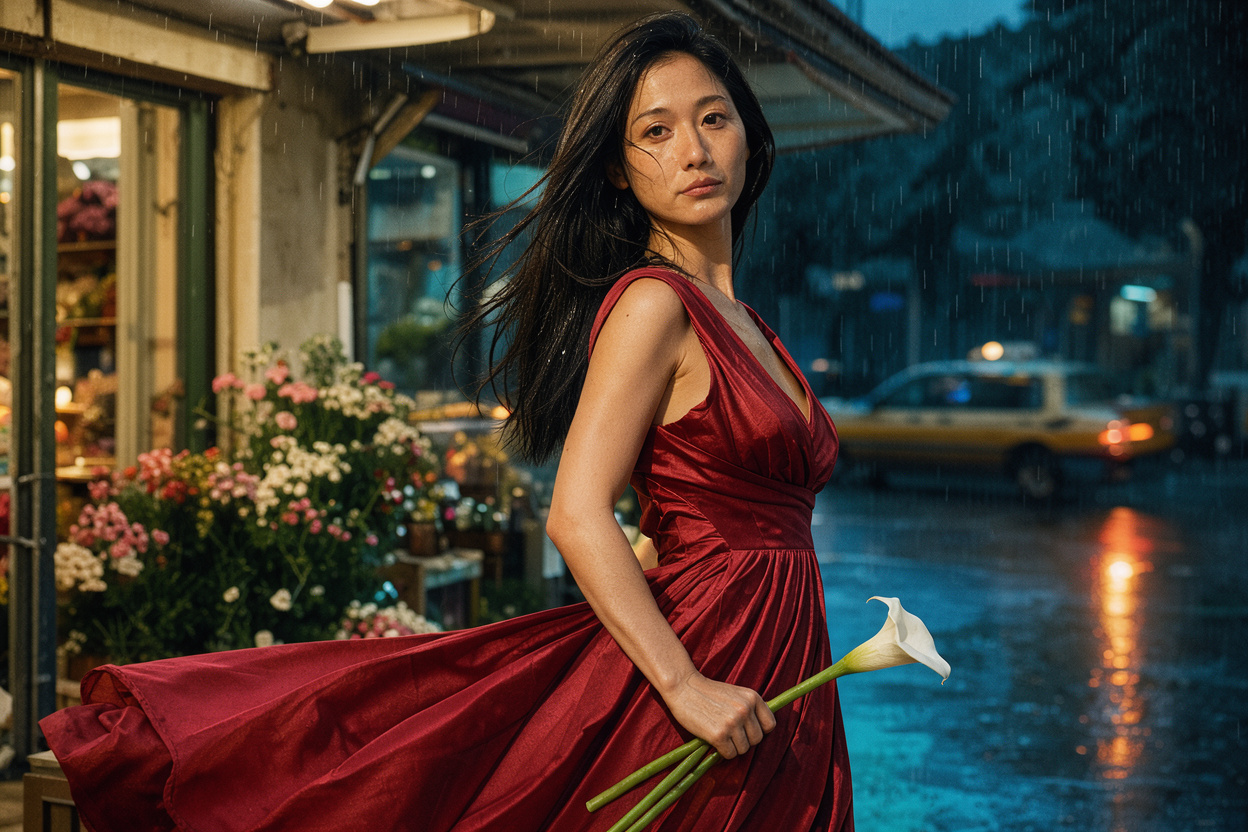
After the rain
Scarlet silk, a white calla lily, and rain-lit streets give this cinematic portrait its visual focus.
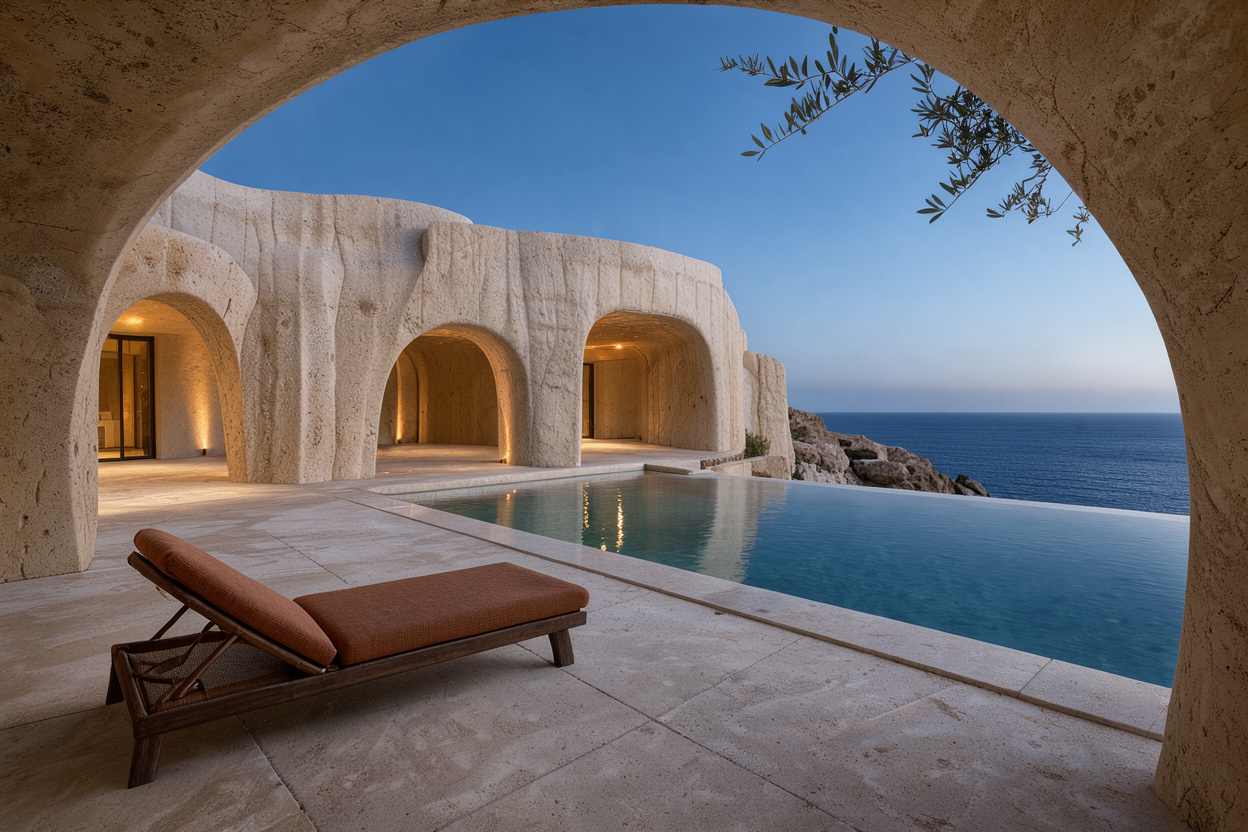
A room above the sea
Warm travertine arches frame a cobalt horizon, with reflected light drawing the eye through the cliffside retreat.
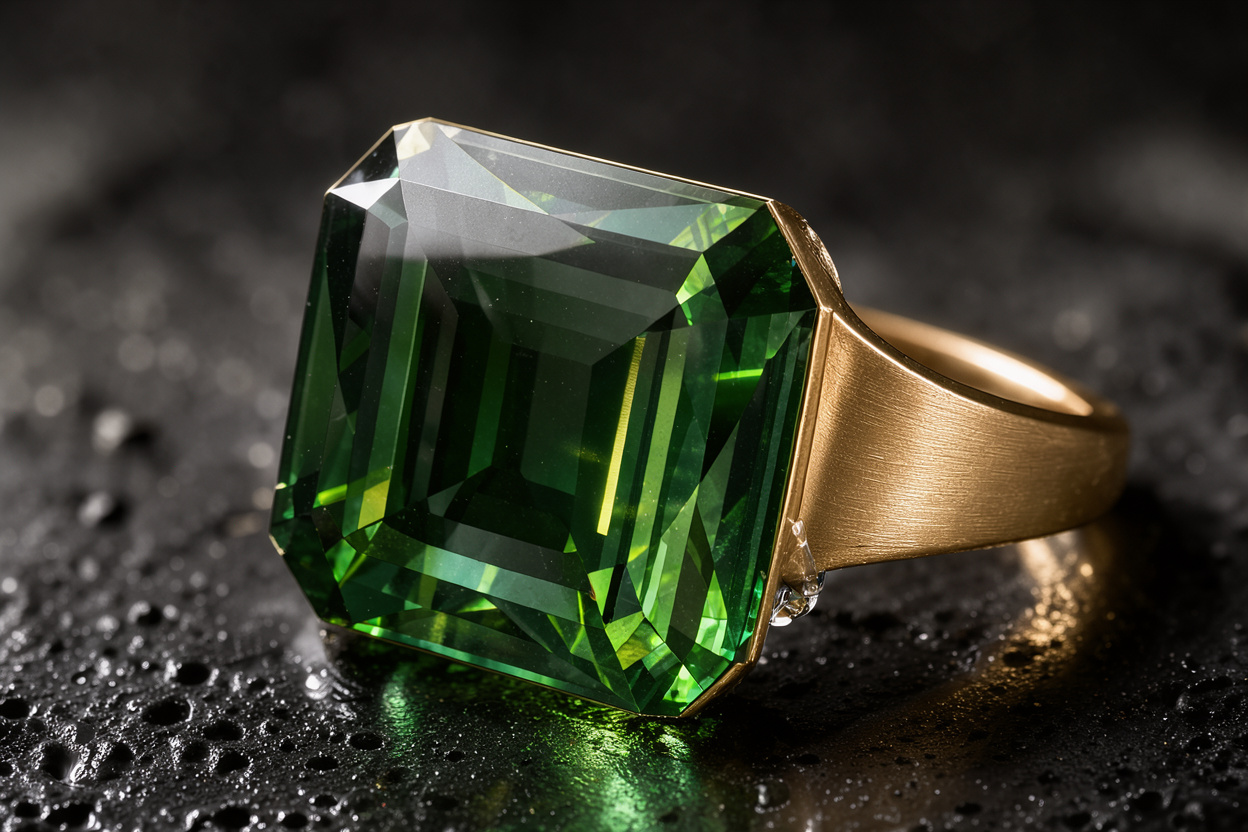
Emerald in the shadows
Hard light reveals emerald facets, brushed gold, and wet volcanic stone in a tightly framed jewelry campaign.
FLUX 3 Image Klein pricing
Each successful request produces one image. Text generation and reference edits share the same price at each resolution.
| Category | Price · 1 image |
|---|---|
| 768SQ | $0.00753 |
| 1K | $0.008472 |
| 1.5K | $0.010354 |
| 2K | $0.013178 |
| 4K | $0.033884 |
FLUX 3 Image Klein pricing depends on output resolution. Reference count, aspect ratio, seed, steps, and file format do not add a separate charge. Failed requests are not charged.
What is FLUX 3 Image Klein?
FLUX 3 Image Klein
FLUX 3 Image Klein is an image generation and editing model from Black Forest Labs. Use a written description, one reference for an edit, or several references for a combined result.
Use FLUX 3 Image Klein for scenes that need a specific subject, framing, material, and light. Inspect the result before publishing; generated details can differ from your brief.
Use this exact identifier in the model field for generation and reference editing.
Two ways to use FLUX 3 Image Klein
Call FLUX 3 Image Klein from your application. Send the prompt and optional references, save the task ID, and retrieve the completed image. The API guide includes executable examples.
Share the FLUX 3 Image Klein OpenAPI document with your coding agent. Ask it to validate parameters, show the resolution price, and poll the existing task until a result is available.
Create with FLUX 3 Image Klein
FLUX 3 Image Klein builds scenes from text. Specify the object, surroundings, and viewpoint to give the first result a clear direction.
Give FLUX 3 Image Klein one reference and a focused instruction: change a material, garment color, or background while naming the details to preserve.
FLUX 3 Image Klein accepts ten references. Identify each by its order and role: subject, setting, or style.
Choose a portrait, landscape, square, or panoramic frame with FLUX 3 Image Klein. Describe any space needed for cropping or text.
Where FLUX 3 Image Klein fits
Explore a new backdrop or surface with FLUX 3 Image Klein before committing to a shoot. Check labels, geometry, and material details against the real item.
Turn a story brief into a visual direction with FLUX 3 Image Klein. Specify the mood and composition, then review the image alongside the article it will accompany.
Use FLUX 3 Image Klein to explore several versions of a scene. Keep the reference and brief stable while changing one element to make comparisons easier.
Your first FLUX 3 Image Klein image
- 01
Write the brief
Tell FLUX 3 Image Klein what the finished picture should show. Include the subject, framing, light, and any details that must stay unchanged.
- 02
Add references if needed
For a FLUX 3 Image Klein edit, upload an image or paste its URL. For multiple references, explain what each one contributes.
- 03
Choose the output
Select the resolution and file format for FLUX 3 Image Klein. Review the live estimate, then submit one image request.
- 04
Review and download
Inspect the FLUX 3 Image Klein result at its actual size. Download the image, or refine your instruction before submitting another request.
Choose your FLUX 3 Image Klein workflow
| Workflow | Text to image | Single image editing | Multiple references |
|---|---|---|---|
| When to use it | Use FLUX 3 Image Klein without references when you are exploring a new scene and do not need to preserve an existing subject. | Give FLUX 3 Image Klein one reference when the starting picture matters. State the exact change and the details to keep. | Give FLUX 3 Image Klein several images when the result needs distinct visual ingredients. Keep their roles explicit and avoid conflicting instructions. |
FLUX 3 Image Klein limits
FLUX 3 Image Klein returns one image per request. A second variation is a separate generation, with its own price and result.
FLUX 3 Image Klein on SeedRouter offers five resolution tiers. Actual dimensions depend on the selected frame; arbitrary width and height inputs are not available.
FLUX 3 Image Klein has no separate negative prompt or mask input. Describe the desired change in the prompt; detailed region instructions can also go there.
Use FLUX 3 Image Klein on SeedRouter
The FLUX 3 Image Klein estimate uses the current rate for your chosen resolution. Move between drafts and larger outputs with the cost visible before submission.
Failed FLUX 3 Image Klein requests are not charged. Save the task ID when submitting so you can check its status without starting the same request again.
Pay for FLUX 3 Image Klein from your SeedRouter balance. Top up when needed; credits do not expire and no subscription is required.
Compare image models
Compare input, editing, and output requirements before choosing another model.
FLUX 3 Image Klein guides
Find the official weights and check the files required for a local workflow.
FLUX 3 Image Klein questions
Can FLUX 3 Image Klein edit an existing image?+
Yes. Add a reference and describe the edit. Identify the object and new color, then name the pose, background, and lighting to preserve. Review the result: preservation instructions do not guarantee pixel identical output.
How many references does FLUX 3 Image Klein accept?+
FLUX 3 Image Klein accepts up to ten references. Their order matters when you refer to Image 1 or Image 2. Explain whether each supplies the subject, style, or setting; more references do not automatically improve results.
Which FLUX 3 Image Klein resolution should I choose?+
Start FLUX 3 Image Klein at 1K to review an idea, then choose a larger tier for the final asset. Tiers describe approximate scale, not fixed dimensions. Check the generated file before preparing a precise layout.
Do fewer FLUX 3 Image Klein steps cost less?+
No. FLUX 3 Image Klein charges by resolution, not steps. The default is sixteen; fewer steps may change speed and quality. Compare results with the same prompt and seed before adopting a lower value.
How does FLUX 3 Image Klein choose an automatic frame?+
With references, FLUX 3 Image Klein follows the first image’s frame. Without references, it uses the prompt and falls back to square. Choose an explicit ratio for a fixed layout.
Can I download FLUX 3 Image Klein weights?+
Yes. Black Forest Labs publishes base, distilled, and ComfyUI weights for FLUX 3 Image Klein. The hosted Playground needs no local GPU. Our linked guide explains the official repositories, checkpoints, and required workflow files.
Make your next image with FLUX 3 Image Klein
Bring a clear brief, add references when they help, and check the selected resolution’s price before you generate.