
TouchDesigner visuals with generated assets ready to play
Watch the case videoBring new image concepts into an interactive visual project without tying every frame to a model request. Use TouchDesigner to trigger generation, keep a usable asset on screen and load the accepted result when it is ready.
For developers and teams connecting their existing tools.
What can TouchDesigner connect to model APIs?
TouchDesigner is a visual development environment for interactive media. Its Web Client DAT can send HTTP requests and return responses to the project, providing a building block for a custom model connection. SeedRouter supplies generated assets; your network handles timing, selection and playback.
Prepare visual directions for a show
Use TouchDesigner project briefs to request images for a set of scenes before the performance. Review and save accepted assets so the live network can use prepared material without waiting for a new generation at every cue.
Explore this use caseLet an interaction request a new scene
Map a deliberate user action to a TouchDesigner generation request. Keep the scene identifier and revision beside the task so the completed asset can be accepted only if it still belongs to the interaction currently on screen.
Explore this use casePrototype a generated-media installation
Build the TouchDesigner state changes with local sample files first, then connect a documented model API. This lets you assess the interaction, waiting experience and display behavior separately from the quality of the generated asset.
Explore this use case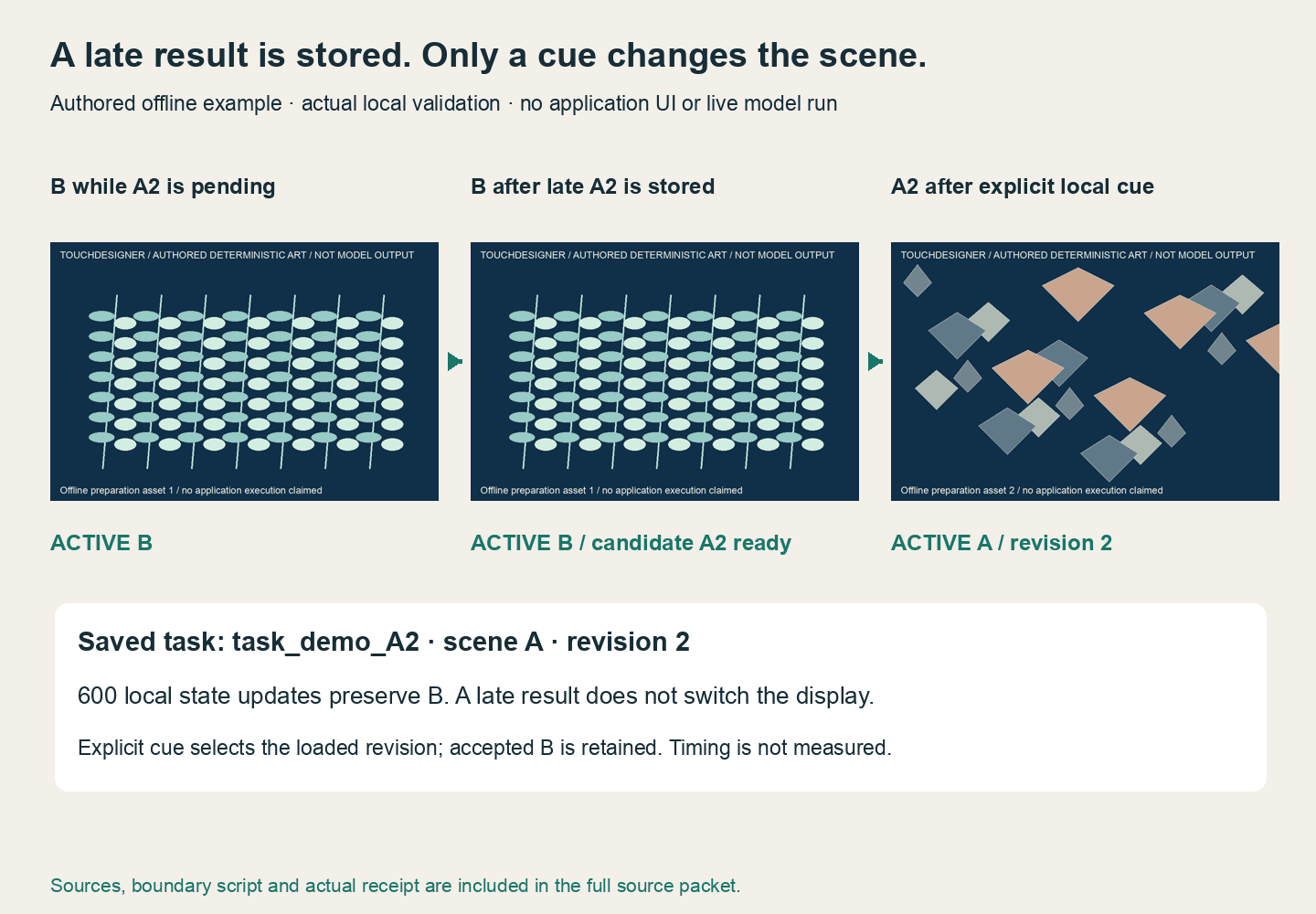
Connect TouchDesigner through an explicit HTTP step
The Web Client DAT supports request methods, headers and request data. Use those controls in TouchDesigner to implement the selected model contract, with private credentials and a clear distinction between submitting a new asset and reading a known task.
- Use the documented POST request for the chosen generation model.
- Keep TouchDesigner task IDs available for later status requests.
- Load or convert the completed asset into the form your network expects.
TouchDesigner request boundary
- Send
- Model request with approved input fields
- Retain
- Task ID and the scene that requested it
- Read
- Status and completed output from the same task
- Load
- A local file or supported media input
An HTTP response containing an asset URL is not yet a visual loaded into the network.
Prepare the next TouchDesigner visual before switching
Build the TouchDesigner network so the accepted visual remains on screen while a request is pending. Read the result, load its file and check its scene revision before switching. Verify the loading step in the actual project; an HTTP response alone does not establish smooth playback.
- Avoid sending a generation request from a per-frame callback.
- Use TouchDesigner scene revisions to reject stale replacements.
- Choose an explicit cue or approval step for switching the displayed asset.
TouchDesigner scene state
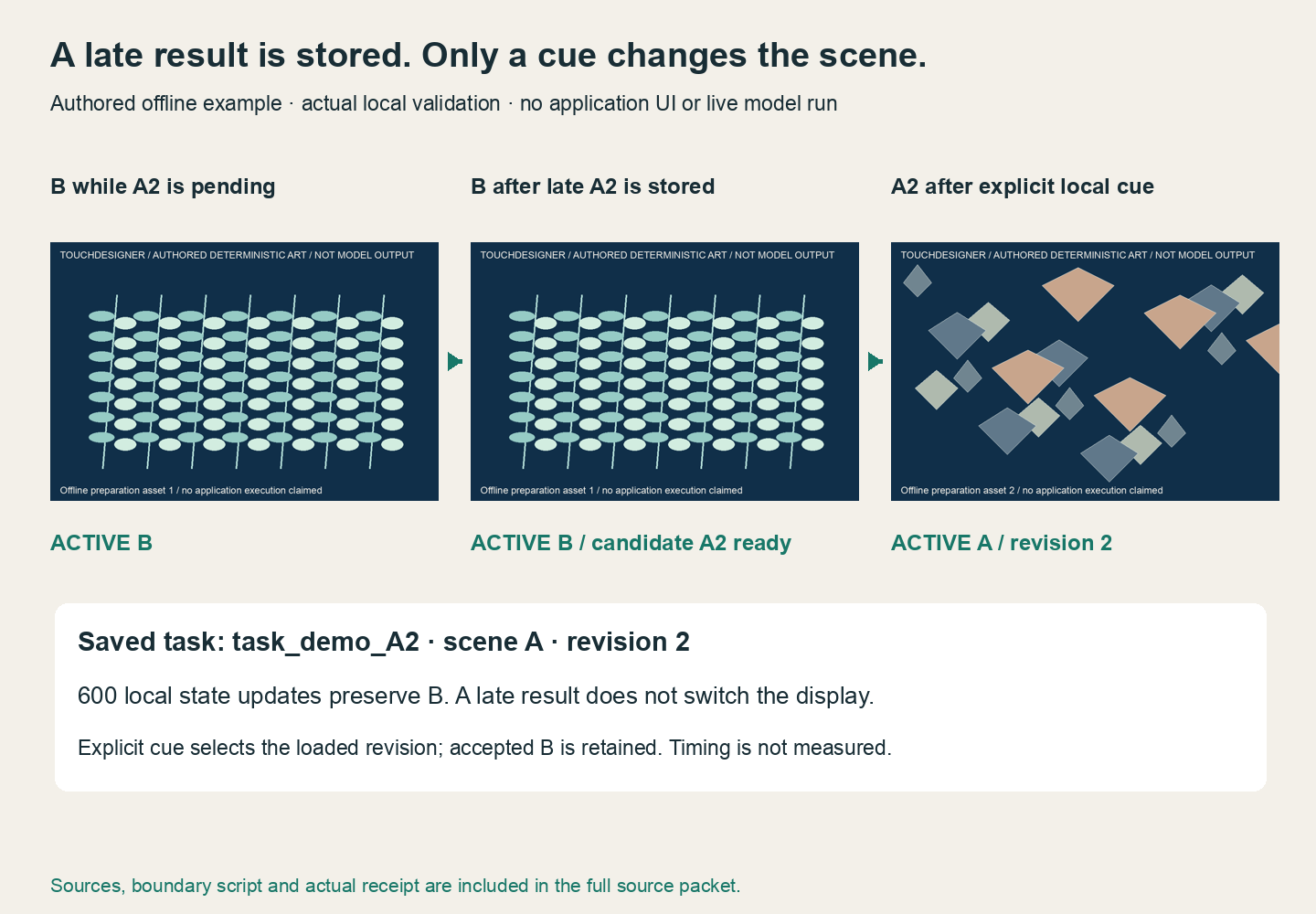
- Displayed
- Scene A, accepted asset revision 1
- Pending
- Candidate for scene A, revision 2
- User changes scene
- Scene B becomes active
- Late completion
- Save A revision 2 without replacing B
Keeping an asset and accepting it for display are separate decisions in this example.
Download the TouchDesigner interaction brief
Use the example to check duplicate triggers, a slow result and a scene change during generation. The TouchDesigner brief defines expected display behavior so you can test the experience with recorded responses before paying for repeated model calls.
- Prepare local files for current, candidate and missing-asset cases.
- Check TouchDesigner behavior when a request is triggered twice.
- Record actual generation and loading time when you later run an approved live test.
TouchDesigner acceptance walkthrough
- Repeated trigger
- Keep one pending request for the same intended action
- Waiting
- Continue showing the accepted visual
- Stale result
- Store it against the original scene revision
- Missing file
- Keep the current visual and expose a recoverable state
No latency budget is claimed here; measure the selected model and your loading path before depending on a deadline.
Choose a TouchDesigner generation pattern
Choose how TouchDesigner will use the asset before choosing when to request it. Prepared media, occasional scene changes and continuous frame synthesis have different timing requirements; a generation API returning a file does not make them equivalent.
| Project need | Practical starting pattern | What to check |
|---|---|---|
| TouchDesigner show visuals | Generate and approve assets before the cue | Files are available when playback begins. |
| TouchDesigner interactive scenes | Trigger a candidate and keep the current asset | Late results cannot replace another active scene. |
| TouchDesigner audio planning | Use existing audio while requirements are defined | Standalone SeedRouter music APIs remain planned. |
Build the interaction before the live request
Prepare the TouchDesigner network with local assets and a simple state diagram. Once the display behavior is right, connect the API boundary and measure the real waiting time for the model and settings your project uses.
- 1
Define the trigger and current state
Decide which user action requests a new visual and what remains on screen. Give TouchDesigner an explicit scene identifier so the task has a destination beyond the moment the button was pressed.
- 2
Add submission and result handling
Submit once, retain the task ID and read progress until a terminal result. Keep TouchDesigner playback independent while the bridge downloads or prepares the completed media for the network.
- 3
Rehearse late and missing results
Change scenes before a saved response completes and test a missing file. Verify TouchDesigner keeps the accepted visual, records the right destination and never treats a preview or progress check as a new generation request.
TouchDesigner integration questions
Does TouchDesigner have a ready-made SeedRouter component?
This page describes a custom connection using the documented HTTP and task interfaces. It does not claim an installed or tested TouchDesigner component package; your project needs the request, state and media-loading logic appropriate to its network.
Can TouchDesigner generate a new image every frame?
The workflow here uses asynchronous generation of assets, not a real-time frame-generation guarantee. TouchDesigner should keep its render loop independent and use deliberate triggers for new requests; measure actual completion time before designing an interaction around a required response deadline.
What should TouchDesigner do while the result is pending?
Keep a usable accepted asset on screen and retain the task ID. Your TouchDesigner integration can continue checking that task, then decide whether the completed result still belongs to the current scene rather than automatically replacing whatever is playing.
How can TouchDesigner avoid duplicate paid requests?
Separate the event that submits a generation from callbacks that read progress or redraw the scene. In TouchDesigner, check repeated triggers and scene refreshes with saved fixtures so they reuse pending state instead of creating another generation for the same intended action.
Can I add generated music to TouchDesigner through SeedRouter?
Standalone music and speech APIs are planned rather than currently available. TouchDesigner audio playback, generating a full song and producing a synchronized loop are separate requirements, so use existing audio while defining the future model and timing needs of your project.
Have these TouchDesigner response times been measured?
No new live latency or component benchmark is claimed here. The TouchDesigner Web Client DAT reference was checked on October 12, 2026; measure generation, file loading and display switching together with your selected model before relying on the experience in a show.
HTTP references and a reviewable project plan
The TouchDesigner preparation package includes two original test visuals, authored scene states and local checks for late results. It keeps the displayed scene until an explicit cue selects the new revision. No TouchDesigner project, frame rate, network timing or live installation was tested.
Start with one scene change you can rehearse
Choose the current visual, the requested candidate and the moment it should appear. Use TouchDesigner to build that transition, then connect a model once the waiting and result-handling behavior works for your project.