
Bubble AI features with a result your app can keep
Watch the case videoAdd generated images or model-written drafts to your application. Connect Bubble through API Connector, save every request against a stable app record and give users a clear path from asking for an asset to viewing the completed result.
For developers and teams connecting their existing tools.
What can Bubble build with model APIs?
Bubble is a visual application platform with an API Connector for external services. SeedRouter supplies text and media model calls, while your application controls users, records and the screens they see. Design the saved result as part of the product, rather than treating the request as an isolated button action.
Illustrations for a changing game scene
Use Bubble to collect a scene brief and request an image for that specific scene. Keep the scene revision with the task so a late result cannot overwrite a newer choice the player has already made.
Explore this use caseProduct drafts for a review dashboard
Let users supply approved specifications in Bubble, then save the proposed description alongside the source record. Your interface can show the original facts and the draft together, making approval more useful than a simple generated-text box.
Explore this use caseCreative assets in a client workspace
Build a Bubble workspace where a brief, candidate images and accepted version stay connected. Preserve the selection when someone returns later, so the app can support review and reuse as well as initial generation.
Explore this use case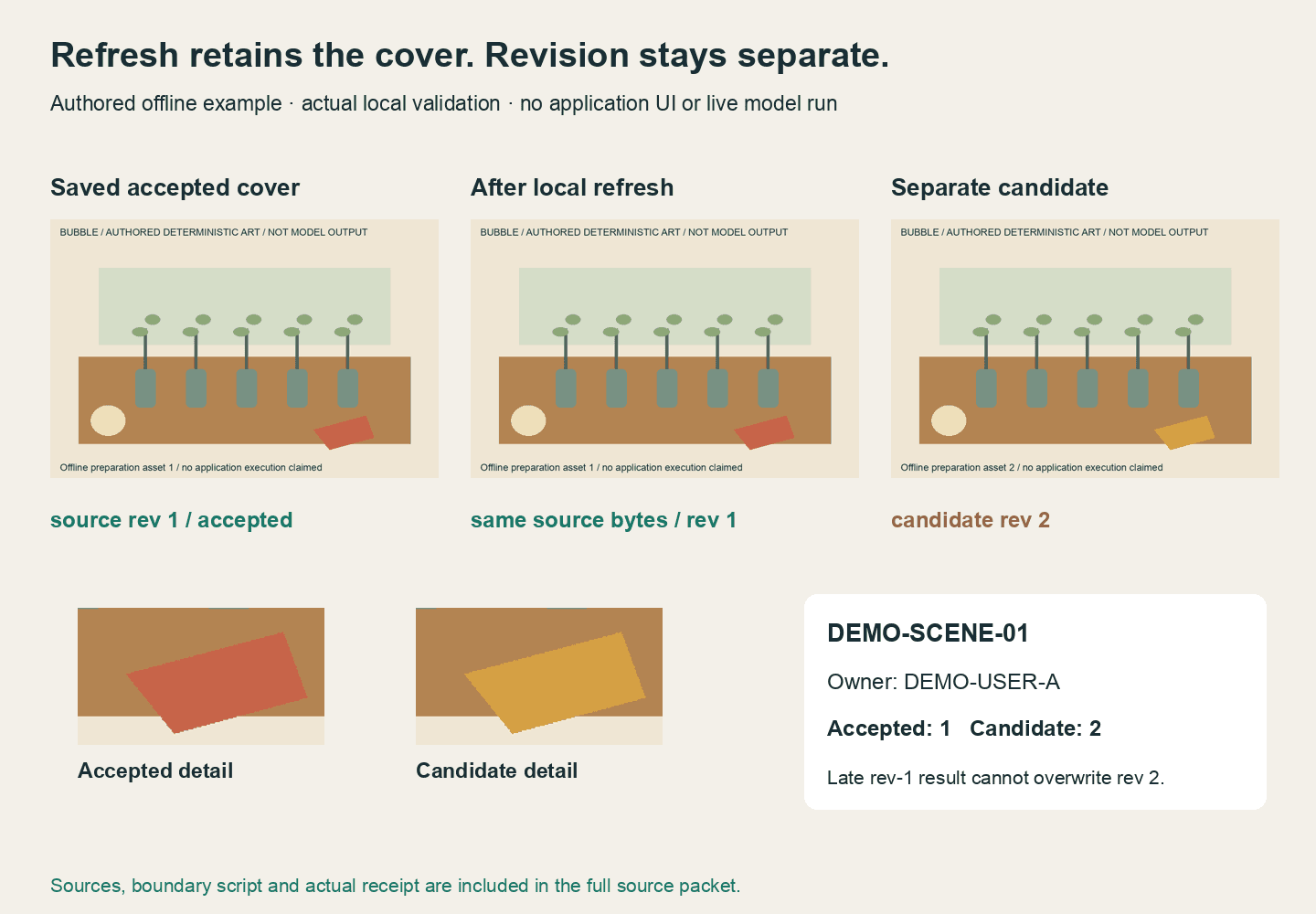
Configure Bubble API Connector privately
Use the selected model contract to define the request and response fields. Bubble documentation says call descriptions can reach the browser even when the request runs on the server, so mark secrets as Private and use the documented private-header authentication pattern.
- Keep the API key out of page inputs, option sets and visible test values.
- Configure Bubble generation as an intentional application action.
- Check that the request body matches the selected model parameters.
Bubble connection boundary
- Private setting
- API credential in the connector configuration
- User input
- Prompt and permitted model controls
- Server action
- Submit the selected generation request
- App response
- Save the task reference, then read its result
Review connector test values before sharing or deploying the app, even when the live call is server-side.
Give Bubble stable fields for delayed results
Save the Bubble record ID, returned task ID and source revision in separate fields. Read the same task until it completes, then attach the completed image URL to the record that requested it. Refreshing the page should load saved state rather than submit another generation.
- Save the returned task ID immediately after a successful submission.
- Let Bubble read progress without calling the generation action again.
- Associate the completed result with its original owner and source revision.
Bubble record: generated scene
- Record ID
- DEMO-SCENE-01
- Task ID
- task_demo_scene_01
- Generation state
- processing → completed or failed
- Saved output
- Asset URL for this record and revision
All identifiers here are fictional; the field names illustrate an app record, not a different public API response.
Test the Bubble experience after the first click
Download the app brief and check refreshes, a second request and a result that arrives late. A Bubble feature is ready for review when the output still belongs to the correct user and scene after those ordinary interactions.
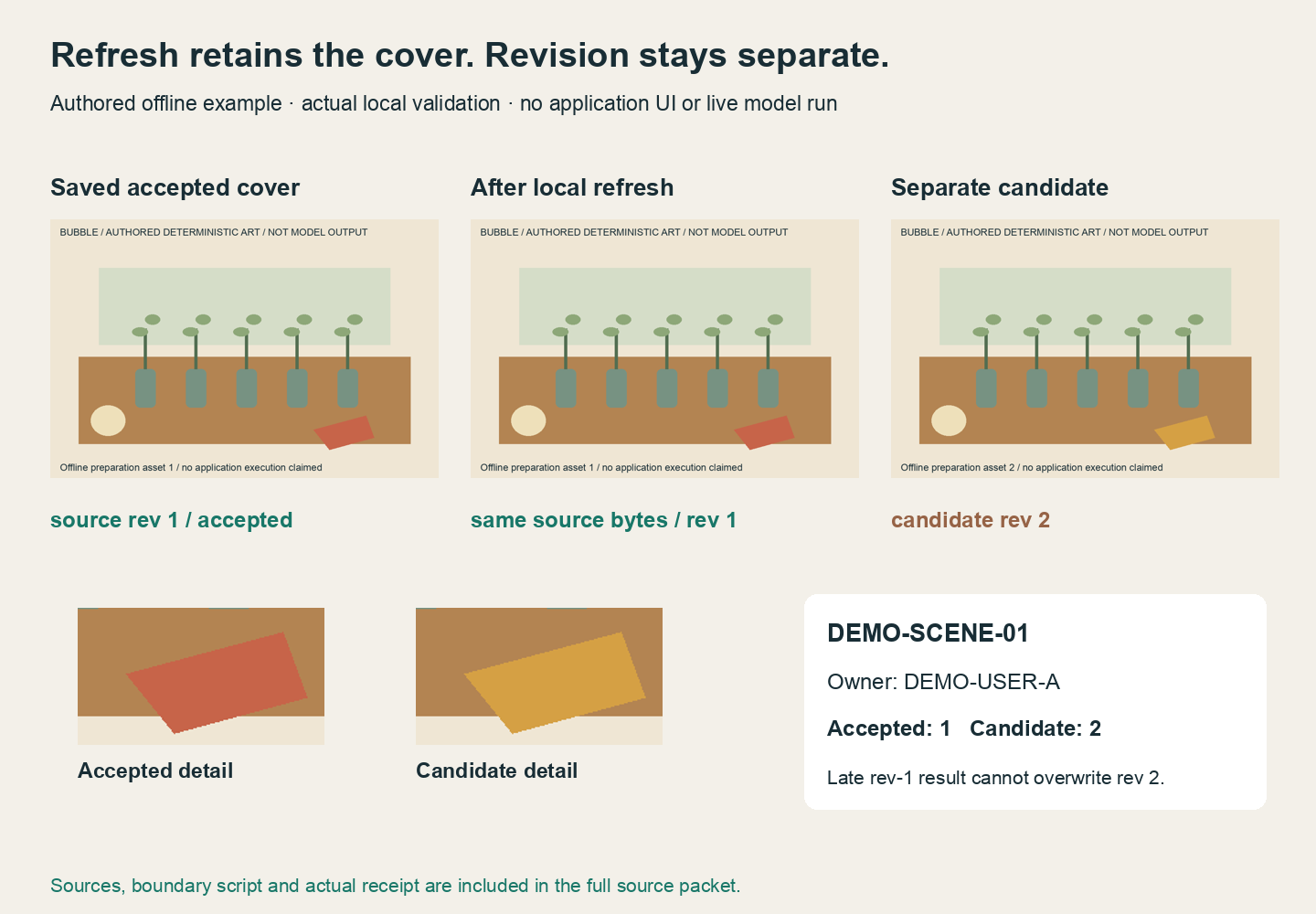
- Keep the current accepted asset available while a new candidate is pending.
- Test Bubble access rules using records owned by different sample users.
- Show a recoverable error state instead of silently generating another asset.
Bubble acceptance walkthrough
- Refresh
- Load the saved record and current task state
- Second request
- Create a separate candidate revision
- Late result
- Attach it to the original revision
- Another user
- Apply app access rules before displaying the record
Initializing a real generation call can spend credits; use an approved request when you need a live response.
Choose the first Bubble feature
Start with a Bubble feature whose saved output has an obvious place in the app. Text drafts and generated assets need different display and review controls; design those controls around what the user will do after the model responds.
| Feature | Record to keep | Useful next action |
|---|---|---|
| Bubble scene illustration | Scene ID, revision and asset URL | Load the accepted scene in the game view. |
| Bubble product draft | Source specifications and proposed copy | Compare, edit and approve the description. |
| Bubble creative review | Brief, candidates and selected asset | Return to the same accepted version later. |
Build the saved-result path
Give Bubble one complete journey from user action to stored output. Define the record and the review screen first, then connect the request so pending, completed and failed results all have a sensible destination.
- 1
Define ownership and the source record
Decide which user can request and view the output. Give Bubble a stable record for the brief, source revision and accepted result before adding the generation call.
- 2
Configure the request and result check
Use private credentials and the selected API contract. For image generation, Bubble needs a submission action and a separate task check, with fields that keep the returned ID available to later steps.
- 3
Walk through ordinary user behavior
Refresh the page, open an existing asset and request a new candidate. Confirm Bubble reads saved state correctly and that a late result cannot replace an unrelated record or a newer accepted revision.
Bubble integration questions
Does Bubble have to expose my SeedRouter key?
No, keep the credential in the connector settings using the documented private authentication pattern. Bubble warns that call descriptions and non-private test values can appear in client code, so server-side execution alone is not a reason to leave a secret in an ordinary field.
Can Bubble display the image from the first response?
The image submission returns a task reference before the asset is complete. Bubble should save that reference, check its status and read the completed output URL; the initial response is not a finished image that can be placed directly in an image element.
Why keep a separate Bubble record identifier?
Your record identifies the application object, while the task ID identifies one generation attempt. Keeping both lets Bubble track revisions, ownership and late results without relying on list order or a changing identifier being used as a permanent JSON field name.
Is initializing a Bubble generation call free?
A real generation request can spend API credits when it succeeds. Configure and review the Bubble call first, then use an explicitly approved live request if you need its response for field mapping; retain that result rather than repeatedly generating just to inspect the same schema.
Can I build Suno music generation in Bubble today?
SeedRouter standalone music APIs are planned, not currently available. Bubble can connect to documented external APIs, but a historical music-integration example does not establish a current SeedRouter music endpoint or a response format you should build against now.
Is the Bubble sample a ready-made application?
No, it is a structured integration brief and acceptance checklist with fictional records. The Bubble documentation was reviewed on October 12, 2026; no new application execution, account configuration or end-to-end customer workflow is claimed here.
Connector references and application planning
The Bubble preparation package keeps a saved scene, an accepted image and a separate candidate revision. Local checks cover refresh, ownership rules and late results using authored records. They do not test a running Bubble app or replace its actual privacy-rule checks.
- Bubble API Connector manual
- Download the Bubble offline source packet
- Read the setup and test scope
- Inspect the local validation receipt
- SeedRouter image quickstart
- Task states and completed outputs
- Plan a game scene workflow
Related solutions
- In-game scene illustrations
Generate illustrations from game state with controls for scene accuracy, latency and reuse.
Build the feature around its saved result
Choose one asset or draft that belongs in your application. Use Bubble to connect the model call, preserve its source record and give users a result they can return to after the first generation.