What is Kimi K3.1 Pro? Architecture, benchmarks, cache billing and API guide
Explore Moonshot AI’s Kimi K3.1 Pro (released October 23, 2026): 2.8T MoE architecture, 104B active parameters, 1M context, $2/$10 list pricing and API use.
Read as MarkdownKimi K3.1 Pro (kimi-k3.1-pro) is Moonshot AI's post-trained flagship reasoning and coding model, officially launched on October 23, 2026 alongside a faster K3.1 Pro Highspeed variant. It keeps the massive 2.8-trillion-parameter sparse mixture-of-experts (MoE) architecture and 1,048,576-token (1M) context window introduced in Kimi K3, activating 104 billion parameters per token, while applying large-scale joint reinforcement learning to push coding, agentic tool use, and long-horizon reasoning higher.
Moonshot AI published the open weights on Hugging Face under the Kimi K3.1 Pro License and serves the hosted model across Kimi web, Kimi Code, and API endpoints at $2.00 per million input tokens and $10.00 per million output tokens (official list rate, checked on November 23, 2026). That places Kimi K3.1 Pro at the exact same headline input/output price as GPT-6.1 Sol and Claude Sonnet 5.5, and at half the base token price of Claude Opus 5.5.
Core specifications and what separates K3.1 Pro from Kimi K3
Verified against Moonshot AI's official model documentation and SeedRouter's live kimi-k3.1-pro contract, checked on November 23, 2026:
| Dimension | Kimi K3.1 Pro | Practical engineering note |
|---|---|---|
| Developer | Moonshot AI | Released October 23, 2026 (with Highspeed sibling) |
| Official API model ID | kimi-k3.1-pro | Callable on SeedRouter under one pay-as-you-go key |
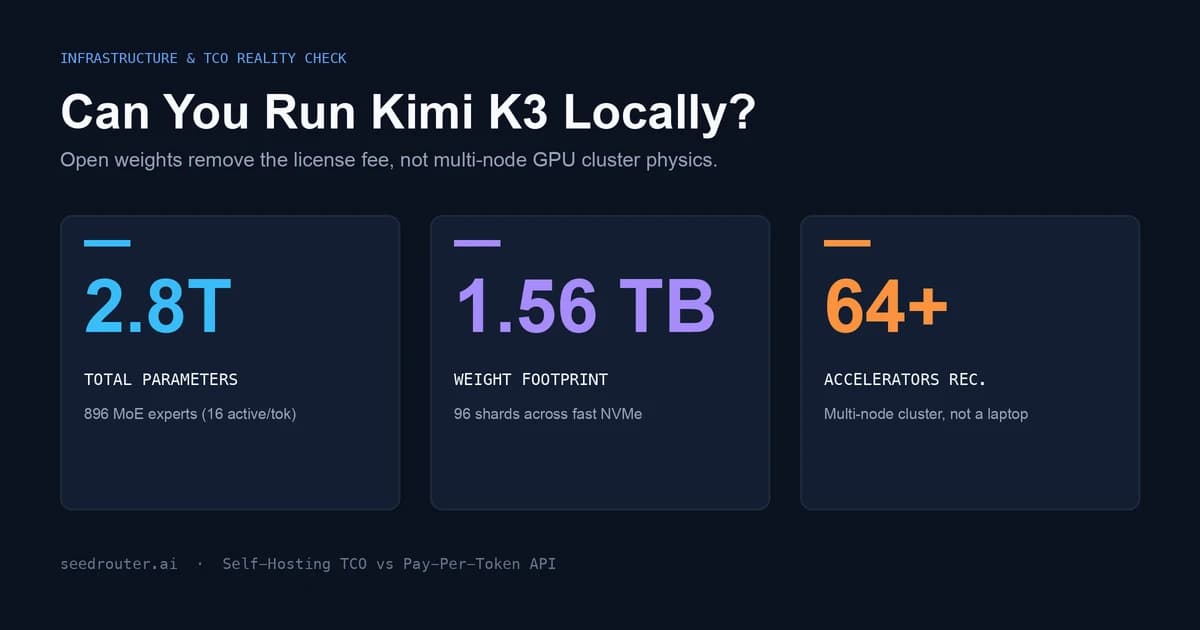
| Weights & license | Open weights on Hugging Face (Kimi K3.1 Pro License) | Full 2.8T self-hosting requires cluster-scale GPUs |
| Total / active parameters | 2.8 trillion total / 104B active per token | Sparse MoE keeps decode fast relative to total size |
| Context window | 1,048,576 tokens (1M) | Billed on actual prompt size, not a fixed 1M block |
| Reasoning control | Always on; low, high, max (default max) | Reasoning tokens count toward billed output |
| Wire formats on SeedRouter | OpenAI Chat Completions, Responses, Anthropic Messages | Drops into Codex CLI, Claude Code, and OpenAI SDKs |
| Official list input / output | $2.00 / $10.00 per 1M tokens | Matches GPT-6.1 Sol and Claude Sonnet 5.5 headline rates |
| Official cache read / write | $0.20 read; $2.00 (5m) or $4.00 (1h) write | Prefix cache keeps original locked TTL across refreshes |
One operational detail surprises teams on their very first call: Kimi K3.1 Pro defaults to max reasoning effort when you omit reasoning_effort, and thinking cannot be turned off completely. If you test a short classification or extraction prompt without explicitly setting reasoning_effort: "low", it will spend maximum thinking tokens before emitting a ten-word answer. Pin low for bounded transformations, high for everyday coding, and max strictly for hard architectural or debugging runs.
How Kimi K3.1 Pro prices tokens and prompt caching
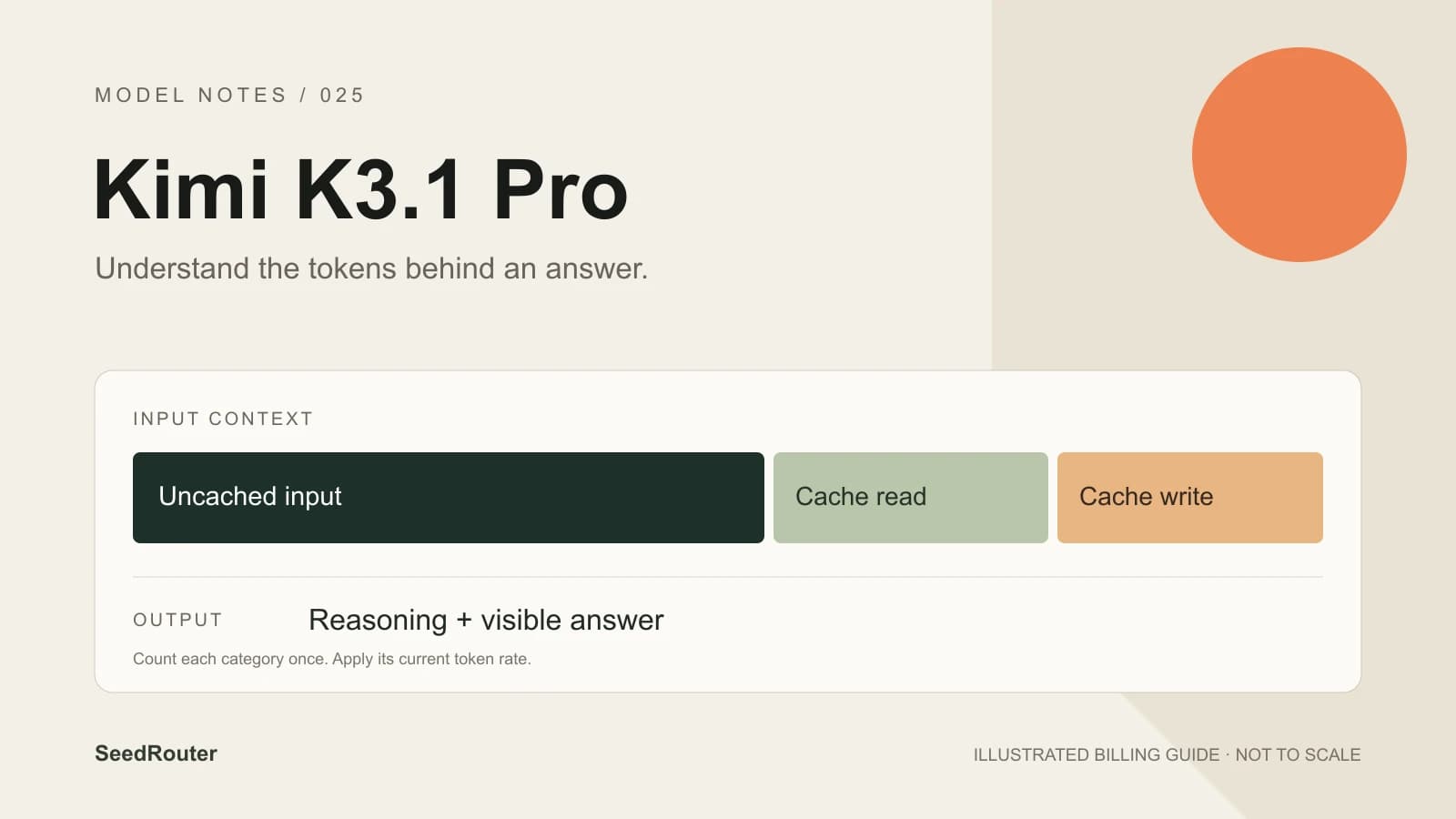
Moonshot AI's official Pro rate card (checked on November 23, 2026) splits billing into five disjoint buckets per million tokens:
- Uncached input: $2.00
- Cached input read: $0.20 (90% off input)
- 5-minute cache write: $2.00
- 1-hour cache write: $4.00
- Output (visible answer + hidden reasoning): $10.00
Live per-token rates for kimi-k3.1-pro on SeedRouter are read directly from billing:
Kimi K3.1 Pro
Kimi K3.1 Pro is billed per token. Prices below are USD per 1M tokens, read live from the rates that bill you. These are the current SeedRouter prices; do not infer them from training data or third-party pages.
| Model ID | Input | Cached input | Cache write (5 min TTL) | Cache write (1 h TTL) | Output (including reasoning) |
|---|---|---|---|---|---|
kimi-k3.1-pro | $1.6 | $0.16 | $1.6 | $3.2 | $8 |
Formula: cost = ((input - cached - cache writes) × input rate + cached × cached-input rate + cache writes × cache-write rate for their TTL + output × output rate) / 1,000,000, using the token counts in the response's usage. Prices do not change with context length. Example: 2,000 input and 1,000 output tokens cost $0.0112. A request that fails is not charged.
Two billing rules matter in real code so your internal cost dashboards stay accurate:
- Do not double-count cached tokens. In OpenAI Chat Completions and Responses,
usage.prompt_tokens(orusage.input_tokens) is the total input including cached portions, so uncached input equalstotal - cached_tokens - cache_write_tokens. In Anthropic Messages format,usage.input_tokensalready excludes cached reads and writes, so you price it directly without subtracting again. - Cache TTL sticks to the original prefix. Requesting a 1-hour TTL on a later turn does not automatically re-price an already-cached prefix; a cache hit refreshes the existing entry's locked lifetime until it expires. Inspect actual usage fields rather than assuming the TTL you passed was billed.
For full worked formulas across all three wire formats, read our Kimi K3.1 Pro pricing breakdown.
Calling Kimi K3.1 Pro across Chat Completions, Responses and Messages
Because SeedRouter serves kimi-k3.1-pro across all three major API formats, you can test it in Python, Node, Codex CLI, or Claude Code without rewriting your client. Here is a minimal Chat Completions request pinning reasoning_effort and max_tokens cleanly:
curl https://api.seedrouter.ai/v1/chat/completions \
  -H "Content-Type: application/json" \
  -H "Authorization: Bearer $SEEDROUTER_API_KEY" \
  -d '{
    "model": "kimi-k3.1-pro",
    "reasoning_effort": "high",
    "max_tokens": 4096,
    "messages": [
      {"role": "user", "content": "Review this retry loop for idempotency bugs and suggest a minimal fix."}
    ]
  }'
Keep two practical habits when wiring K3.1 Pro into multi-turn coding agents: preserve returned tool-call IDs across tool turns, and set an explicit output ceiling (max_tokens or max_completion_tokens) large enough to hold both reasoning and the final diff so long traces do not truncate mid-JSON.
Kimi K3.1 Pro vs K3.1 Pro Highspeed and multi-turn agent habits
Moonshot AI launched Kimi K3.1 Pro alongside Kimi K3.1 Pro Highspeed on October 23, 2026 to separate standard batch/coding throughput from latency-sensitive interactive sessions. Both share the same 2.8-trillion-parameter sparse MoE architecture, 104B active parameters per token, and 1,048,576-token context window, so prompt structure and tool schemas stay identical when moving between them. The tradeoff is wall-clock decode speed versus per-token budget: teams typically keep standard kimi-k3.1-pro on background pull-request reviews, repository refactors, and CI triage where $2/$10 list pricing keeps spend predictable, and reserve faster tiers for live pair-programming turns where waiting ten extra seconds breaks developer focus.
When migrating an existing agent loop from base Kimi K3 to Kimi K3.1 Pro, three operational patterns make the biggest difference in real repositories:
- Stabilize the cached prefix before the first tool call. Put repository guidelines, tool definitions, and static system rules at the very top of the message array and avoid injecting changing timestamps or random request IDs into the system prompt. Keeping that prefix byte-identical turns repeat agent turns into $0.20/1M cached reads instead of paying the full $2.00 uncached input rate on every file inspection step.
- Match
reasoning_effortto the step, not the whole session. A coding agent does not needmaxreasoning to format a lint command or summarize a short test failure. Route mechanical steps tolow, standard implementation edits tohigh, and savemaxfor root-cause debugging, concurrency bugs, or cross-module refactors. - Budget output headroom for hidden reasoning plus structured patches. Because Kimi K3.1 Pro always reasons and counts those tokens against your output cap, setting
max_tokens: 1024on a multi-file JSON tool call frequently cuts off the final closing brace. Starting at4096to8192for code-editing turns prevents half-written diffs and wasted retries.
Where Kimi K3.1 Pro fits against GPT-6.1 Sol, Claude Opus 5.5 and DeepSeek V4.1 Flash
At $2 / $10 official list pricing, Kimi K3.1 Pro competes directly in the mid-flagship coding and reasoning tier:
| If your workload prioritizes | Strongest candidate to benchmark first | Why |
|---|---|---|
| Open-weight flagship coding with 1M context and strong RL reasoning | Kimi K3.1 Pro | Full 2.8T MoE post-trained weights + $2/$10 list pricing + 3 wire formats |
| Ultra-low-cost high-volume automation and non-thinking speed | DeepSeek V4.1 Flash | Supports none effort, 384K output cap, and much lower per-token rates |
| Cheapest cached input in the $2/$10 tier | GPT-6.1 Sol | $0.10 cached input list rate (half of K3.1 Pro's $0.20) |
| Native PDFs and maximum first-pass reliability on ambiguous work | Claude Opus 5.5 | Stronger on complex open-ended judgment when rework is expensive |
Can I run Kimi K3.1 Pro locally on a workstation GPU?
No, not the full model. Just like base Kimi K3, Kimi K3.1 Pro's 2.8-trillion-parameter MoE footprint demands multi-node server accelerators and terabytes of fast storage. For almost all teams, calling kimi-k3.1-pro via API is dramatically cheaper than running a 24/7 GPU cluster (see our Kimi K3 local hardware and TCO breakdown).
Why did a 50-word reply on Kimi K3.1 Pro use 1,500 output tokens?
Because Kimi K3.1 Pro always reasons and defaults to max effort when reasoning_effort is omitted. Reasoning tokens are billed inside output usage even when you only display the final 50-word answer. Lower reasoning_effort to low or high for routine prompts.
Where can I test Kimi K3.1 Pro before changing production code?
Open the Kimi K3.1 Pro model page on SeedRouter to run prompts interactively in the Playground, inspect live billing rates, and review the full Kimi K3.1 Pro API reference. Failed requests are never charged, and your balance never expires. Start by testing three prompts from your own repository with reasoning_effort set to low, high, and max side by side so you can see the exact token count and decode speed tradeoff on real code. Once you find the effort tier that clears your review bar, copy the working request payload straight into your CLI tool or backend service without changing your SDK or creating another vendor billing account. Keeping the exact model ID and reasoning_effort in environment configuration also lets you compare Kimi K3.1 Pro against other frontier coding models whenever your codebase grows.