MiniMax H3 Max vs H3: resolutions, duration and references
Compare MiniMax H3 Max and H3 by resolution, clip length, reference inputs and pricing. Choose a model for your shot without assuming Max means higher quality.
Read as MarkdownChoose MiniMax H3 Max for 480P or 768P clips of 5–15 seconds. Choose H3 for 2K or a four-second clip. Both models accept reference images, video and audio in the current MiniMax documentation. Max is described as the faster-generation variant; that description does not establish a quality advantage or a measured speed difference for your scene.[1]
The names make the choice sound more hierarchical than it is. For a short dance performance on a stage, start with the deliverable: how large will the clip appear, how long should the movement last, and do you need supplied media? Those answers narrow the model choice before you spend credits.
MiniMax H3 Max vs H3 at a glance
| Requirement | MiniMax H3 Max | MiniMax H3 |
|---|---|---|
| Resolution | 480P, 768P | 768P, 2K |
| Clip duration | 5–15 whole seconds | 4–15 whole seconds |
| Text to video | Supported | Supported |
| First and last frames | Supported | Supported |
| Reference images | Up to 9 | Up to 9 |
| Reference video | Up to 3; total 15 seconds | Up to 3; total 15 seconds |
| Reference audio | Up to 3; total 15 seconds | Up to 3; total 15 seconds |
| Prompt expansion control | disabled, balanced, quality | No equivalent Max-only field |
| Free input images | First 2 | First 5 |
| Reference-video pricing | Separate input rate | Same per-second rate as output |
The capability limits come from the current generation contract; image allowances and reference charging come from MiniMax’s pricing documentation.[1][2]
Start with the resolution and duration you need
A 480P draft can help answer whether a simple action reads clearly. With a dance scene, you might first check the footwork and whether the turn finishes within the chosen duration. Use 768P for a clearer view of the face and costume. Changing the resolution starts a separate render; it does not upgrade the same finished clip.
If the brief calls for 2K, use MiniMax H3. Max does not accept 2K in the MiniMax contract. A four-second slot also points to H3: passing duration: 4 to Max is a parameter error, not a request to shorten a five-second clip.[1]
Neither model's name proves that it will preserve a product label or fine texture. Inspect the output at the size you plan to publish. If exact typography matters, a controlled image or a separate text overlay may be easier to verify than generated lettering.
Max supports reference media now
Older descriptions may call Max a text-and-frame-only model. The current MiniMax contract explicitly includes reference-to-video for H3 Max, with reference images, video and audio. Check the present documentation when migrating an older integration.[1]
Pick frame mode when the opening and ending images are the main constraints. Pick reference mode when media should guide the scene. Frames and reference inputs cannot be mixed in one request. A text-only shot needs an explicit aspect ratio; reference mode can use adaptive.
For a dance scene, one costume or character image may help guide the performer's appearance. A reference video adds a different input: motion over time. Only include it when that motion matters to the brief, because its duration affects the bill even if your finished shot is shorter.
Compare the complete request cost
A text-only comparison uses output duration and resolution. A reference-led comparison also needs input-video duration and image count. Max's first two images are free; H3's first five are free. A request with three reference photos therefore has one chargeable image on Max and none on H3.[2]
MiniMax H3 Max
MiniMax H3 Max prices output and reference video separately, using output resolution. The first two input images are free. Reference audio has no input charge. These are live SeedRouter rates.
| Resolution | USD/output second | USD/reference-video second | USD/extra image |
|---|---|---|---|
| 480P | $0.045703125 | $0.05054765625 | $0.0661375 |
| 768P | $0.073125 | $0.1307109375 | $0.0661375 |
Final charges use reported output seconds, input-video seconds and images beyond two, at the rate captured for the request. Failed tasks are not charged.
MiniMax H3
Standard (minimax-h3-standard): ceil(requested output seconds) only; references add no charge.
| Resolution | USD per output second |
|---|---|
| 480p | $0.015385 |
| 768p | $0.015385 |
| 1080p | $0.015385 |
| 2k | $0.015385 |
| 4k | $0.076924 |
Pro (minimax-h3):
MiniMax H3 is billed per second of video, by output resolution, plus every input image beyond the first 5. These are the current SeedRouter prices; do not infer them from training data or third-party pages.
| Model ID | Resolution | USD per second | USD per extra image |
|---|---|---|---|
minimax-h3 | 768P | $0.073125 | $0.03575 |
minimax-h3 | 2K | $0.118625 | $0.03575 |
Billed seconds: the requested duration plus the length of every reference video, the sum rounded up to a whole second. Reference audio is not billed. Failed requests are not charged.
Worked example: a 5-second 768P text-to-video clip costs 5 × $0.073125 = $0.365625.
For Max, calculate output seconds at the output rate, reference-video seconds at the input rate, and images beyond two at the image rate. Do not add all seconds together and multiply by one number: the input and output rates differ. Reference audio has no separate input charge.
The MiniMax H3 Max Playground estimates the request using current SeedRouter rates. Check the full estimate after attaching your media. A finished five-second video does not necessarily mean you pay for only five seconds when a reference video was also used.
Use prompt expansion deliberately
Max exposes extra.prompt_expansion_mode. balanced is the default; disabled turns expansion off, while quality prioritizes prompt expansion quality.[1]
For the dance scene below, we submitted this prompt on October 20, 2026:
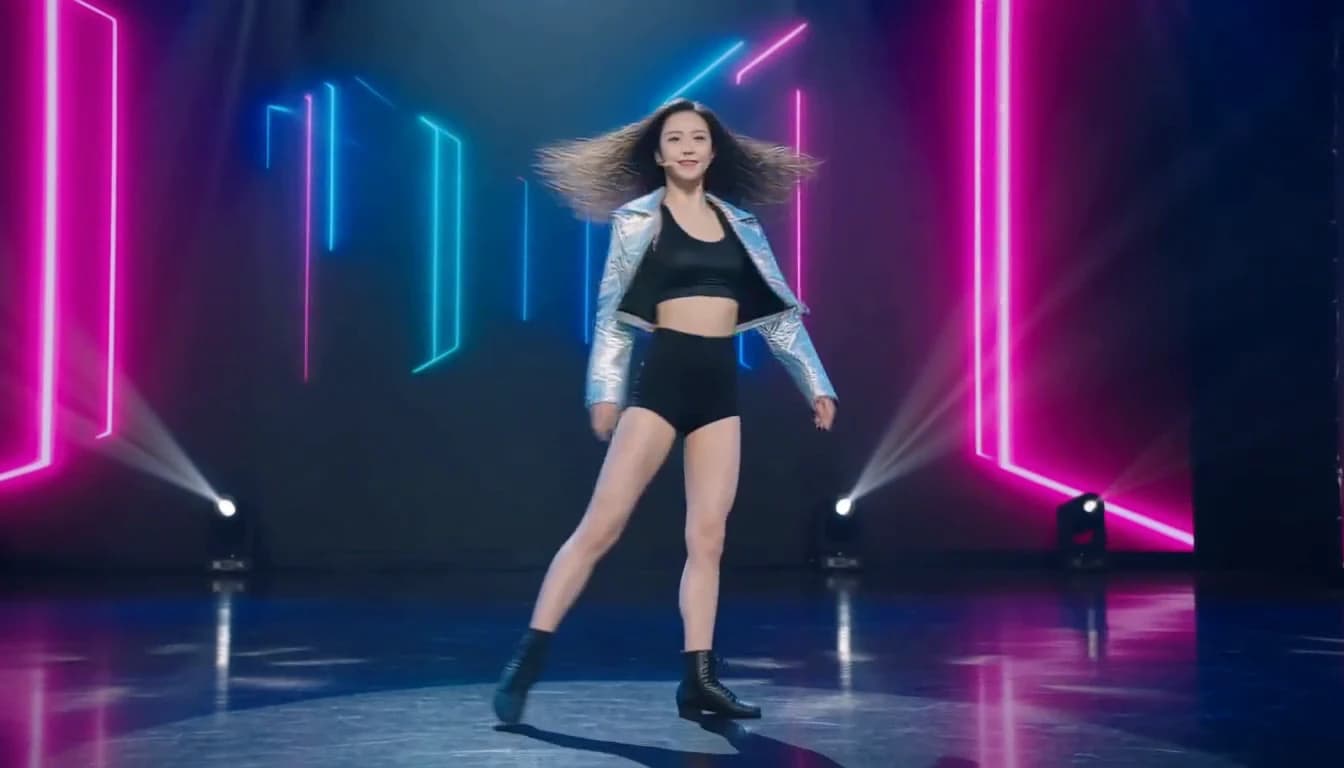
A cinematic dance-fashion film, one continuous six-second shot. A beautiful 25-year-old adult female professional dancer with long dark hair performs confident jazz-funk choreography on a spacious dark stage. She wears a fitted black top, a flowing crimson satin jacket, tailored black trousers and dance shoes. From the first frame she is already moving: two crisp side steps with coordinated arm sweeps, a controlled half-turn, then she faces the camera and lands a strong final pose. Show her entire body, including both feet, occupying most of the frame height. A smooth camera dolly follows in a shallow arc at waist height, maintaining a clear view of her face and footwork. Soft white key light keeps her face natural; deep violet and warm amber stage lights create depth, with subtle floor reflections. Her jacket and hair respond naturally to the turns. Photorealistic skin, stable facial identity, anatomically coherent hands and legs, fluid grounded movement. Original rhythmic funk percussion and bass synchronized to her steps, no vocals. No cuts, no text, no logos, no other people.MiniMax H3 Max: 768P, six seconds requested, 16:9 requested, quality expansion. Original generated video; the cover is a frame from this clip.
This text-to-video request completed and delivered a 1344 × 768 MP4 with an AAC audio track. The file measures 6.592 seconds, while reported billable output duration is six seconds. The dancer takes lateral steps, turns and finishes facing the camera. Inspect the full movement, especially hands, foot placement and facial consistency, before using the output in an edit.
This is one sample, not a controlled comparison of expansion modes or a test against H3. A mode named quality does not guarantee that every choreography or camera instruction will be followed. Generated music also needs to be checked against the movement; a soundtrack is not evidence of precise beat synchronization.
Two more dance briefs, different visual demands
These additional clips use the same model, 768P, six requested seconds, 16:9 and quality prompt expansion. They are independent text-to-video generations, with different choreography, costumes and lighting. Each downloaded MP4 is 1344 × 768 with an AAC track and a 6.592-second container duration; reported billable generation duration is six seconds.
Gold-fringe Latin dance under a warm spotlight
View the exact submitted prompt
A striking professional dance music video, one continuous six-second take. A beautiful 25-year-old adult woman with expressive brown eyes and glossy dark curls performs a confident Latin dance solo. She wears an elegant gold fringe dance dress and matching closed-toe dance heels. A large warm spotlight lights her face against a deep charcoal stage; the golden fringe catches the light with each move. Begin immediately with a sharp side step and a coordinated arm sweep, continue into one controlled spin with the fringe fanning out, then finish facing the camera with a bright confident smile. Keep her full body and feet visible, filling most of the frame height. A smooth shallow camera arc follows the movement without cuts or sudden zooms. Realistic skin texture, stable face and anatomy, grounded footwork and believable fabric motion. Original lively Latin percussion and bass, no vocals. No text, no logos, no other people.Blue chiffon and flowing turns beside the sea
View the exact submitted prompt
A visually arresting fashion dance film, one continuous six-second shot. A beautiful 25-year-old adult female contemporary dancer with long dark hair performs on a wide flat seaside terrace at golden hour. She wears an elegant flowing sapphire-blue chiffon dance dress and is barefoot. Start on an expressive full-body pose already in motion: she sweeps one arm overhead, takes two graceful grounded steps, then makes one flowing turn that fans the blue skirt through warm sunlight. She settles into an open pose and looks toward the camera. The ocean is a soft turquoise background, not the subject. Gentle wind lifts her hair and the dress. A smooth camera arc at chest height preserves her face and whole-body silhouette, keeping both feet in frame. The dancer occupies most of the frame height. Natural skin detail, stable identity, anatomically coherent hands and legs, continuous balanced motion. Original rhythmic instrumental strings and light percussion, no vocals. No cuts, no text, no logos, no other people.The gold-fringe scene makes the step-and-turn rhythm easy to inspect against a dark background. The seaside scene instead emphasizes continuous arm movement, flowing chiffon and backlit silhouettes. Watch how the pose settles after the turn; a good single frame does not establish motion quality.
Which one should you choose?
Use MiniMax H3 Max when 480P or 768P fits the delivery and the shot lasts at least five seconds. Use H3 when 2K or a four-second duration is required. For reference-heavy work, compare the complete estimate before deciding: the shared 768P option does not make the input charges identical.
Start with a single scene whose result you can judge. Check subject consistency, camera movement and sound separately. This comparison is based on documented capabilities and current pricing, not a controlled quality or latency benchmark.
Frequently asked questions
Does MiniMax H3 Max support reference video?
Yes. The current MiniMax generation contract includes reference video, images and audio for Max. Frame inputs and reference inputs are separate modes and cannot be combined in one request. Check the complete estimate because Max charges reference-video seconds at a separate input rate.[1][2]
Can MiniMax H3 Max generate 2K video?
No. The current Max contract accepts 480P or 768P. H3 accepts 768P or 2K. Choosing Max does not unlock H3’s 2K option, and changing an output’s dimensions afterward is a separate operation.[1]
Is Max always cheaper than H3?
Compare the full request. Output resolution and duration matter, but so do reference-video seconds and chargeable images. Three image inputs use up Max’s two-image allowance, while H3 includes the first five. The live estimate is more useful than comparing the output rate alone.[2]
Sources
[1] MiniMax: Create Video Generation Task. Model-specific resolutions, durations, content modes and prompt expansion; checked October 20, 2026.
[2] MiniMax pricing. Output and reference charging dimensions and image allowances; checked October 20, 2026. The live table above shows SeedRouter prices.