
Midjourney V8.2 Raw: A Same-Prompt Image Comparison
Compare Midjourney V8.2 Raw on and off with real images, one shared prompt and seed zero. Learn which settings to hold fixed and how to read the results.
Read as MarkdownMidjourney V8.2 Raw is a boolean generation setting: send "raw": true to request Raw styling, or "raw": false to leave it off. It does not select a camera RAW file format, change the model version or request HD output. The useful comparison is the same prompt with that one setting changed. [1]
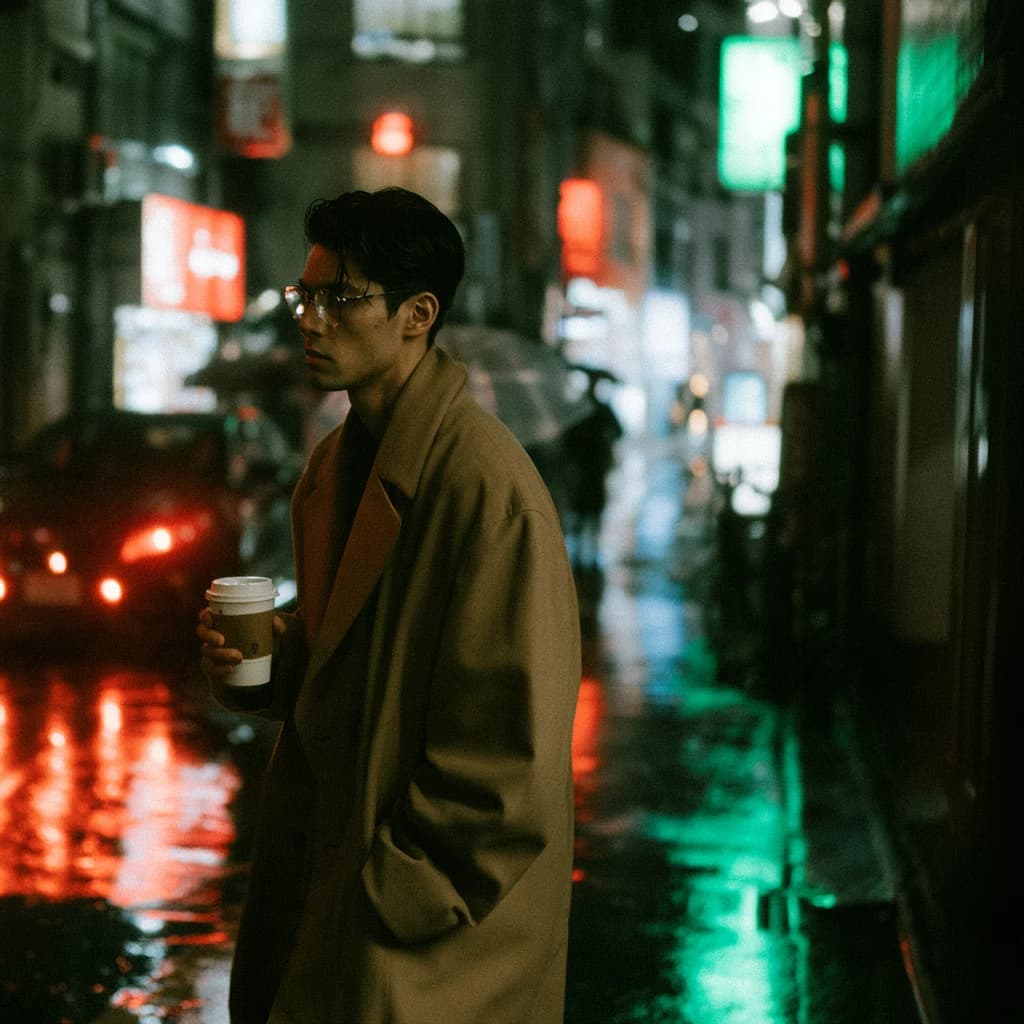
On October 18, 2026, two paid V8.2 requests used the same street portrait prompt, Fast speed and seed zero. One sent Raw false; the other sent Raw true. Both completed with four 1024 × 1024 images. The examples below show the first result from each set, followed by links to every image. This is a small, inspectable comparison rather than a claim that one setting is universally better.
The Midjourney V8.2 Raw comparison request
The brief describes a person, clothing, a handheld object, weather, lighting and a camera style. Those details give you something specific to inspect:
Street-style photograph of a stylish young man in a camel overcoat and round glasses, holding a paper coffee cup, walking through a rain-soaked Tokyo alley at night, neon reflections on wet pavement, cinematic 35mmThe complete standard request was:
{
  "model": "midjourney-v8.2",
  "prompt": "Street-style photograph of a stylish young man in a camel overcoat and round glasses, holding a paper coffee cup, walking through a rain-soaked Tokyo alley at night, neon reflections on wet pavement, cinematic 35mm",
  "speed": "fast",
  "seed": 0,
  "raw": false,
  "nsfw_check": true
}
For the second request, only raw changed to true. No explicit aspect ratio, quality, stylize, reference image or HD setting was supplied. Keeping those fields absent in both requests avoids accidentally attributing their influence to Raw.
A seed helps document an experiment, but it does not guarantee identical composition across settings or repeat requests. Compare whether each image meets the brief; do not expect a pixel-for-pixel match.
Inspect both outputs before choosing a default
Raw off: first image
Raw on: first image
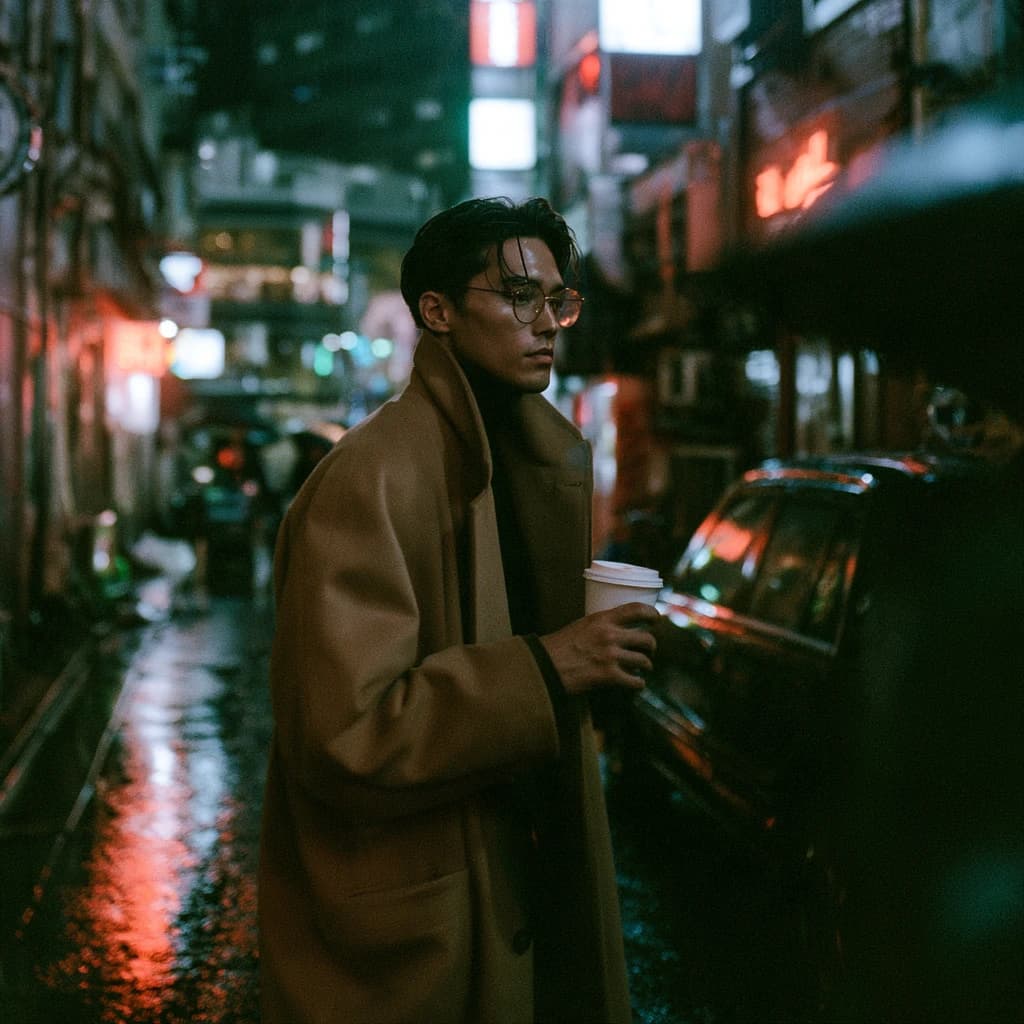
Both pictured outputs contain a man in glasses and a camel-colored coat, a cup, and reflected city lights. Their framing and pose differ. That visible difference is enough to make a practical point: Raw is not a toggle that preserves the picture and merely changes a surface finish. One pair does not establish a consistent improvement in realism or instruction following.
Inspect the full sets before deciding which setting suits this brief:
These are the complete returned sets, with their original image order retained. The displayed files are WebP conversions for reading on the web. The generation results were square images; the article cover uses cropped previews.
What to check in a Raw prompt comparison
Separate concrete requirements from taste. For the street portrait, the first group includes the camel coat, round glasses, paper coffee cup and wet nighttime setting. The second includes whether you prefer the expression, contrast and crop.
Check the object interactions at full size. A convincing overall portrait can still have an awkward hand, a distorted cup rim or an eyeglass frame that changes shape. Record those problems separately from whether the lighting feels cinematic. Otherwise, an attractive rendering can hide a missed instruction.
For your own comparison, save the exact prompt, model ID and settings. Keep all returned images. Mark which requirements each image meets, then choose a setting based on the work you actually need to deliver. A product-detail brief may lead to a different choice from a loose visual concept.
Do not change the prompt and several sliders at the same time. If the next request improves, you will have no clear basis for attributing that improvement to Raw.
Keep Raw, stylize, quality and HD separate
Each field expresses a different request. The API treats them independently, subject to version and combination limits.
| Field | Role in the request | How to use it in a comparison |
|---|---|---|
raw | Request Raw styling | Change this boolean between the two runs |
stylize | Set the styling control | Hold its value, or its omission, constant |
quality | Set a documented quality value | Do not use it as a substitute for HD |
hd | Request the supported high-definition mode | Keep it unchanged while comparing Raw |
size | Choose an aspect ratio | Use the same ratio for both sets |
V8.2 quality values accepted by this integration are 0.25, 0.5, 1 and 2 in compatible requests. That input support does not establish a measured visual benefit for each value. The separate HD acceptance check produced 2048 × 2048 outputs, while the Raw pair shown here remained at 1024 × 1024. [1]
Check the current combination limits before adding HD, references or a parent-image operation. A parameter that works in one request does not prove that every combination is available.
Avoid conflicting Raw settings in JSON and prompt text
You can use --raw in a supported native-style prompt, but structured JSON takes priority over prompt flags. For application code, a boolean makes that precedence easier to see:
{
  "model": "midjourney-v8.2",
  "prompt": "A matte blue ceramic cup on an unpainted wooden table --raw",
  "raw": false,
  "speed": "fast"
}
In this example, the explicit false value wins. The integration does not turn it into --raw false; the native flag takes no argument. For less surprising requests, remove the conflicting prompt flag and keep one representation of each setting.
Use the API walkthrough to submit once, retain the task ID and retrieve completed images. A status check reads the existing job; it should not create another generation. The model page provides the Playground and current rates.
Frequently asked questions
Does Raw mean an uncompressed RAW image file?
No. Raw names a generation setting here. It does not request a camera file format or establish a particular output encoding.
Does Raw always improve a portrait?
The two requests shown here do not establish that. Both produced usable subjects and different compositions. Review the full sets against your brief rather than treating Raw as a universal quality switch.
Should I send Raw false or omit it?
For a controlled comparison, send false explicitly. That preserves your intended setting and avoids a conflicting native flag taking effect. For an ordinary request, omitting optional settings leaves their defaults in place.
Can Raw perform a masked edit?
Raw alone does not define an editing workflow. The editing guide distinguishes V8.2 reference-based generation from the supported V6.1 inpaint and modal sequence.
Use Midjourney V8.2 Raw with a specific brief and a recorded comparison. Keep the prompt stable, inspect the entire result set and choose the setting that meets your requirements.
Sources
Contract and execution evidence checked October 18, 2026. The images shown here are outputs from paid integration checks, not a general model benchmark.