
AI storyboards that give the next shot a clear start
Watch the case videoTurn a shot list into frames your team can inspect before animation. Build AI storyboards with SeedRouter image APIs, keep characters and props in the right places and prepare selected frames for supported video models.
For filmmakers, animators and creative production teams.
Make AI storyboards useful beyond the pitch
AI storyboards are generated visual plans for the shots in a sequence. A frame can explain an idea to a client, but using it as an animation reference also requires a clear pose, visible props and a composition that supports movement.
AI storyboards for the story decision
Use AI storyboards to compare a close-up with a wider view before committing to motion. Pick the framing that communicates the beat, then keep the selected composition attached to its shot brief.
Explore this use caseCharacter references for AI storyboards
Attach approved appearances to AI storyboards instead of describing the cast from memory each time. Separate who the character is from what happens in this specific scene.
Explore this use caseAI storyboards with a usable starting frame
Prepare AI storyboards with the action in mind: a hand needs room to reach, a door needs a visible hinge and a moving subject needs somewhere to go. Review those relationships before requesting video.
Explore this use caseAI storyboards: the moment before movement
The projectionist in grey holds a red film canister while the colleague in burgundy waits across the workbench. These AI storyboards make the starting ownership visible before asking for a handoff; the canister must cross a real gap.
- Use AI storyboards to check the canister count and empty space between the hands.
- Review AI storyboards for readable faces, separate palms and consistent screen positions.
- Keep the target ending separate from the source frame supplied to the video model.
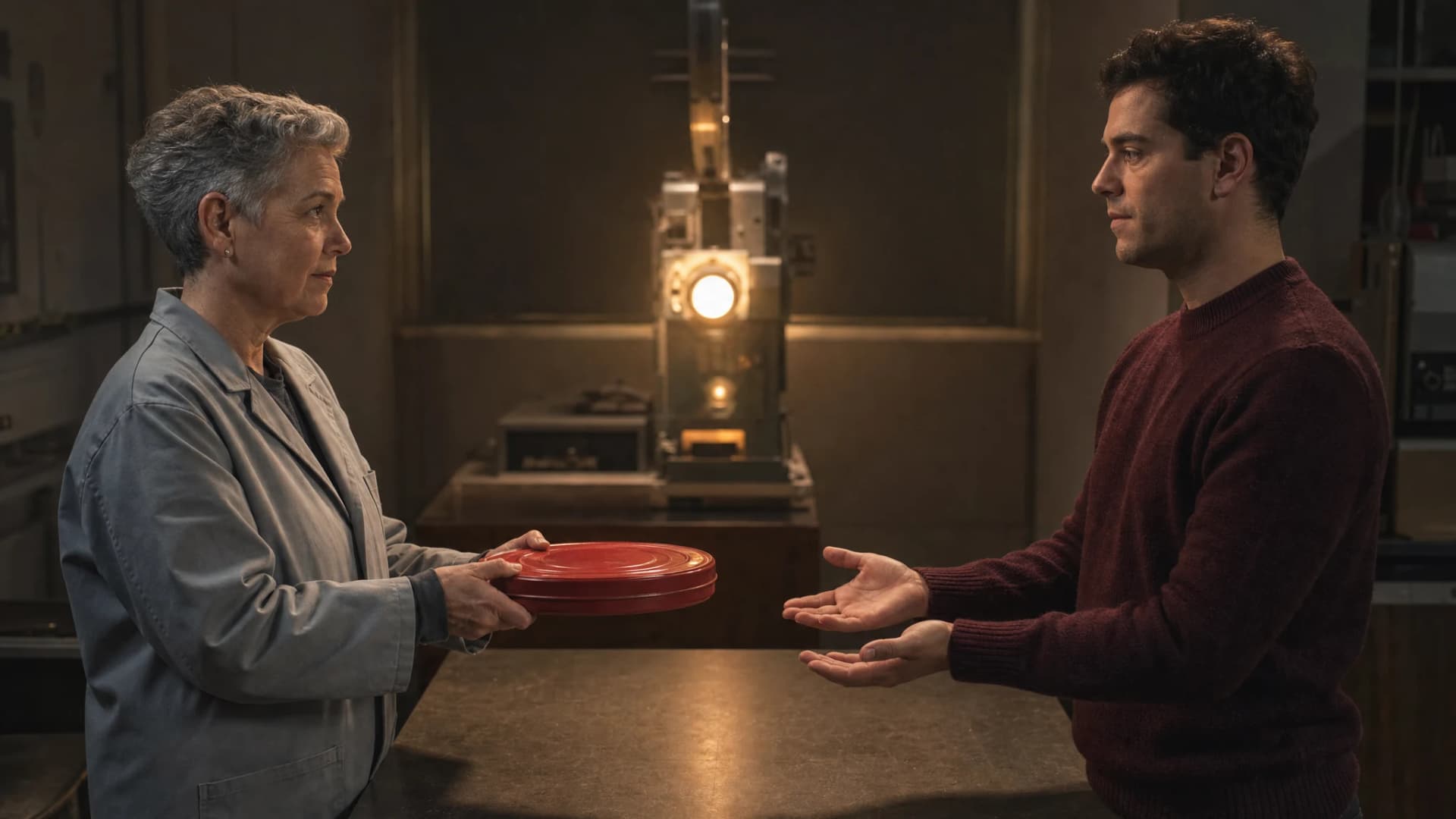
Give every person a place in the frame
The planned ending gives the same red canister to the colleague in burgundy and leaves the woman’s hands empty. AI storyboards can express that target, but a second still does not prove the handoff happened continuously between them.
- Keep AI storyboards identity references separate from location and camera notes.
- Inspect AI storyboards for swapped clothing or duplicated faces.
- Test the shot without dialogue first to see whether the action reads.
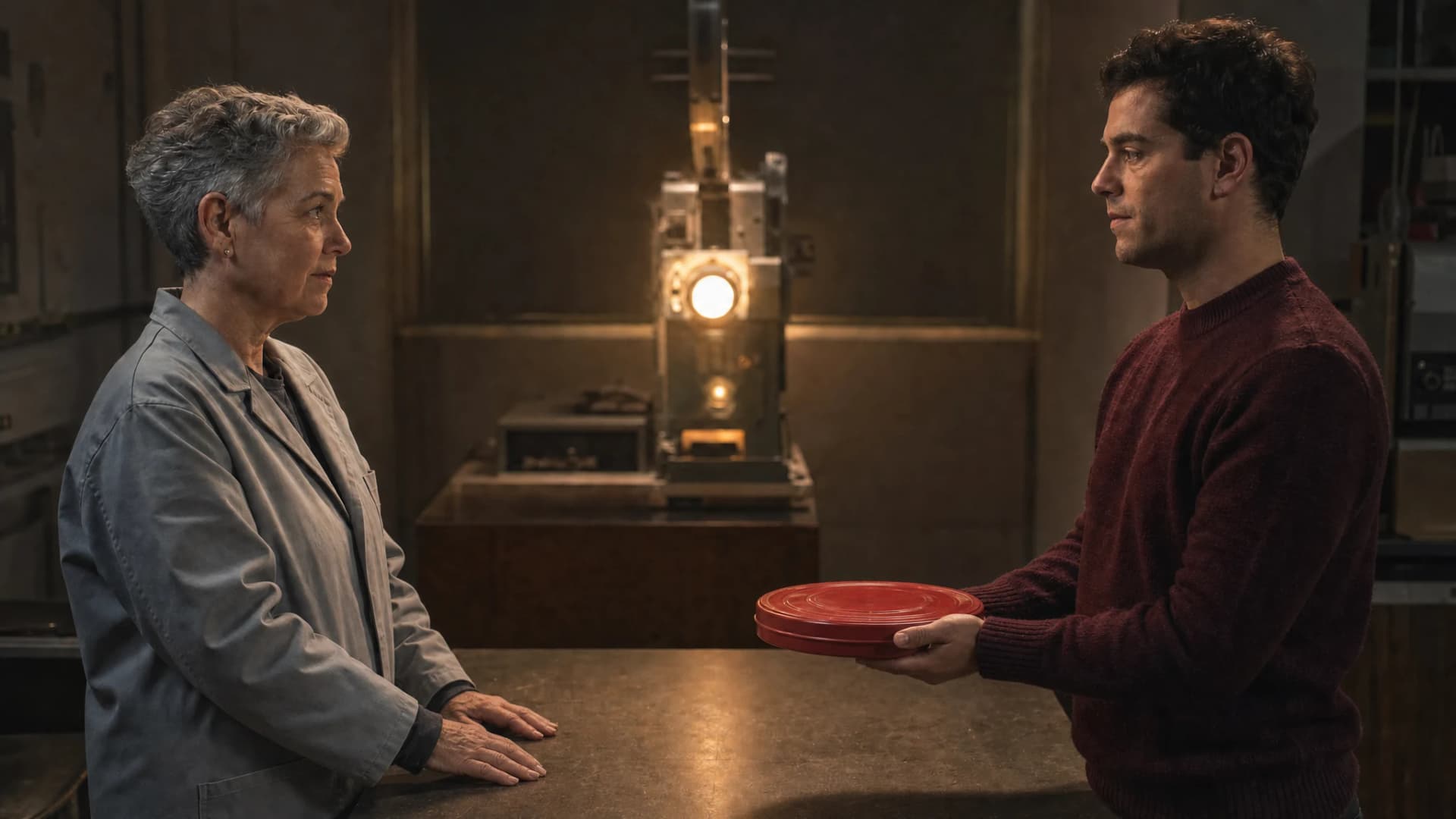
Save the approved frame as its own asset
Keep AI storyboards separate from animation experiments. A good frame can remain useful when you try another supported video model, and a failed motion take does not automatically mean the original composition needs rebuilding.
- Save AI storyboards with their character references and shot briefs.
- Record AI storyboards revisions separately from video take decisions.
- Check the selected model’s supported inputs before preparing an ending frame.
AI storyboards: animation handoff
- Shot
- DEMO-CANISTER-HANDOFF-01
- Source frame
- Grey jacket holds; burgundy sweater waits
- Target still
- Burgundy sweater holds; grey jacket releases
- Video input
- Starting image only for the proposed SD Video mode
- Acceptance
- One canister, continuous contact and correct ownership
These AI storyboards separate the requested ending from supported API inputs. The target still is a review reference, not an invented last-frame parameter.
Choose the role of your AI storyboards
AI storyboards serve different decisions at different stages. Choose the level of detail the next person needs, and avoid treating an attractive concept image as proof that the intended movement will work.
| Frame purpose | Prepare | Approve when |
|---|---|---|
| AI storyboards for a pitch | Composition and story beat | The viewer understands the scene |
| AI storyboards for animation | Pose, references and visible props | The intended action has a clear starting state |
| A planned ending frame | Compatible model mode and continuity notes | The ending agrees with the subject and objects at the start |
From a shot list to animation-ready inputs
Build AI storyboards around one sequence and review the frames in order. Keep your preferred animation model in mind, since available reference modes affect what makes a useful handoff.
- 1
Map the action
Give AI storyboards a shot identifier and one visible beat per frame. Write the starting state, intended movement and details that must remain consistent.
- 2
Choose the composition
Generate AI storyboards with approved character and scene references. Review identity, object positions and the space needed for movement before selecting the frame.
- 3
Test the handoff
Animate selected AI storyboards through a supported video input mode. Judge the whole take, then revise the frame or motion brief according to the actual problem.
AI storyboards questions, answered
Are AI storyboards automatically ready for animation?
No: a concept may communicate the mood while leaving the action unclear. AI storyboards intended for animation need readable poses, consistent objects and a composition that supports the requested movement; the animation test remains a separate review step.
Can AI storyboards keep the same character across shots?
Use approved reference images and repeat the identity details that matter to the sequence. Review AI storyboards across the full scene for face, clothes and proportions; the reference is a guide for the request rather than a guarantee of identical results.
Should AI storyboards include first and last frames?
Prepare both only when the selected video model supports that input mode and the shot needs it. AI storyboards can still be useful with a single starting frame, while an unrelated ending pose may make the intended transition harder to judge.
What should I check in multi-character AI storyboards?
Check each identity, screen position and action independently, including who holds or touches each prop. Read AI storyboards as a sequence as well: a character moving to the opposite side or a prop changing hands can alter the meaning of the next cut.
Does SeedRouter include a timeline for AI storyboards?
SeedRouter supplies image and video model access, with playgrounds for trying individual requests. Your production application stores AI storyboards, arranges the sequence, tracks approval and assembles the final animation; the download on this page is a planning record for that handoff.
How do I budget AI storyboards and motion tests?
Count the image candidates, frame revisions and animation takes needed for accepted shots, using current model rates. Keep AI storyboards review and editing time separate, then compare the complete path to a usable shot instead of comparing image prices alone.
Explore the references behind the handoff
SeedRouter created these AI storyboards case images on October 12, 2026 with GPT Image 2 at high quality: 2 requests, one image per request, no retries. Later images use the documented earlier references. The downloadable file records inputs and observed limitations; no customer outcome or completed video is claimed.
- AI storyboards character references
- Video models and supported inputs
- Short-film workflow
- Current model pricing
Related solutions
- Product and advertising visuals
Turn product references into reviewable campaign variants, with checks for product fidelity and revision costs.
- Fashion catalog photography
Plan consistent catalog images around garment details, model references and scene requirements.
- Video production
Build a shot-based workflow with clear acceptance criteria, selective revisions and a delivery budget.
- AI comic and series production
Connect scripts, character references and reusable shots for serialized visual storytelling.
- Editable brand assets
Combine generated imagery with editable text, original logos and a reusable design layout.
- In-game scene illustrations
Generate illustrations from game state with controls for scene accuracy, latency and reuse.
Choose the shot you want to animate next
Bring the action, character references and a clear starting state. Build AI storyboards for that shot, inspect the composition and carry the selected frame into your next motion test.