
Brand assets you can change after the first draft
Watch the case videoCreate campaign imagery while keeping the logo, headline and offer under your control. Connect SeedRouter image and text APIs to your design workflow, then assemble brand assets in the editable layouts your team already uses.
For brand designers, marketing teams and creative developers.
Build brand assets for the next revision
Brand assets are the visual and written elements a team reuses to communicate a brand. For campaign work, the useful deliverable combines generated imagery with original logos, approved copy and a layout another person can change.
Brand assets with room for campaign copy
Generate the visual part of brand assets around an intended layout. Reserve space for the headline and avoid placing a busy subject where the offer needs to be readable.
Explore this use caseBrand assets across campaign placements
Use the same brand assets across a banner, social post and email header while adapting the crop to each placement. A shared direction does not mean forcing the same composition into every shape.
Explore this use caseBrand assets for the next campaign
Keep approved brand assets separate from campaign-specific wording. Store the original logo, fonts and color rules in your design system so a new offer changes the layout without rebuilding the imagery.
Explore this use caseBrand assets with an editable layer structure
Night Bloom uses an original magenta-orchid image behind separate headline and exhibition-name layers. Brand assets stay changeable only when those elements remain separate in the document; the image model returns a flattened picture, not a layered design file.
- Keep brand assets typography editable when the wording must be exact.
- Use approved brand assets for logos instead of asking a model to redraw them.
- Save the original composition before exporting a flattened image.
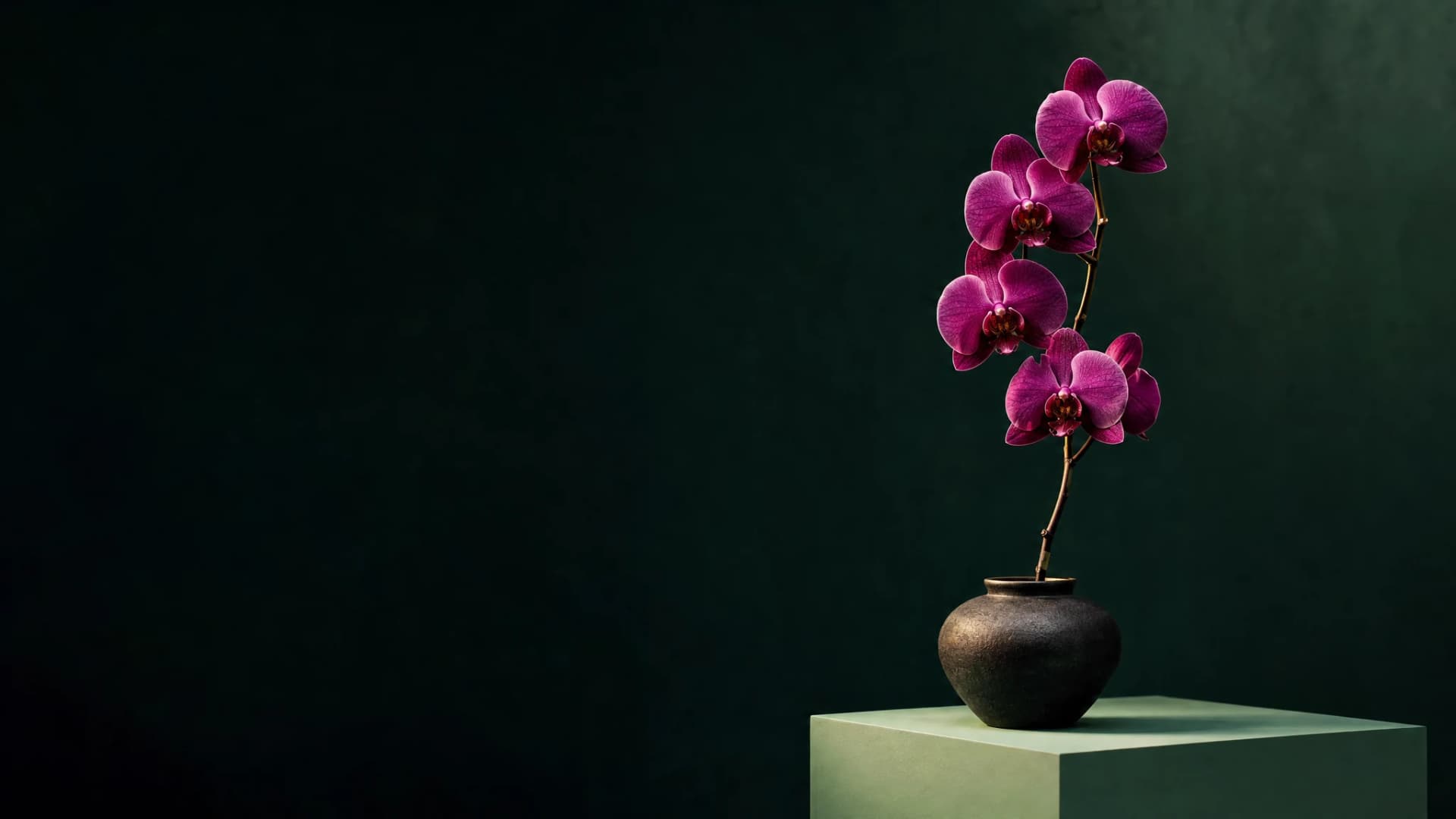
Night Bloom · fictional exhibition
After dark, in bloom
Brand assets demonstration: only the text layer changes. The original orchid image stays the same, and no generation request is made.
Give the subject and message their own space
The orchid stands on the right of a dark-green composition, leaving calm space for real text. Review brand assets with the actual headline in place: the subject, contrast and line breaks all need to work at the final display size.
- Compose brand assets with a subject position and space for the message.
- Preview brand assets with real copy instead of placeholder text.
- Keep the focal object recognizable after the final crop.
Make a new offer without another image request
Change the sample headline from “After dark, in bloom” to “Stay for the colour” while keeping the same orchid image. Brand assets should preserve that separation in the source file, so this ordinary wording revision requires no new image generation.
- Test whether brand assets copy can change without repainting the picture.
- Keep brand assets named by campaign, placement and version.
- Review the design at its actual publishing size before handoff.
Brand assets: revision handoff
- Image
- Same original orchid plate in both versions
- Version A
- After dark, in bloom
- Version B
- Stay for the colour
- Editable source
- Separate SVG text and linked image layers
- New image requests
- None for this text-only change
A reusable set of brand assets lets copy changes stay in the design file. Image generation is needed again only when the imagery itself needs changing.
Choose how to produce your brand assets
Match brand assets to the type of revision the team expects. A generated picture and an editable design document are different outputs, even when both look like a finished advertisement.
| Needed output | Use | What must remain changeable |
|---|---|---|
| Brand assets for a mood exploration | Image model and an art-direction brief | Scene choice and composition |
| Brand assets for a live campaign | Approved image plus your layout editor | Headline, logo placement and offer |
| A reusable campaign template | Your design or templating application | Text fields, crop rules and source files |
From visual concept to a useful handoff
Build brand assets in the same order your team makes decisions: visual direction, selected image, final message and layout. Keep the original sources together so the next campaign does not begin from a screenshot.
- 1
Prepare the placement
List the brand assets you already have, including original logo, approved font and copy. Choose the format and describe the image area that remains available.
- 2
Generate the visual layer
Create brand assets imagery with the intended crop and message area in mind. Compare candidates inside the layout instead of selecting an image in isolation.
- 3
Save an editable composition
Place approved brand assets in your editor and keep the text independent. Export the required sizes, then include the source file and current copy in the handoff.
Brand assets questions, answered
Does SeedRouter generate editable brand assets files?
SeedRouter supplies text and image model outputs, not a native Figma, Canva or layered design project. Create editable brand assets by placing those outputs alongside original logos and independent text in your design or templating application.
Can AI brand assets reproduce my exact logo?
For exact reproduction, use the approved original logo file in your design composition. Generated brand assets can provide supporting imagery, while the real logo remains separately positioned and sized; this also makes later layout changes easier to review.
How do I change text in generated brand assets?
Keep the final headline and offer outside the generated image from the beginning. Editable brand assets let a designer change the wording, line breaks or price in the source file without repainting the scene or paying for another image generation.
Can I create brand assets for several campaign sizes?
Yes, plan the placements and adapt the composition in your design workflow. Review brand assets at each final size because a wide banner and a vertical social post leave different space for the subject, headline and logo; an automatic crop may cut away something important.
How do I keep brand assets visually consistent?
Use an approved palette, typography, logo files and art-direction brief, then compare the campaign as a set. Keep generated brand assets that fit those rules and revise the ones that drift; repeated prompts alone are not a substitute for a shared design standard.
How should I compare the cost of brand assets?
Count image candidates and revisions using current model prices, then record layout and review time separately. Judge brand assets by the complete handoff, including how easily the next requested change can be made; a cheap flattened image may still require substantial design work.
Review the examples and design references
SeedRouter created these brand assets case images on October 12, 2026 with GPT Image 2 at high quality: one request and one image, with no retries. The source prompt and output are available for inspection. The downloadable file records inputs and observed limitations; no customer outcome or completed video is claimed.
- Brand assets generation and review record
- Brand assets composition prompts
- GPT Image 2 gallery and playground
- Campaign imagery workflows
- Current model pricing
Related solutions
- Product and advertising visuals
Turn product references into reviewable campaign variants, with checks for product fidelity and revision costs.
- Fashion catalog photography
Plan consistent catalog images around garment details, model references and scene requirements.
- Video production
Build a shot-based workflow with clear acceptance criteria, selective revisions and a delivery budget.
- AI comic and series production
Connect scripts, character references and reusable shots for serialized visual storytelling.
- Storyboards and animation keyframes
Translate a shot list and character references into keyframes that can guide animation.
- In-game scene illustrations
Generate illustrations from game state with controls for scene accuracy, latency and reuse.
Start with the revision your team always asks for
Choose a campaign and write down what will probably change next. Build brand assets with that revision in mind, create the image layer and keep the wording and logo editable in the final composition.