
Ecommerce automation for the work behind your store
Watch the case videoTurn approved product facts into listing updates, launch emails and reviewable tasks. Build ecommerce automation with SeedRouter’s text APIs, so your team starts with a draft attached to the right product instead of an empty page.
For store operators, catalog teams and the developers supporting them.
Where ecommerce automation earns its place
Ecommerce automation connects recurring store tasks to the information each task needs. SeedRouter supplies the model calls for writing and classification; your store, product system and workflow software supply the records, approvals and publishing access.
Ecommerce automation for listing updates
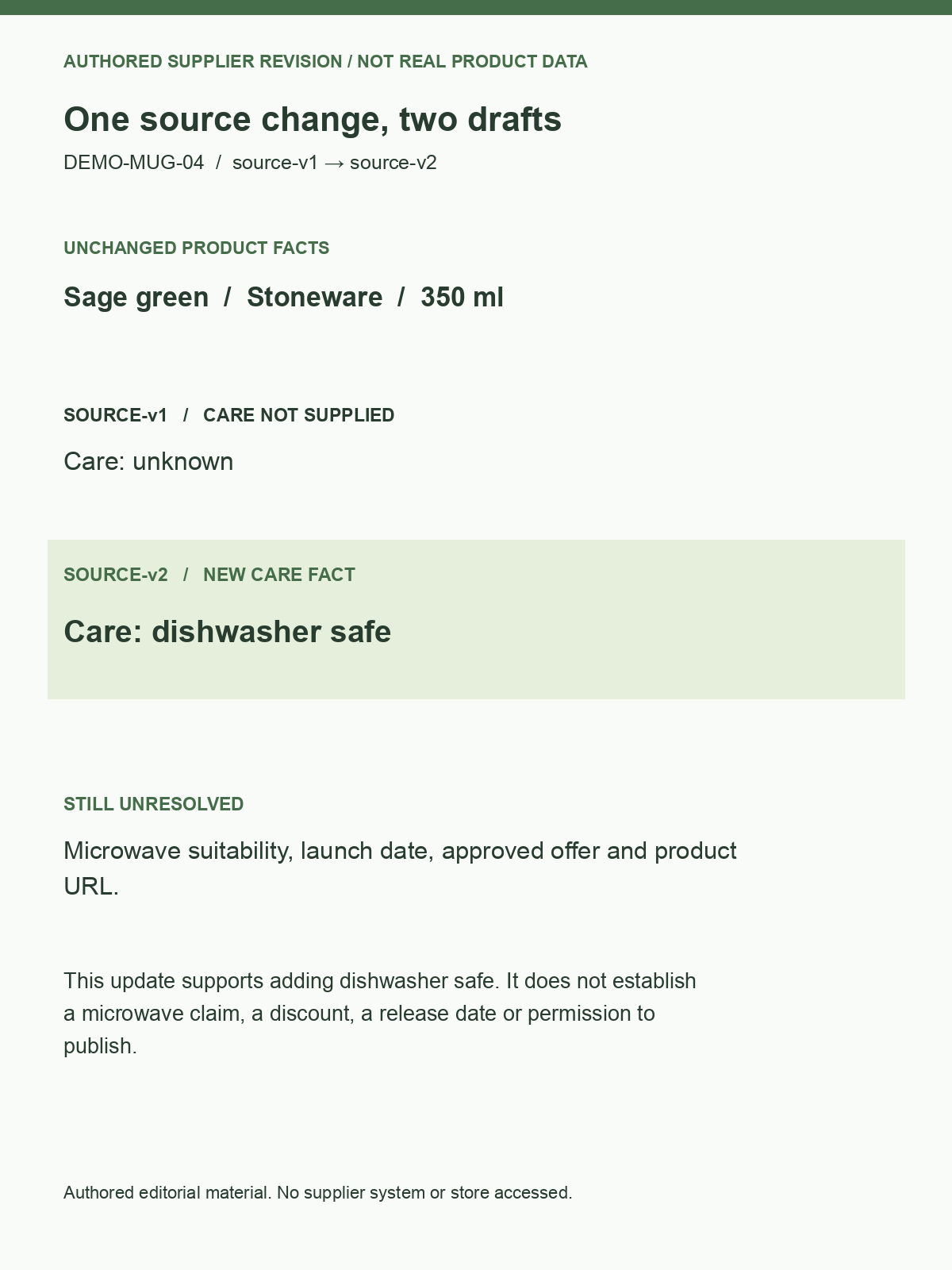
Use ecommerce automation to turn a supplier update into proposed changes for the affected SKU. Give the editor the old description, new facts and draft together, so a revised material does not silently become a new warranty.
Explore this use caseEcommerce automation for campaign drafts
Reuse a launch brief across subject lines, product introductions and short promotional copy. Ecommerce automation can adapt the wording while the approved audience, offer and product details remain attached to the campaign.
Explore this use caseEcommerce automation for incoming work
Apply ecommerce automation to classify requests such as missing specifications, damaged-item messages or catalog corrections. Preserve the original request and suggest the next owner before your workflow creates or updates a task.
Explore this use case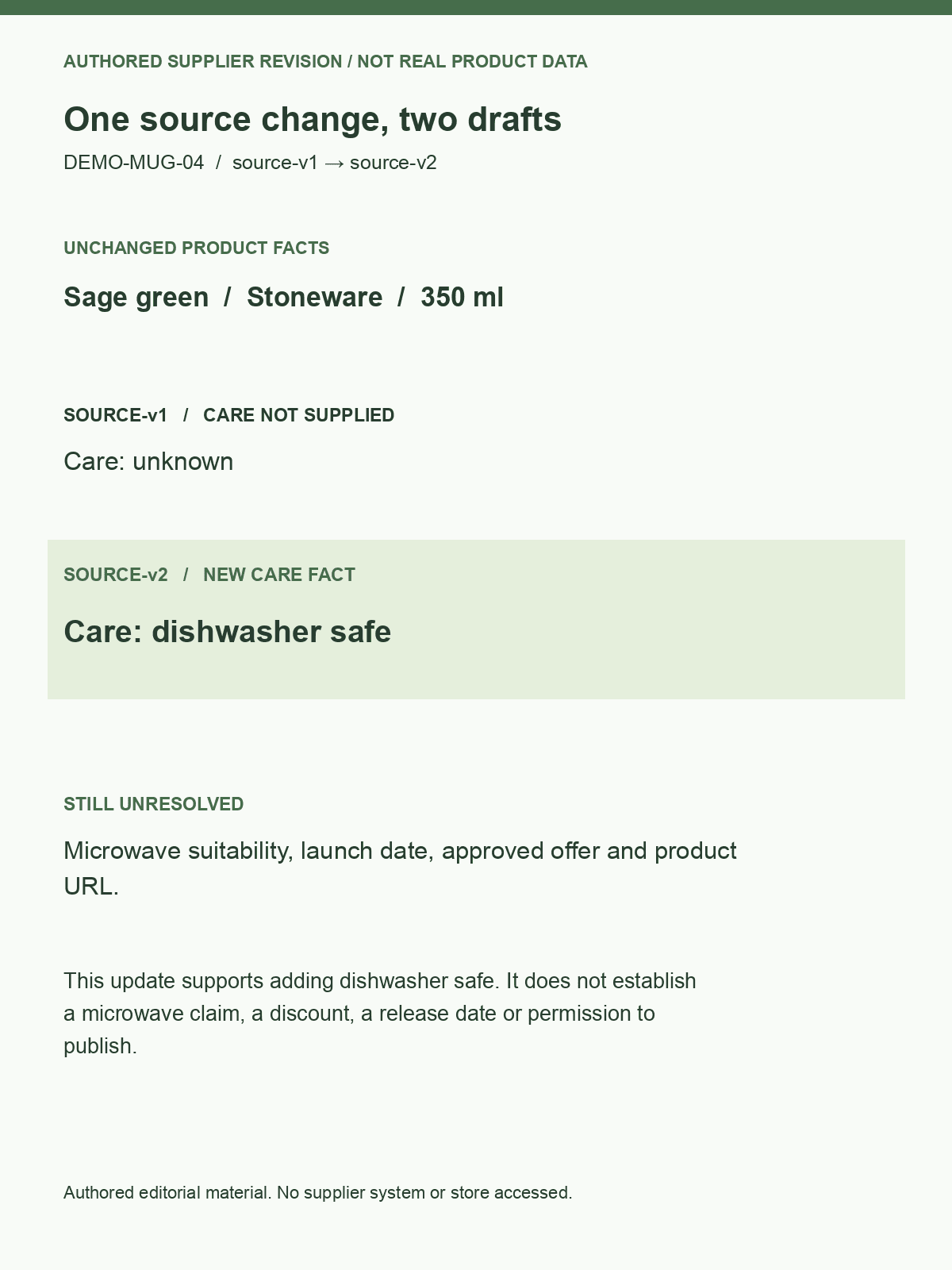
Ecommerce automation starts with the product record
Give ecommerce automation the facts a buyer needs: what the item is, what it includes and how to care for it. A compact source packet helps editors spot unsupported additions without reopening several spreadsheets.
- Keep the SKU and source revision with every draft.
- Use ecommerce automation to flag absent measurements before drafting a claim.
- Treat supplier wording as source material, not automatic approval to publish.
Ecommerce automation source: DEMO-MUG-04
- Material
- Stoneware
- Capacity
- 350 ml
- Care
- Dishwasher safe
- Unconfirmed
- Microwave suitability
The draft may mention care only as supplied; microwave suitability stays a question.
Ecommerce automation with changes editors can inspect
A useful ecommerce automation result makes the proposed change easy to inspect. Show the existing text beside the draft and name the facts that changed, particularly when a supplier revises care instructions or included accessories.
- Separate factual edits from a change in tone.
- Save ecommerce automation drafts under their source revision.
- Ask the product owner to resolve conflicting specifications before release.
Reuse the ecommerce automation brief across the launch
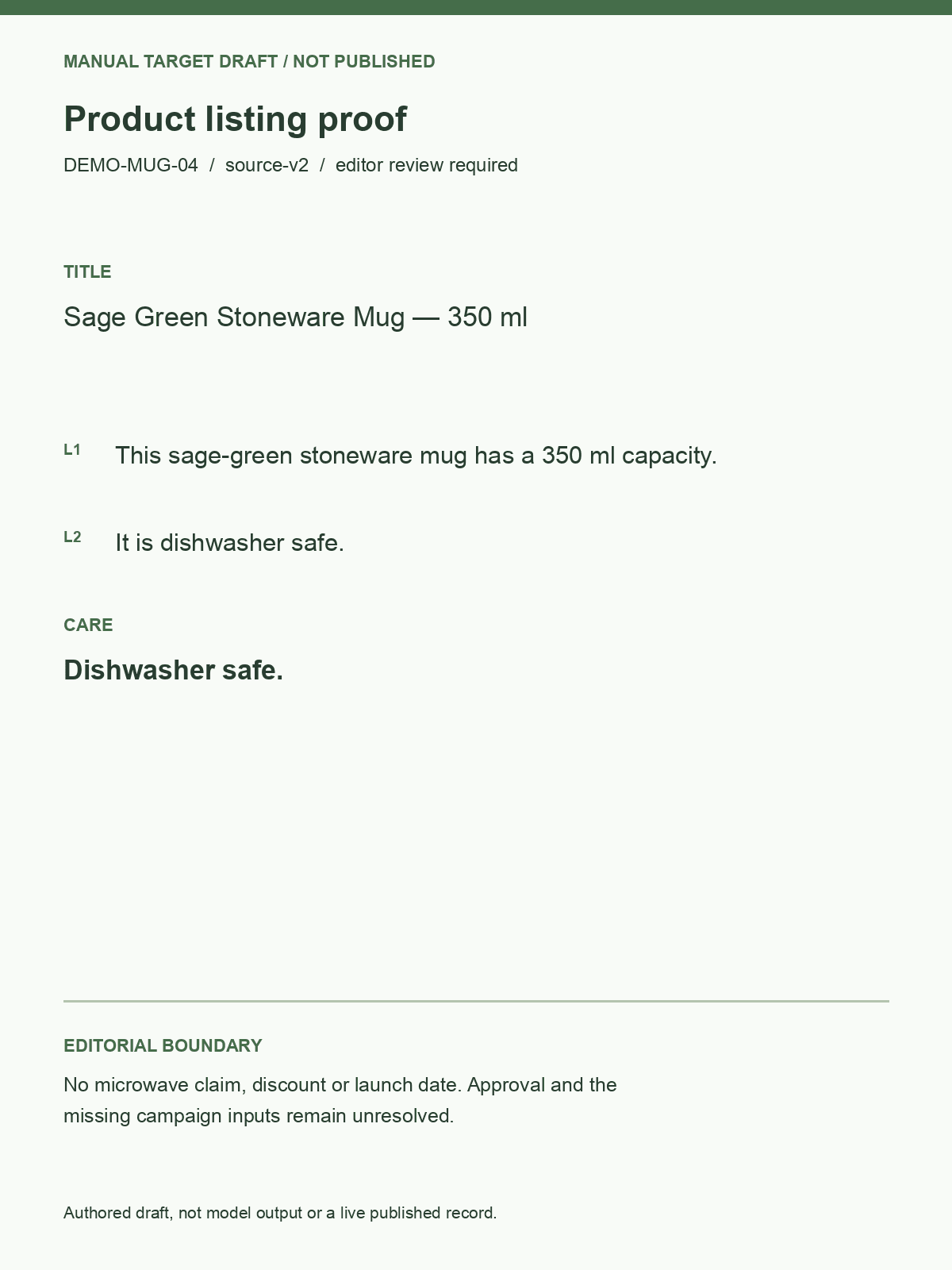
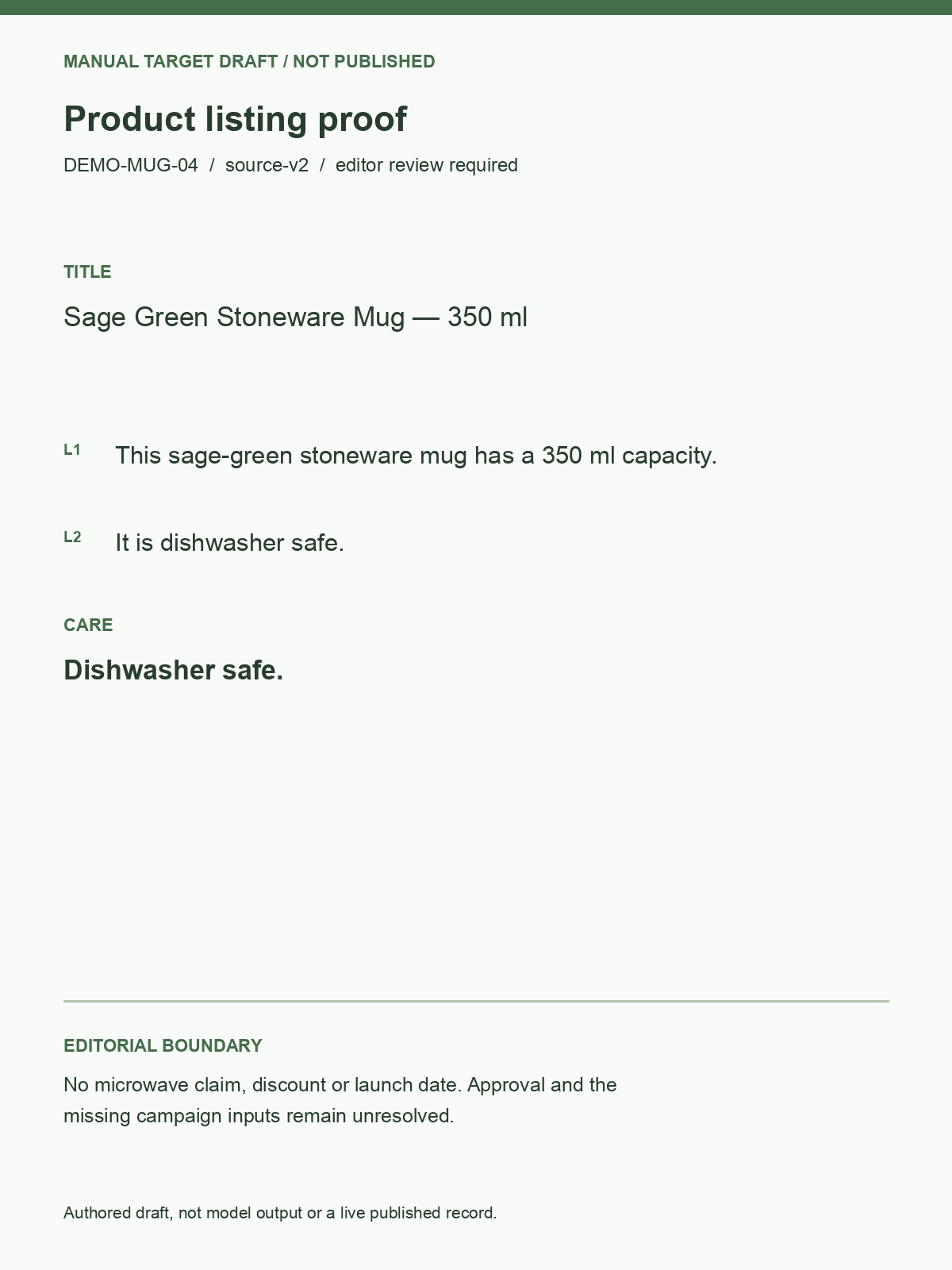
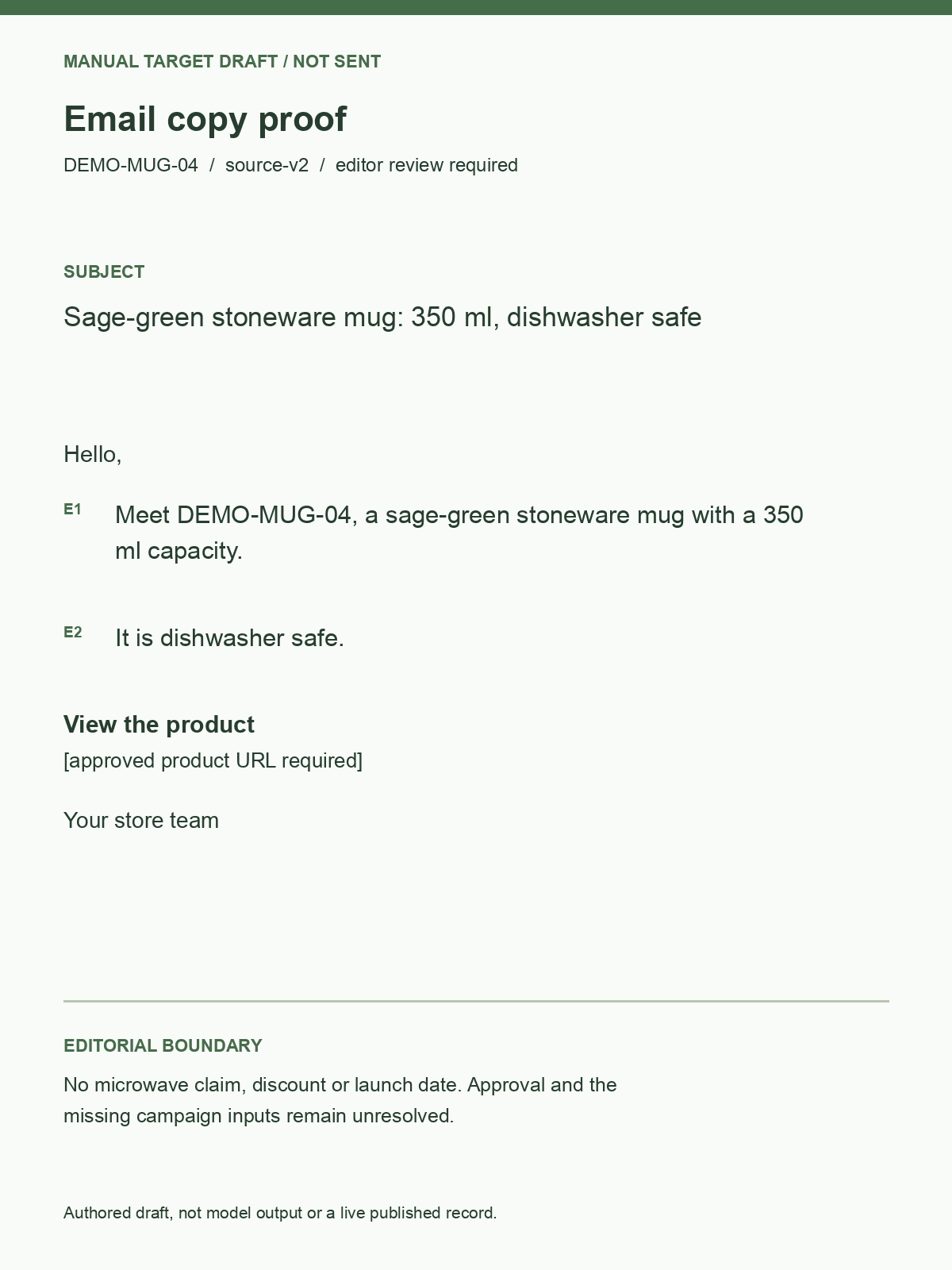
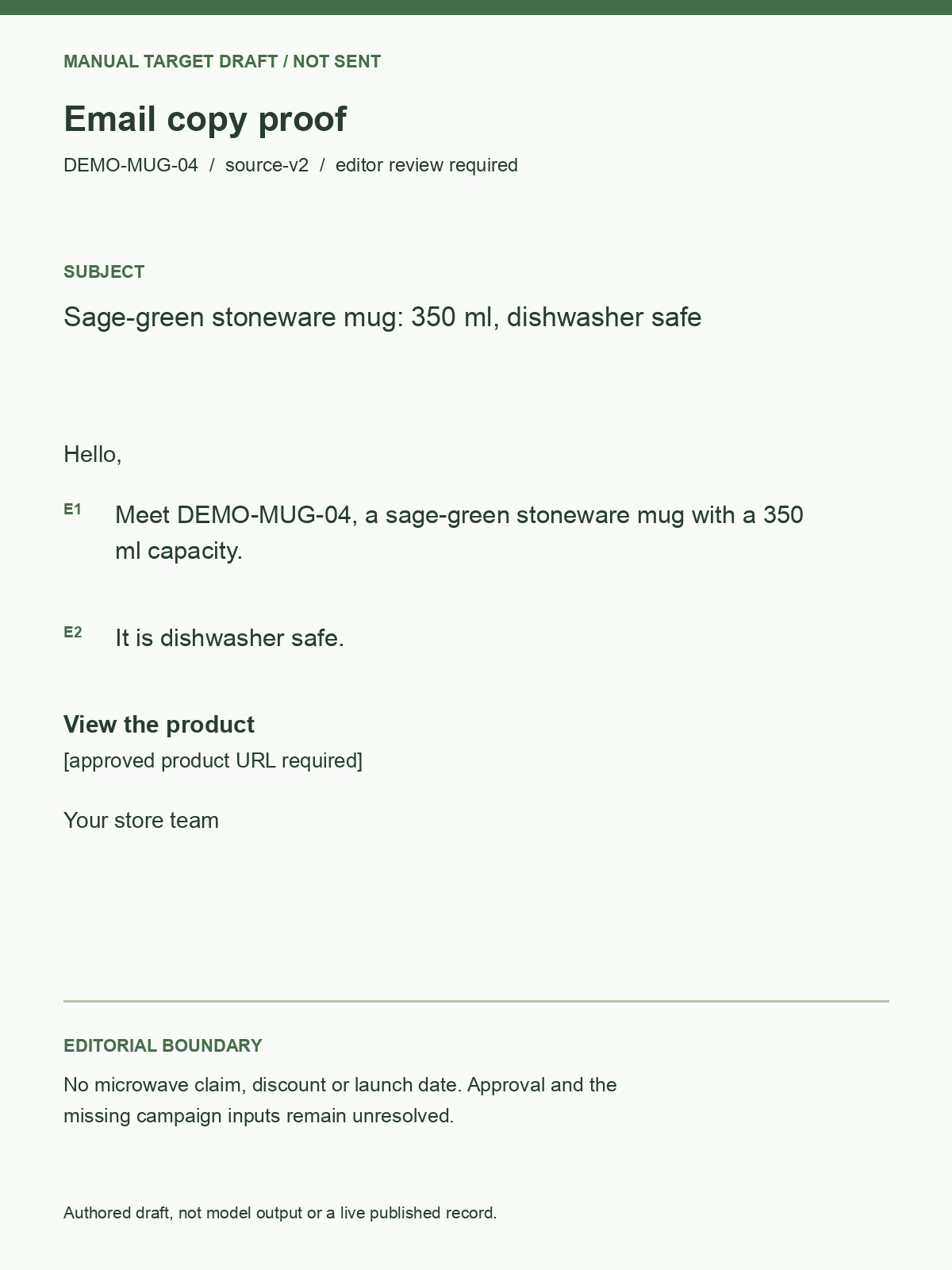
Download a concrete ecommerce automation brief with product facts, requested copy and an approval checklist. The same record can accompany a listing draft and an email without losing the unresolved offer or publishing date.
- Attach both deliverables to one product identifier.
- Check ecommerce automation email drafts against the actual promotion.
- Save publication status separately from a successful model response.
Choose an ecommerce automation approach
Fit ecommerce automation to the step you actually repeat. A fixed workflow often suits stable catalog tasks; an agent is useful only when the next step genuinely depends on what it finds.
| Task | Starting point | What to check |
|---|---|---|
| Ecommerce automation for copy | GPT-6 Sol or Claude Opus 5.5 | Factual edits, voice and missing information. |
| Ecommerce automation for handoffs | Text model plus your workflow | Correct SKU, owner and duplicate handling. |
| Ecommerce automation for publishing | Your store’s existing integration | Approved version, permitted action and saved result. |
Build the first repeatable store task
Start ecommerce automation with one product family and one editor. Keep the original records alongside the drafts so the team can judge useful output and correction effort together.
- 1
Prepare a small source set
Test ecommerce automation on a complete product, an incomplete one and a conflicting supplier update. Write down what the editor should accept in each case.
- 2
Generate focused drafts
Ask ecommerce automation for the fields your existing template needs. Preserve the SKU through every step and compare the proposed text with its source.
- 3
Approve, then connect
Expand ecommerce automation after the drafts meet the team’s bar. Configure publishing access in your application and verify which version actually reaches the store.
Ecommerce automation questions
Does ecommerce automation include a Shopify connector?
SeedRouter provides model APIs, not a preconfigured store connection. Your ecommerce automation workflow connects to Shopify or another platform through its available APIs and permissions; the model writes or classifies the information your application supplies.
Can I use ecommerce automation without an agent?
Yes, a fixed sequence can read a product, generate a draft and send it for review. Ecommerce automation does not need an autonomous agent when the steps are already known; use your existing script or workflow tool and keep the task easy to inspect.
What happens when product details are missing?
Ask for an explicit missing-information list alongside the draft. Ecommerce automation should not turn an absent size, certification or compatibility detail into a confident selling point; the reviewer needs a clear question to send back to the product owner.
Can the workflow update thousands of listings?
Your application can iterate over a catalog and track the status of each item. Evaluate ecommerce automation on representative products first, then use controlled batches with source revisions and duplicate checks; one good description does not establish quality across every category.
How should I compare model costs?
Use current model prices and the actual input and output sizes of your drafts. For ecommerce automation, divide model spending across initial attempts and revisions by accepted deliverables, while tracking editing time separately; a completed request may still need substantial changes.
How do I know the copy is ready?
Compare it with approved facts, your brand examples and the destination template. A practical ecommerce automation check includes unsupported claims, missing buying information and the correct SKU; approval belongs to the product or campaign owner, not to a model confidence score.
Inspect the example before connecting your store
Inspect this ecommerce automation example from supplier revision to listing and email. The downloadable drafts include sentence-level source references and checks for missing facts. SeedRouter authored the materials and ran the local validator; no model call, store publication or email delivery was performed.
- Download the ecommerce automation fixture
- Read both supplier revisions
- Download the listing draft
- Download the email draft
- Check each claim against its source
- Reproduce the draft checks
- GPT-6 Sol documentation
- n8n integration guide
- Current model prices
Related solutions
- Lead classification and handoff
Extract details from incoming leads, review uncertain classifications and hand records to your business systems.
- Customer support workflows
Connect sourced answers to explicitly approved actions in your existing customer systems.
- Invoice and document extraction
Extract invoice fields and line items, then validate quantities, totals and source evidence.
- Internal knowledge assistants
Build answers around retrieved passages, technical terminology and traceable document sources.
- Business data queries
Turn business questions into reviewable queries and explain results calculated by your data systems.
- Monthly reports
Combine deterministic spreadsheet processing with model-assisted classification and written analysis.
Make the next catalog update easier to review
Bring a product record and a draft your team considers useful. Build ecommerce automation around that standard, then compare the editing work before expanding the workflow to the rest of your catalog.