
AI comics that keep the story and cast together
Watch the case videoTurn a script into character references, panel concepts and selected motion shots. Build AI comics with SeedRouter model APIs inside your production tools, keeping the approved parts of your story ready for the next episode.
For comic creators, visual storytellers and production developers.
Give AI comics a cast readers can follow
AI comics use generated imagery to tell a sequence of connected story beats. SeedRouter supplies text, image and video models; your project keeps the script, character references, panel order and final layout together.
Reusable character references for AI comics
Start AI comics with a character design you can recognize from several angles. Record the face, clothes and distinctive accessory before asking for expressions, new poses or a crowded scene.
Explore this use caseAI comics panels with clear story beats
Break AI comics into visible moments: noticing a clue, reaching for it, then reacting. This gives the reader a sequence to follow and gives your review process a specific purpose for each image.
Explore this use caseAI comics with selected motion scenes
Use selected AI comics frames as references for supported video models. Keep the motion focused on the moment in that panel, then assemble the accepted clips in your existing editor.
Explore this use case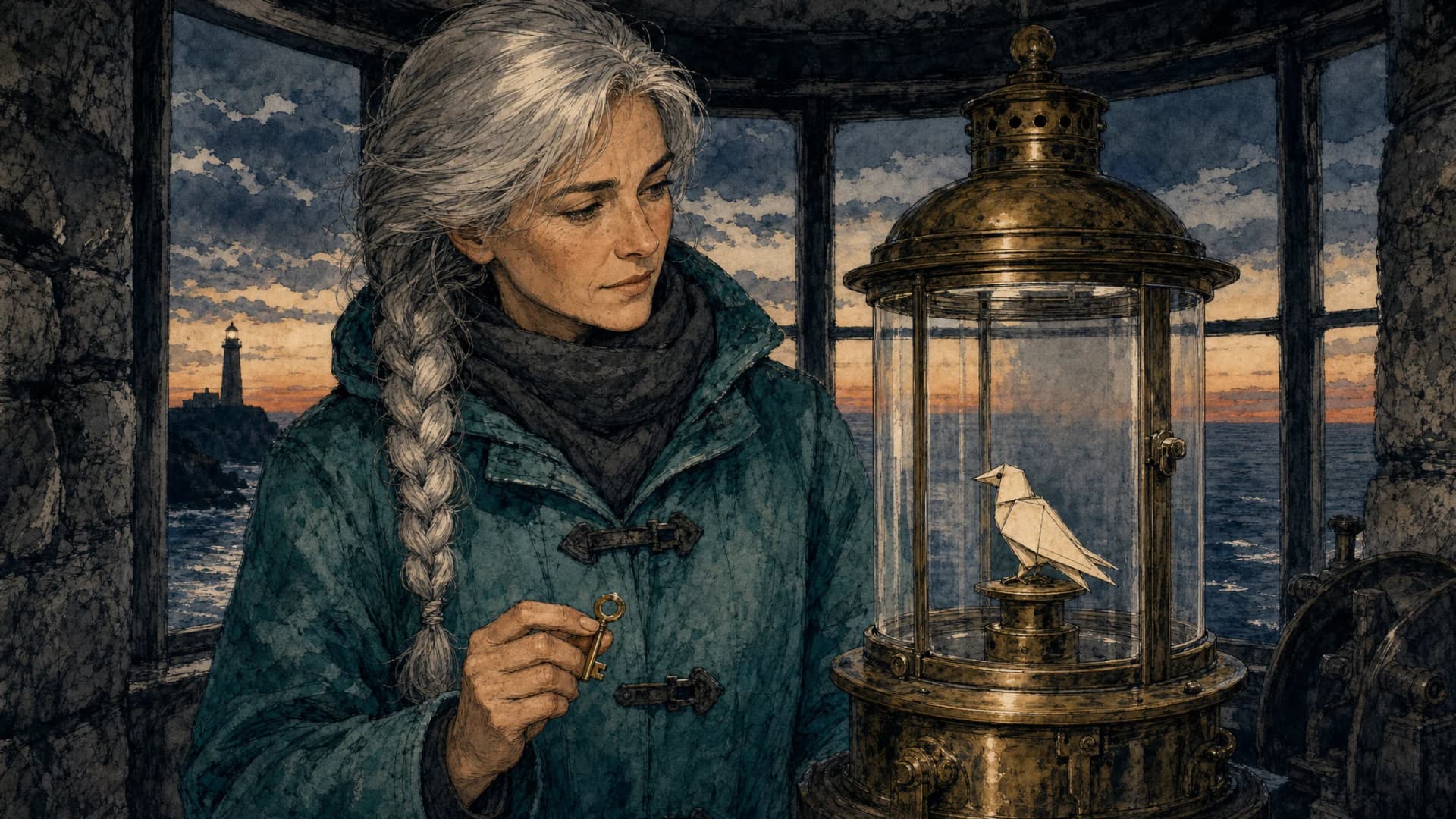
AI comics: carry identity through the story
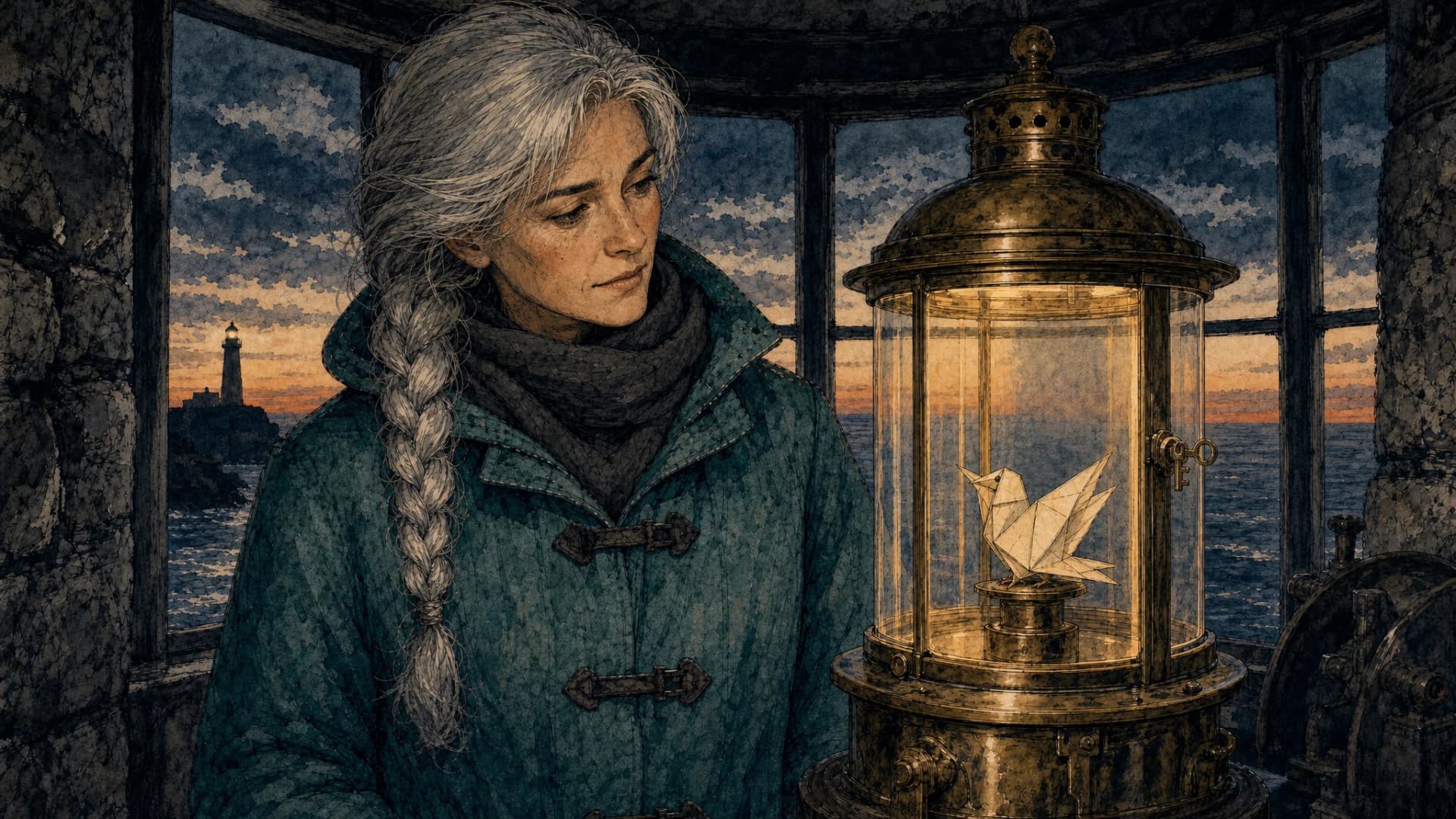
The Lantern Key follows a silver-braided lighthouse keeper in a teal coat. These AI comics panels share one reference chain; inspect the face, braid, coat and brass lantern together rather than treating a matching colour palette as proof of identity.
- Keep the keeper and brass lantern references with each AI comics panel.
- Compare AI comics hands, key and paper bird across adjacent story beats.
- Leave dialogue and captions outside the generated pixels so lettering stays editable.
Make a scene readable before adding motion
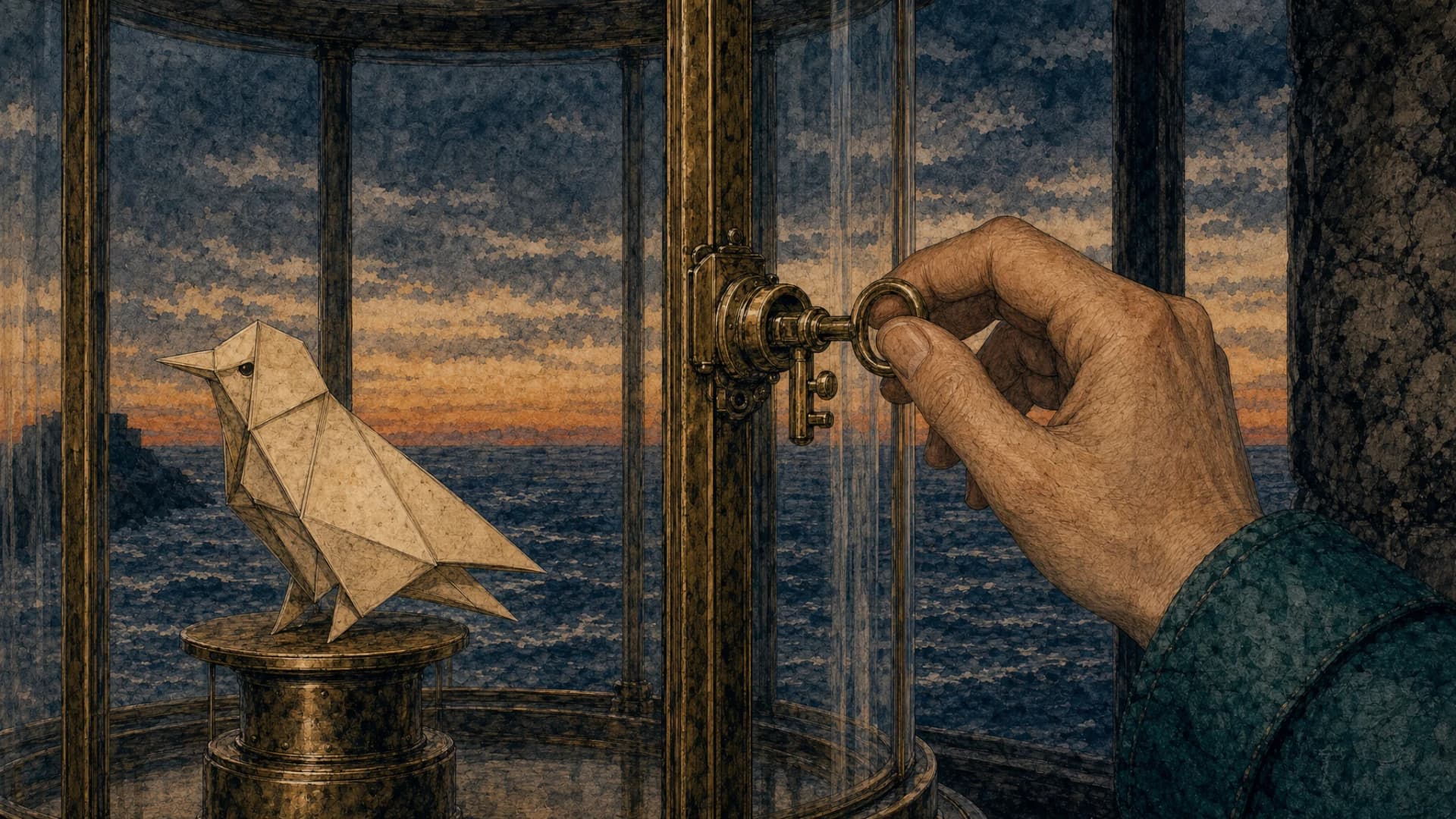
The first AI comics close-up invented a base keyhole, and its first revision left the key away from the side lock. The next revision starts with the key already inserted. Checking that contact gives the animator a clear turning action instead of asking motion to repair a disconnected pose.
- Keep AI comics dialogue editable while checking composition and reading order.
- Review AI comics for duplicated people, missing props and swapped positions.
- Approve the panel before spending on a motion version.
Return to the episode without starting over
Keep The Lantern Key panels attached to their story beat and reference version. For AI comics, reopening an accepted panel should retrieve its file; it should not quietly start another generation or discard a useful earlier result.
- Save the reference version used for each AI comics panel.
- Track AI comics revisions by the specific identity or story problem.
- Keep completed images separate from requests so review does not create new work.
AI comics: an episode manifest
- Episode
- DEMO-LANTERN-KEY
- Cast
- Silver-braided keeper · teal coat
- Prop chain
- Key → lantern lock → folded paper bird
- Panel order
- Discovery, approach, illuminated reveal
- Delivery
- Reviewed panels plus separate lettering
The AI comics manifest is a record your application can maintain. SeedRouter supplies model calls, not an automatic episode-management system.
Choose models for your AI comics pipeline
Compare AI comics tools on the same character and scene rather than on unrelated gallery images. Select text models for planning, image models for panels and supported video models for shots that need motion.
| Production stage | Starting point | What to judge |
|---|---|---|
| AI comics script and beat list | A text model with your supplied script | No omitted beats or invented story facts |
| AI comics references and panels | GPT Image 2.5 or Nano Banana Pro | Identity, composition and continuity |
| Motion from selected panels | A supported reference-image video mode | Action and character remain readable |
From the script to an episode you can revise
Build AI comics around a short scene before expanding the story. A close-up, a wider panel and a two-character interaction reveal different continuity problems and give you a more useful test than repeated portraits.
- 1
Prepare the cast and beats
Give AI comics a reviewed script, character identifiers and a brief for each visible moment. Choose the references that define each recurring person, prop and location.
- 2
Generate and select panels
Review AI comics panel by panel, then read the sequence together. Keep the accepted versions and request a focused revision where identity or action breaks the story.
- 3
Finish the reading experience
Place AI comics panels in your layout, add editable dialogue and check reading order. Animate selected moments only after the still sequence communicates the intended story.
AI comics questions, answered
Does SeedRouter create complete AI comics automatically?
SeedRouter provides the models for scripts, images and supported video tasks. Your tools assemble AI comics into panels or episodes, manage reference assets and handle lettering, editing and publication; the brief here helps keep those responsibilities connected.
How do I keep characters consistent in AI comics?
Prepare approved references and pass the relevant images and identity details into each supported request. For AI comics, check faces, clothing, proportions and props across the actual sequence; reference inputs help express your intent but do not guarantee perfect consistency in every result.
Can AI comics include several characters in one panel?
You can request a scene with several characters, but make each person’s position and action explicit. Review AI comics group scenes for duplicated identities, swapped clothing and confused object ownership, especially when characters interact or overlap.
Should dialogue be generated inside AI comics images?
Keep dialogue and captions editable in the layout when exact wording or later revision matters. That lets you change AI comics lettering, translate a line or adjust balloon placement without regenerating the artwork; check the complete panel at the size readers will actually see.
How do I estimate an episode of AI comics?
Count the references, panel attempts and motion takes required to reach the accepted episode, using current model prices. Include AI comics layout and continuity review time separately; episode duration or panel count alone cannot predict the revisions a particular story will need.
Can AI comics become animated short episodes?
Selected panels can become starting references for video models with suitable input support. Review AI comics motion shots for character identity, completed actions and sound, then assemble them in an editor; the image sequence is a starting point rather than an automatic finished film.
See the references and production guides
SeedRouter created these AI comics case images on October 12, 2026 with GPT Image 2 at high quality: three initial images and two targeted corrections. The second correction places the key in the side lock. The download retains the failed candidates and reference chain; these are generated story panels, not a customer outcome or a completed animated episode.
- AI comics character reference tool
- Character sheet prompt guide
- Short-film production guide
- Current generation pricing
Related solutions
- Product and advertising visuals
Turn product references into reviewable campaign variants, with checks for product fidelity and revision costs.
- Fashion catalog photography
Plan consistent catalog images around garment details, model references and scene requirements.
- Video production
Build a shot-based workflow with clear acceptance criteria, selective revisions and a delivery budget.
- Storyboards and animation keyframes
Translate a shot list and character references into keyframes that can guide animation.
- Editable brand assets
Combine generated imagery with editable text, original logos and a reusable design layout.
- In-game scene illustrations
Generate illustrations from game state with controls for scene accuracy, latency and reuse.
Start with a scene worth reading
Choose a short scene and the character who carries it. Build AI comics references first, test the panels together and keep the version that makes the story clear before expanding into the next episode.