
Real estate AI for the work around a listing
Watch the case videoOrganize incoming inquiries, draft property descriptions and prepare visual concepts from your approved records. Connect real estate AI through SeedRouter APIs while your team keeps the original message, property facts and review decisions together.
For property teams, agencies and application developers.
Where real estate AI can help your team
Real estate AI can assist with interpreting messages, drafting from property facts and developing imagery. SeedRouter supplies model APIs; your CRM and property systems retain records, access permissions and the final publishing decisions.
Keep genuine inquiries visible
Use real estate AI to propose a message category and extract relevant details. Keep uncertain inquiries available for review so a short message from a potential buyer is not silently discarded.
Explore this use caseDraft from the listing record
Give real estate AI verified features, measurements and availability information. Ask for a clear description of those facts, leaving missing details unresolved instead of creating attractive but unsupported claims.
Explore this use caseExplore presentation concepts
Use real estate AI image models for a controlled visual brief. Keep original photographs and clearly identify generated changes so your team can compare the concept with the actual space.
Explore this use case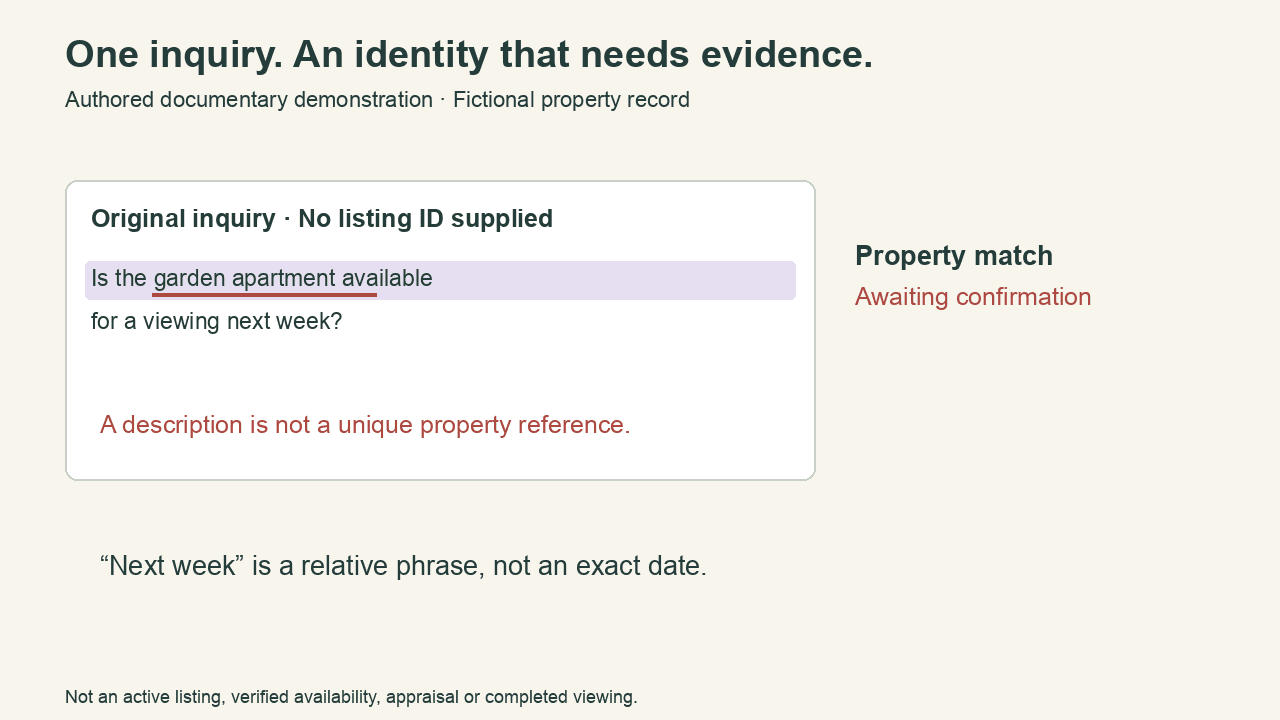
Separate message intent from the next action
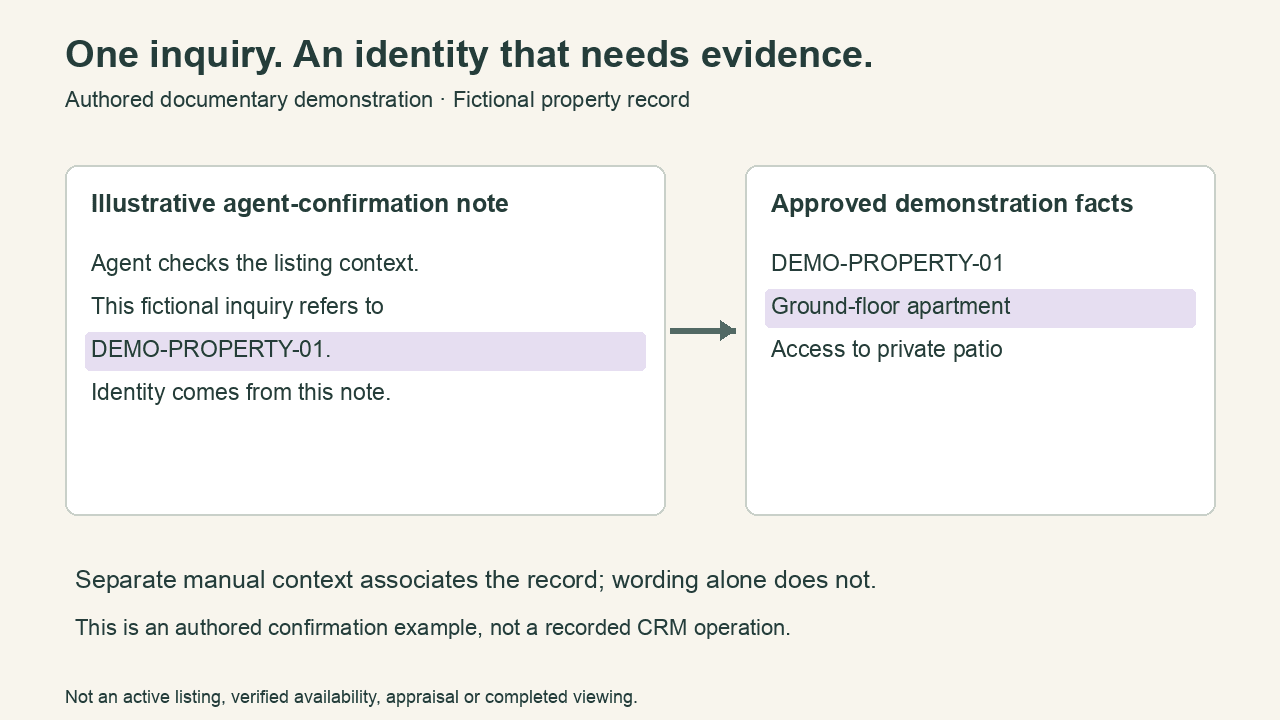
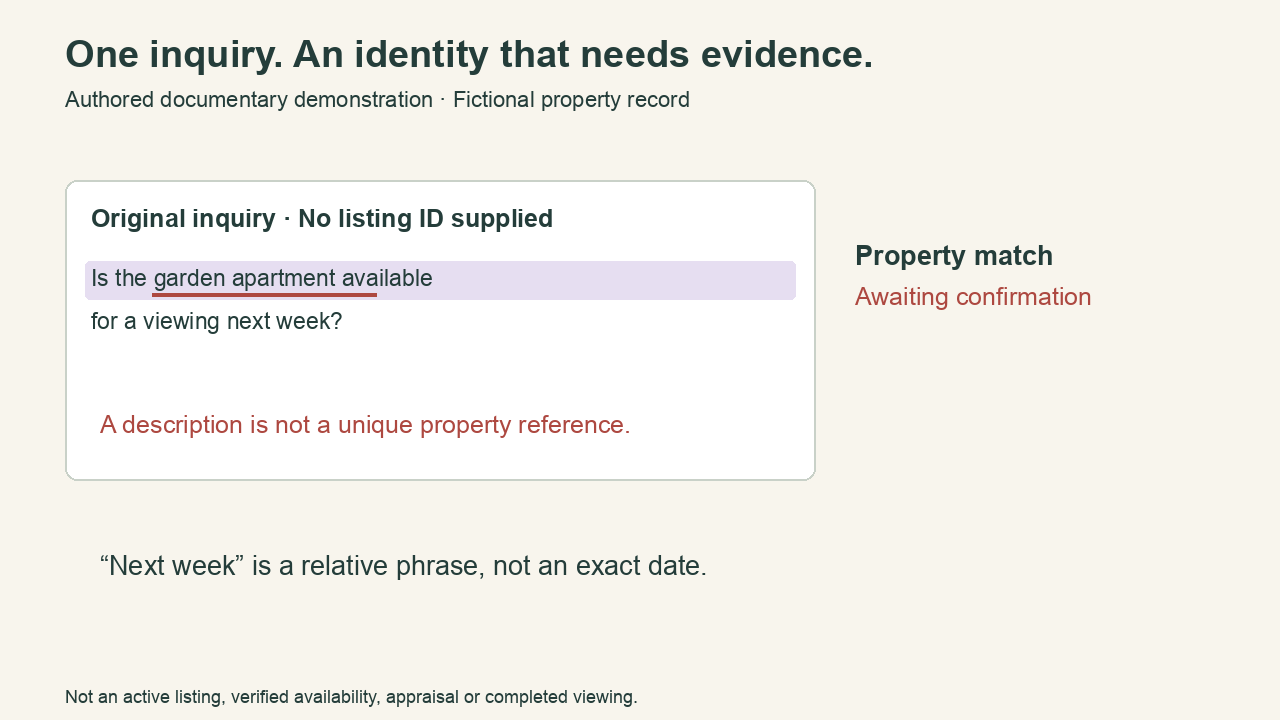
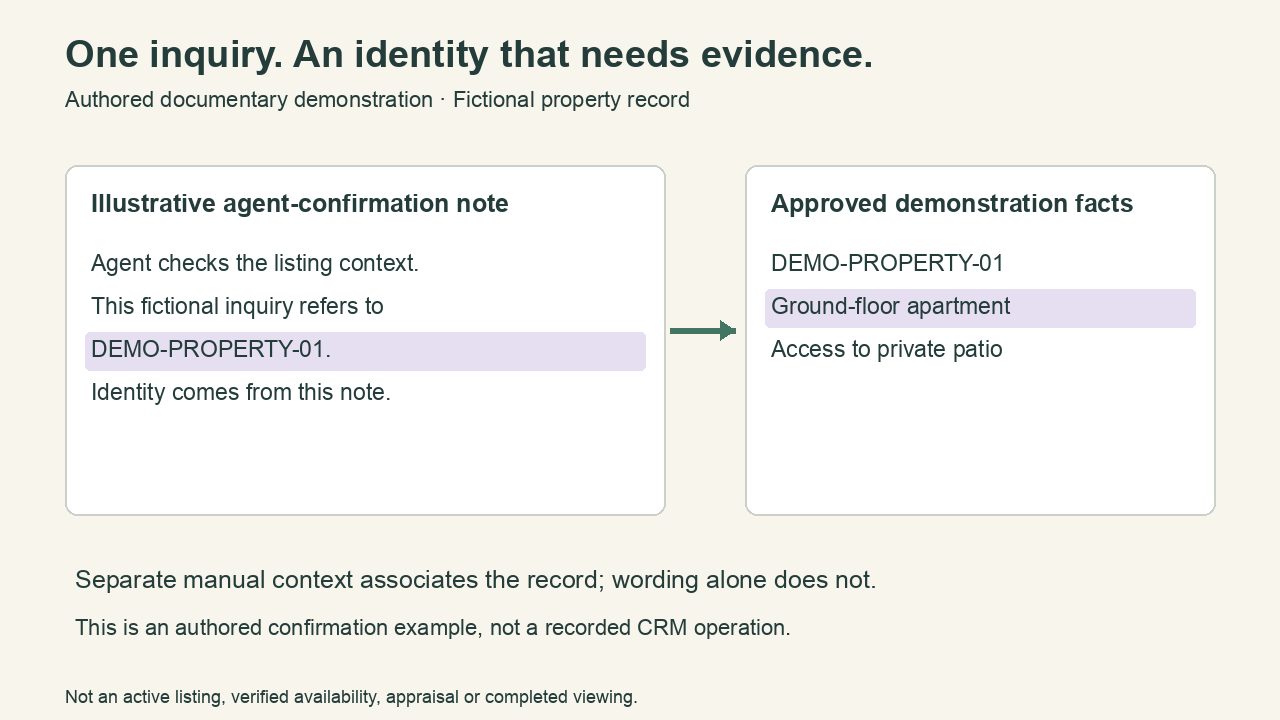
A request for a viewing is different from a confirmed appointment. In this real estate AI case, the inquiry first needs a property match. A separate, fictional agent-confirmation note supplies that identity; availability still needs checking.
- Keep the source message alongside extracted fields.
- Ask for a property reference when real estate AI cannot identify the listing.
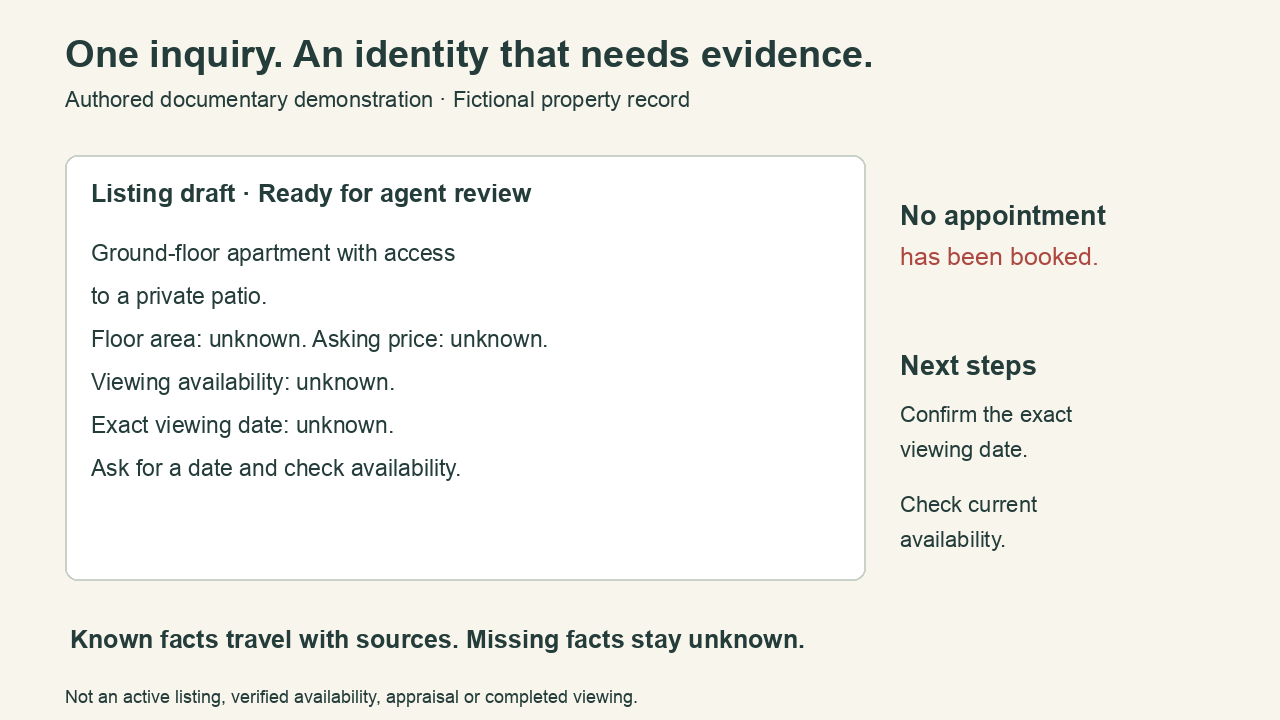
- Confirm the exact date and availability before arranging a viewing.
Make property facts traceable in the draft
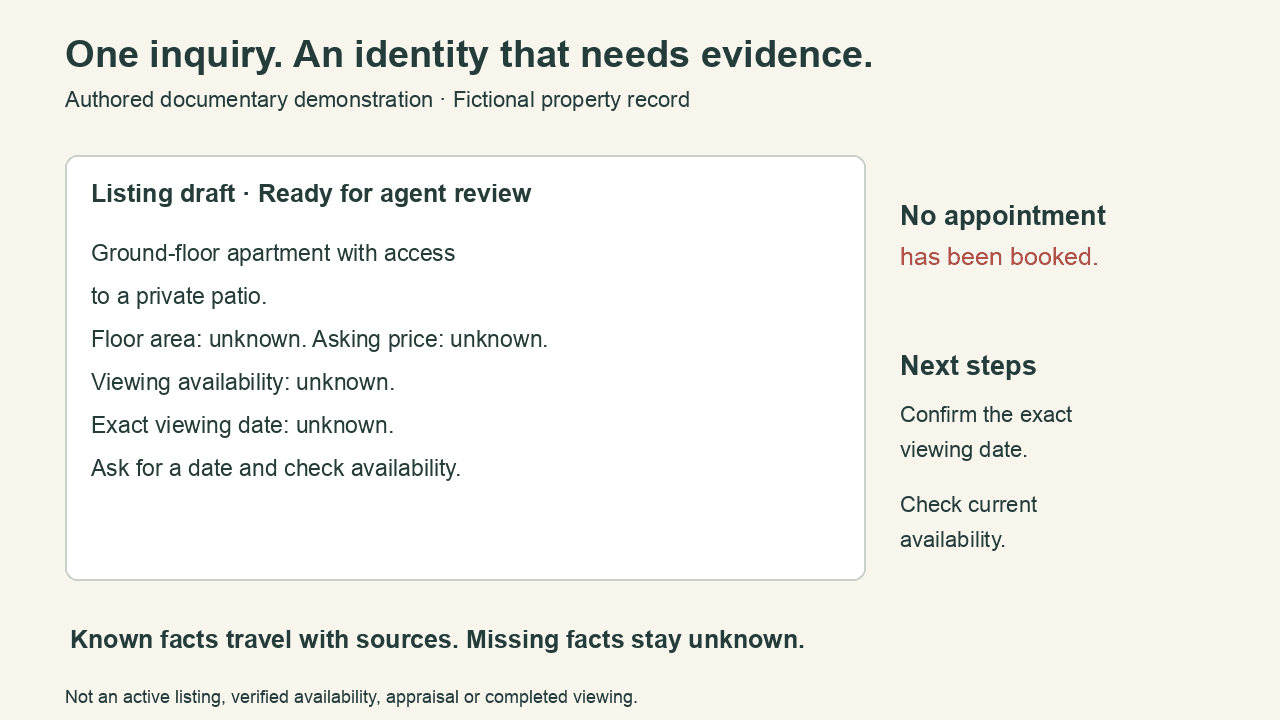
The approved record describes a ground-floor apartment with private patio access. The real estate AI draft carries those two facts forward, while floor area, asking price, viewing availability and the exact date remain unknown.
- Retain the record revision with each description.
- Check real estate AI claims against the supplied source.
- Keep measurements and current availability under direct review.
Keep the original room beside the concept
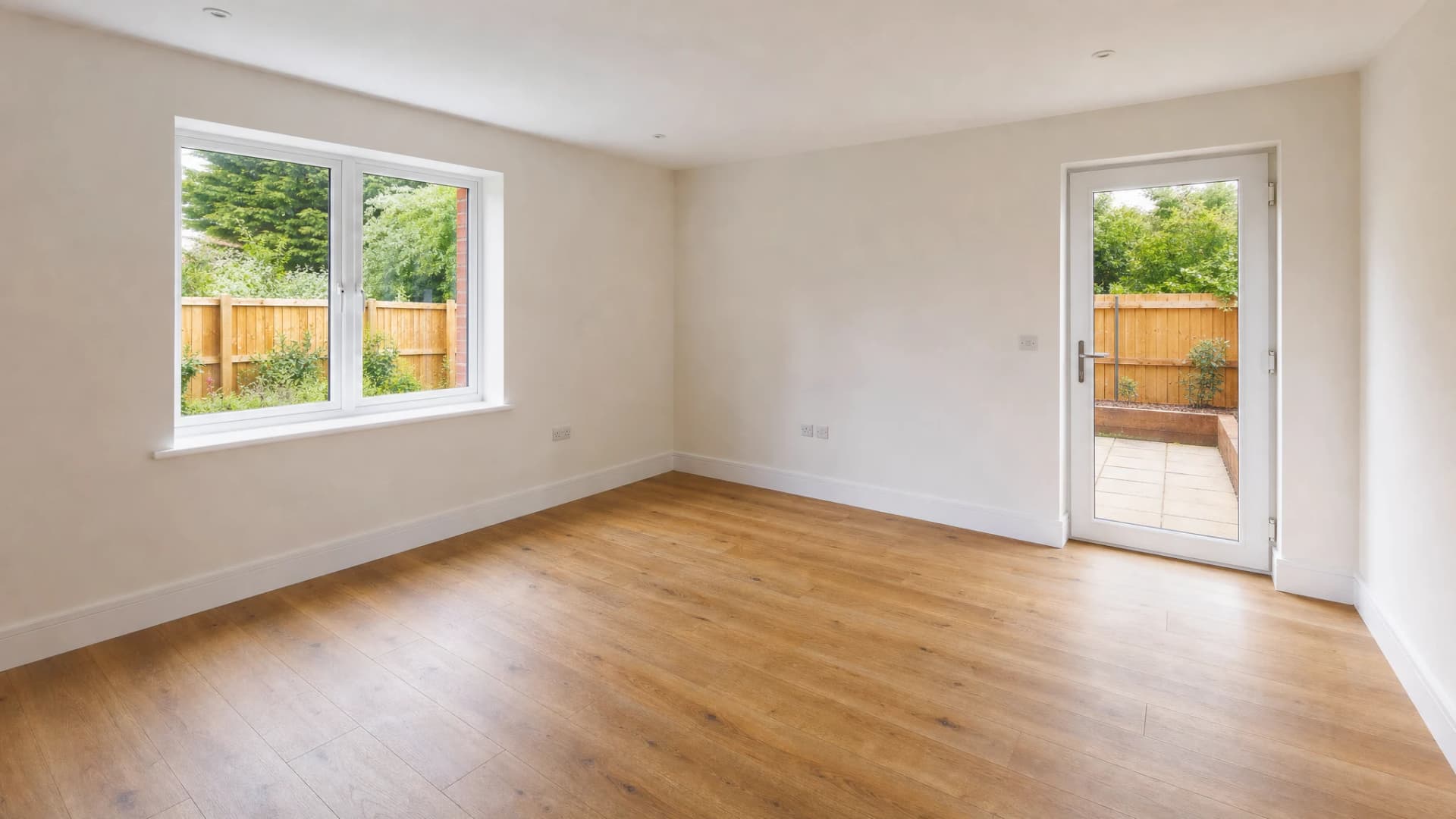
This real estate AI concept adds a sofa, coffee table, rug and lamp to a synthetic empty room. Compare the original and returned image: the door and window positions remain, but outdoor foliage changes. Review that difference before considering any property use.
- Compare window frames, doors and room boundaries before selecting a concept.
- Keep real estate AI imagery clearly labeled as a concept, not a property photograph.
- Check outdoor views as well as furniture; a narrow prompt alone does not preserve every detail.



Choose real estate AI by the task
Evaluate real estate AI message handling and visual work separately. They have different inputs, different failure modes and different reviewers, even when they concern the same listing.
| Task | Starting point | Acceptance check |
|---|---|---|
| Real estate AI inquiry review | GPT-6 Sol or Claude Opus 5.5 | Preserved source message, useful categories and unresolved fields. |
| Real estate AI listing drafts | A text model supplied with current property facts | No invented measurements, amenities or availability. |
| Real estate AI visual concepts | GPT Image 2 or Nano Banana Pro | Structural details match the original photograph. |
Connect one listing workflow first
Start real estate AI with a defined task your team already performs. Use a sample record you can inspect before connecting live messages or publishing tools.
- 1
Prepare the source
Supply real estate AI with the message or verified property record. Define the intended output and the fields that must remain unknown when the source does not answer them.
- 2
Review a small sample
Test real estate AI with genuine inquiries, irrelevant messages and ambiguous cases. For imagery, compare the concept with the original room rather than evaluating appearance alone.
- 3
Connect approved results
Have your application pass reviewed real estate AI drafts into existing systems. Preserve the source and decision so a correction can be traced to the relevant listing or inquiry.
Real estate AI questions before connecting your tools
Does SeedRouter include a real estate AI CRM?
SeedRouter provides model APIs, not a CRM or property database. You connect real estate AI to the systems you already use, and those systems control records, permissions, availability and any outgoing communication.
Can real estate AI access MLS data automatically?
SeedRouter does not provide MLS access or property-data licenses. A real estate AI workflow can use data your application is authorized to supply, with the source and permitted uses managed through your existing systems.
How do I avoid losing real leads with real estate AI?
Keep uncertain classifications in a review path and inspect rejected messages. Evaluate real estate AI with short, forwarded and incomplete inquiries as well as obvious examples; an apparently irrelevant email may still contain a useful request.
Can real estate AI invent missing listing details?
The workflow should leave absent facts unresolved and ask for a source. Check real estate AI drafts for unsupported measurements, views, amenities and availability, keeping factual fields tied to the current property record.
Does real estate AI guarantee accurate staging?
No guarantee of faithful property reproduction is implied by image generation. Review real estate AI output for changed walls, windows, views and permanent fixtures, and distinguish a generated concept from the original photograph.
How should I estimate real estate AI costs?
Use current model prices and count review and revision work separately. Track real estate AI message classification, text drafting and imagery as different tasks so an average cost does not hide a problem in one workflow.
Inspect the property brief and connection guides
This original real estate AI case includes the inquiry, a separate fictional agent-confirmation note, approved facts and a review draft. Download the sources and run the checker to trace each statement. The synthetic staging pair records one image generation and one edit, with visible limitations. No live listing, customer record or booked viewing is claimed.
- Real estate AI source package
- Original property inquiry
- Real estate AI source-to-claim map
- Run the source checker
- Real estate AI validation receipt
- Real estate AI staging record
- Real estate AI property brief
- Lead classification workflow
- n8n connection guide
- Current model prices
Related solutions
- Lead classification and handoff
Extract details from incoming leads, review uncertain classifications and hand records to your business systems.
Start with one property task you can verify
Choose an inquiry or a listing draft and provide the relevant source. Try real estate AI with clear review criteria, then connect the accepted work to your existing team process.